Result 1Image generation
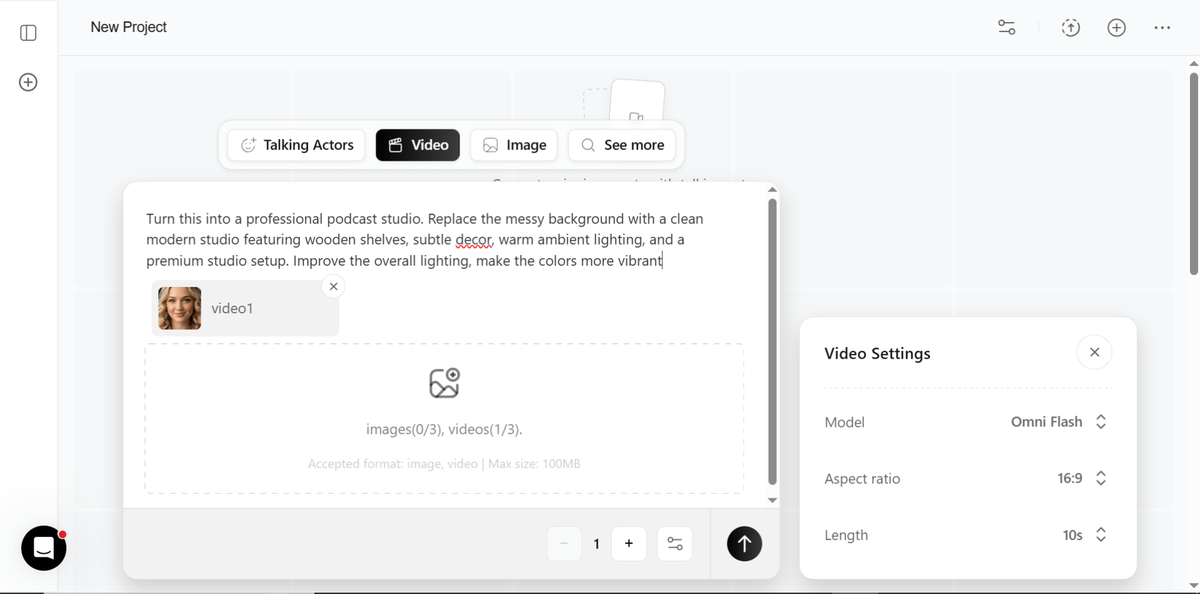
A ready prompt to transform a video background into a clean modern podcast studio with wooden shelves, warm lighting, and vibrant colors using Gemini.
These example images come from the original source. DROPIDEA has not independently tested these examples; results depend on the model and settings.
Replace the red variables with your information. Copy the full prompt and use it with your preferred agent.
a professional podcast studioThe target scene style to transform into; replace the full phrase inside the English prompt
In the prompt line: after "Turn this into" and before the first period
Example valuea professional podcast studio
a clean modern studio featuring wooden shelves, subtle decor, warm lighting, and a premium studio setupDescription of the new desired background; replace the whole phrase keeping "Replace the messy background with"
In the prompt line: after "Replace the messy background with"
Example valuea clean modern studio featuring wooden shelves, subtle decor, warm lighting, and a premium studio setup
make the colors more vibrantColor improvement instruction at the end of the prompt
In the prompt line: after "Improve the overall lighting,"
Example valuemake the colors more vibrant
A detailed 30-second seamless video generation prompt capturing a handheld raw smartphone loop of three men partyin...
A brief post contains only a downward arrow symbol and an external link.
A detailed English prompt generating a hyper-realistic 9:16 front-camera selfie of a young woman against a festive...
Complete art-direction prompt generating a premium Nike running campaign poster: explosive editorial runner, hero s...