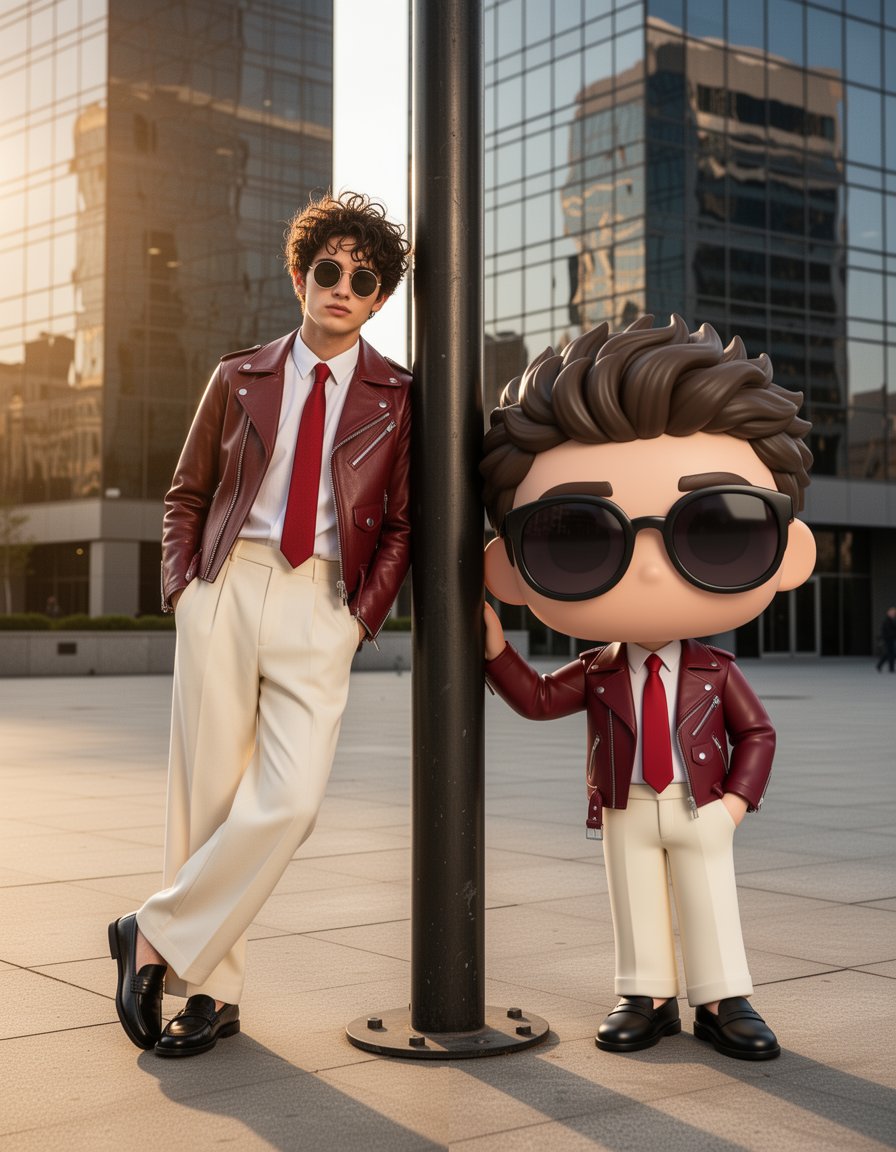
Result 1Image generation
A creative split-style prompt featuring a stylish photorealistic man on the left side by side with his matching 3D chibi cartoon counterpart on the right, under unified warm lighting.
These example images come from the original source. DROPIDEA has not independently tested these examples; results depend on the model and settings.
Replace the red variables with your information. Copy the full prompt and use it with your preferred agent.
A stylish young man with tousled dark curly hair and round sunglasses, wearing a maroon leather jacket over a white shirt and red tie, cream wide-leg trousers, black loafersDescription of the original subject's appearance, hair, and clothing
At the beginning of the prompt before the pose description
Example valueA stylish young man with tousled dark curly hair and round sunglasses, wearing a maroon leather jacket over a white shirt and red tie, cream wide-leg trousers, black loafers
sunlit urban plaza with reflective glass office buildings behind himThe surrounding urban plaza and background setting
After the description of leaning against the metal pole
Example valuesunlit urban plaza with reflective glass office buildings behind him
oversized round head, huge dark sunglasses, matching maroon leather jacket, red tie, cream trousers, black shoesSpecific accessories and mini outfit features for the cartoon counterpart
Between dashes after describing the chibi character
Example valueoversized round head, huge dark sunglasses, matching maroon leather jacket, red tie, cream trousers, black shoes
A photographic prompt crafted to generate hyper-realistic, unposed smartphone snapshots taken by a friend at a nigh...
Prompt generating an ultra-realistic photo of a young man wearing white Shalwar Kameez by a lake at sunset, specify...
An advanced cinematic AI video prompt crafting a 15-second seamless loop psychedelic Japanese horror music video fe...
Prompt to generate a photorealistic character reference sheet for a young medieval village woman featuring multi-an...