Result 1Image generation
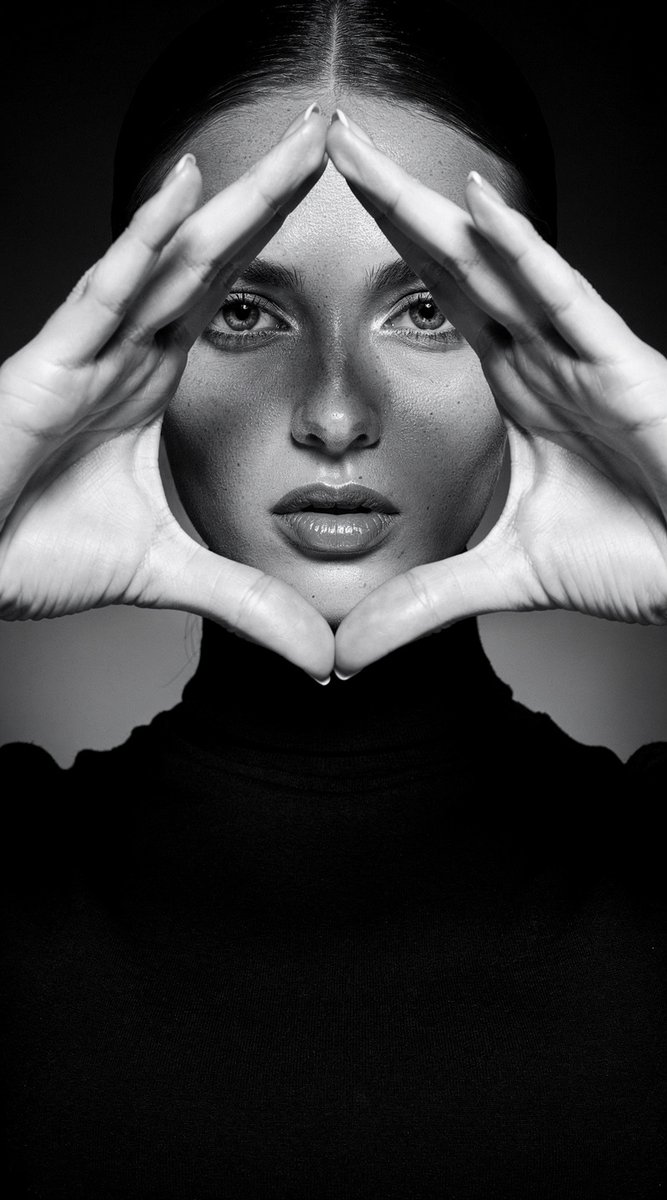
An English prompt for generating a dramatic black-and-white beauty portrait of a woman staring intensely into the camera, her hands forming a diamond frame around her face, with high-contrast cinematic studio lighting and flawless skin texture.
These example images come from the original source. DROPIDEA has not independently tested these examples; results depend on the model and settings.
Replace the red variables with your information. Copy the full prompt and use it with your preferred agent.
pure black turtleneckThe woman's top garment description; editable while keeping a dramatic feel.
Replace the phrase "pure black turtleneck" in the English template.
Example valuea simple long-sleeved black dress
both hands forming a diamond frame around her faceThe hand position around the face; a key compositional element you can change.
Replace the phrase "both hands forming a diamond frame around her face" in the English template.
Example valueboth hands gently shading the sides of her face
minimal makeupThe makeup style; "minimal" keeps the natural editorial character.
Replace the phrase "minimal makeup" in the English template.
Example valuebold smoky eye makeup
cinematic studio lightingThe main lighting style; it defines the dramatic mood of the image.
Replace the phrase "cinematic studio lighting" in the English template.
Example valuehard side lighting with deep shadows
A photographic prompt crafted to generate hyper-realistic, unposed smartphone snapshots taken by a friend at a nigh...
Prompt generating an ultra-realistic photo of a young man wearing white Shalwar Kameez by a lake at sunset, specify...
An advanced cinematic AI video prompt crafting a 15-second seamless loop psychedelic Japanese horror music video fe...
Prompt to generate a photorealistic character reference sheet for a young medieval village woman featuring multi-an...