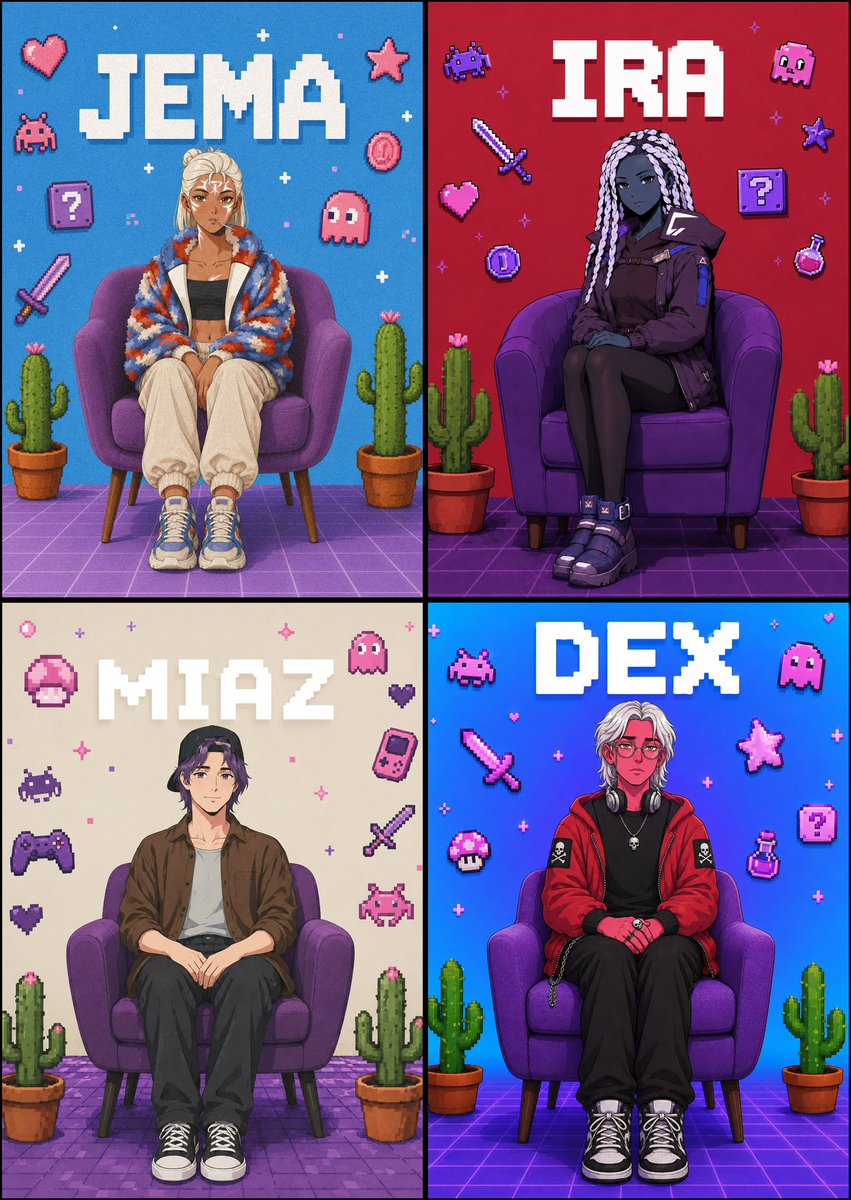
Result 1OpenAI
Template generating a photo composite of a reference-image character seated on a purple chair, with bold 8-bit pixel name typography, floating pixel elements, pixelated 3D cacti, flat blue background and purple grid floor, retro gaming aesthetic, plus optional tweaks for name, colors and a CapCut grain effect.
These example images come from the original source. DROPIDEA has not independently tested these examples; results depend on the model and settings.
Replace the red variables with your information. Copy the full prompt and use it with your preferred agent.
JEMAThe large pixel-typography name; replace it with your own.
The sentence spelling “JEMA” in quotes; replace only JEMA, keeping the quotes.
Example valueLENA
purple accent chairEditable chair color to match your palette.
The phrase “purple accent chair” in the first sentence; replace the color word.
Example valueemerald green
flat solid blueEditable flat background color to match your palette.
The sentence “Background is a flat solid blue”; replace the color word.
Example valuelight beige
A photographic prompt crafted to generate hyper-realistic, unposed smartphone snapshots taken by a friend at a nigh...
Prompt generating an ultra-realistic photo of a young man wearing white Shalwar Kameez by a lake at sunset, specify...
An advanced cinematic AI video prompt crafting a 15-second seamless loop psychedelic Japanese horror music video fe...
Prompt to generate a photorealistic character reference sheet for a young medieval village woman featuring multi-an...