Skip to content
ImagesFree

Cinematic Night-Flash Relighting for Your Image

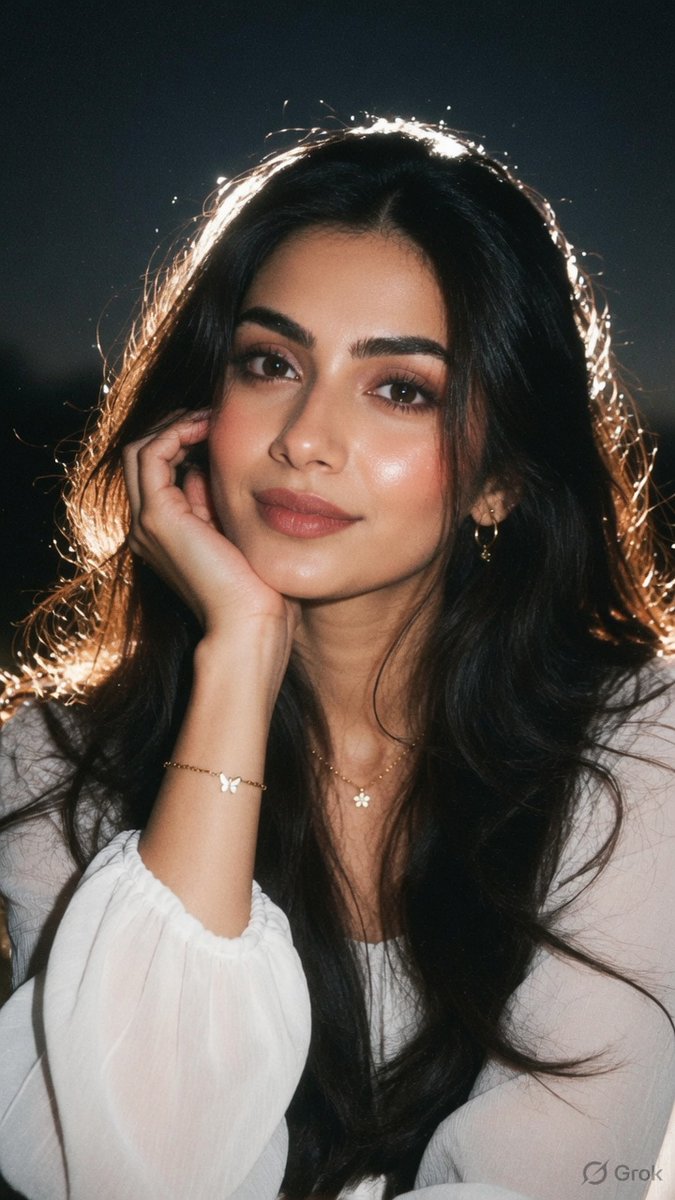
A relighting prompt with a bold night-flash aesthetic: deep muted grainy background, strong rim light around the subject, soft front fill light, cinematic high contrast, and gentle peachy skin tones.

Image generation

Source previews

These example images come from the original source. DROPIDEA has not independently tested these examples; results depend on the model and settings.

Ready to personalize

Your prompt

English

Replace the red variables with your information. Copy the full prompt and use it with your preferred agent.

TXT MD English version
Relight image. Background: Deep and muted, darker tone at the top, grainy. Lighting: Bold night-flash aesthetic combining natural light with direct front-facing flash. Tiny highlights. Strong backlighting creating a brilliant rim light around the subject, with a soft fill light from the front. Cinematic high-contrast mood. Skin rendered with gentle peachy tones. #grok #editing #relight #ai #AIart️️️️️️️️️️️️️️️️️️️️️️️️️️️️️️️️️️️️️️️️️️️️️️️️️️️
Preview results

Your prompt

Relight image. Background: Deep and muted, darker tone at the top, grainy. Lighting: Bold night-flash aesthetic combining natural light with direct front-facing flash. Tiny highlights. Strong backlighting creating a brilliant rim light around the subject, with a soft fill light from the front. Cinematic high-contrast mood. Skin rendered with gentle peachy tones. #grok #editing #relight #ai #AIart️️️️️️️️️️️️️️️️️️️️️️️️️️️️️️️️️️️️️️️️️️️️️️️️️️️

What you get

  • A relit image blending natural light with direct front-facing flash.
  • A deep, muted background that is darker at the top with a grainy texture.
  • A strong brilliant rim light around the subject with a soft front fill light.
  • A cinematic high-contrast mood with gentle peachy skin tones.

Use cases

  • Turning daytime photos into bold night shots for social media.
  • Giving portraits an editorial fashion look.
  • Enhancing product photos with dramatic high-contrast lighting.
  • Creating cinematic-looking visuals for marketing campaigns.

How to use

  • Upload the image you want to relight to an AI editing tool or model that supports relighting.
  • Copy and paste the prompt text into the description field, making sure the original image is attached as a reference.
  • Review the result; for fine-tuning, adjust the background darkness or rim-light intensity and regenerate.
  • Keep the hashtags at the end of the prompt if you plan to publish the output on social media.

Related prompts