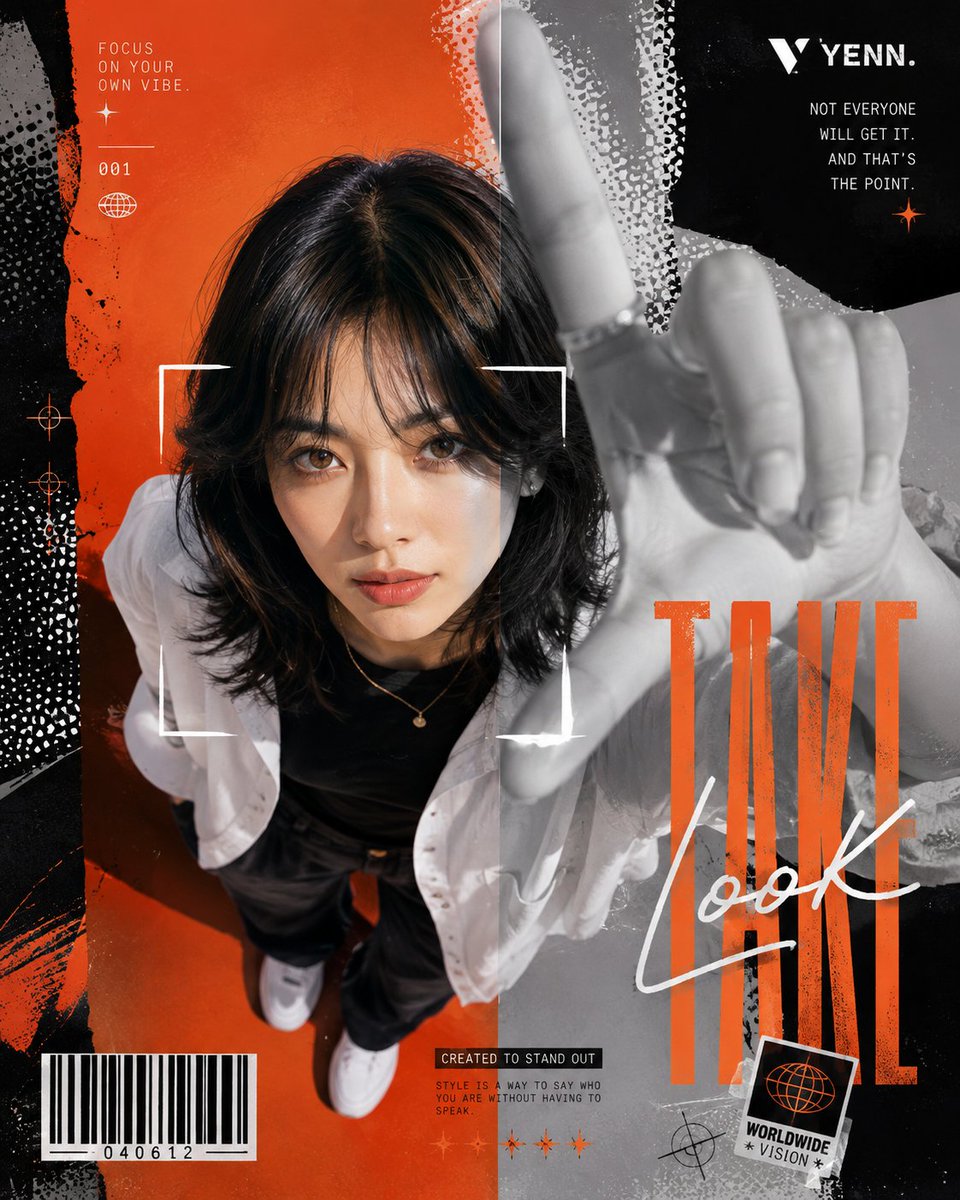
Editorial Fashion Poster Bold Y2K Graphic Style
An editorial streetwear poster combining cinematic studio photography with bold Y2K graphic design: color/grayscale split, halftone dots, TAKE and Look typography, barcode and autofocus frame in 4:5.
Source previews
These example images come from the original source. DROPIDEA has not independently tested these examples; results depend on the model and settings.
Your prompt
Replace the red variables with your information. Copy the full prompt and use it with your preferred agent.
Variable guide
TAKEThe big uppercase headline word along the lower right side.
In the sentence reading \"TAKE\" — replace the word inside the quotes.
Example valueICON
LookThe elegant white handwritten word overlapping the headline.
In the sentence reading \"Look\" — replace the word inside the quotes.
Example valueStay
matte burnt orangeThe studio backdrop color in the full-color left half.
In \"matte burnt orange studio backdrop\" — replace the color phrase only.
Example valuematte olive green
What you get
- A 4:5 editorial fashion poster in a bold Y2K graphic style.
- A young woman with a black bob shot from a high angle with a wide lens (around 24mm) and an oversized perspective hand.
- A vertical split: a full-color burnt orange half and a grayscale half with colored graphic elements.
- A layered halftone dot background, bright orange doodles, autofocus corner brackets, and a realistic barcode.
- Dual typography: a big condensed uppercase word and an elegant handwritten script with a small logo.
Use cases
- Magazine covers, editorial fashion, and streetwear brand campaigns.
- Promotional posters for fashion drops and limited releases reviving the Y2K style.
- Social media posts and premium minimalist brand identity designs.
How to use
- Choose your editable text words (the big TAKE word and the handwritten Look word) or keep them as they are.
- To change the palette, edit the matte burnt orange backdrop while keeping the remaining graphic element colors consistent.
- Copy the full English template and paste it into your supported image generation tool.
- Attach or reference a subject photo if your tool supports image uploads, to lock facial features and hairstyle.
- Set the aspect ratio to 4:5 in the tool if it is not applied automatically.
- Generate the image and iterate with small variations until the color split and composition match your intent.
Related prompts
Four-Panel Streetwear Fashion Campaign
A prompt for creating a premium vertical four-panel streetwear campaign collage from an uploaded facial identity re...
Summer Beach Bar Photorealistic Portrait
A photorealistic image-generation prompt for a vertical summer portrait of a fictional adult Japanese woman in a st...
Fantasy Portrait with Chromatic Glitch
A prompt for a photorealistic fantasy fashion portrait featuring a woman with elven details, black and orange cloth...
Low-Angle Suburban Fashion Portrait
An ultra-photorealistic fashion editorial prompt featuring a low-angle outdoor portrait in a suburban setting with...
