Result 1OpenAI
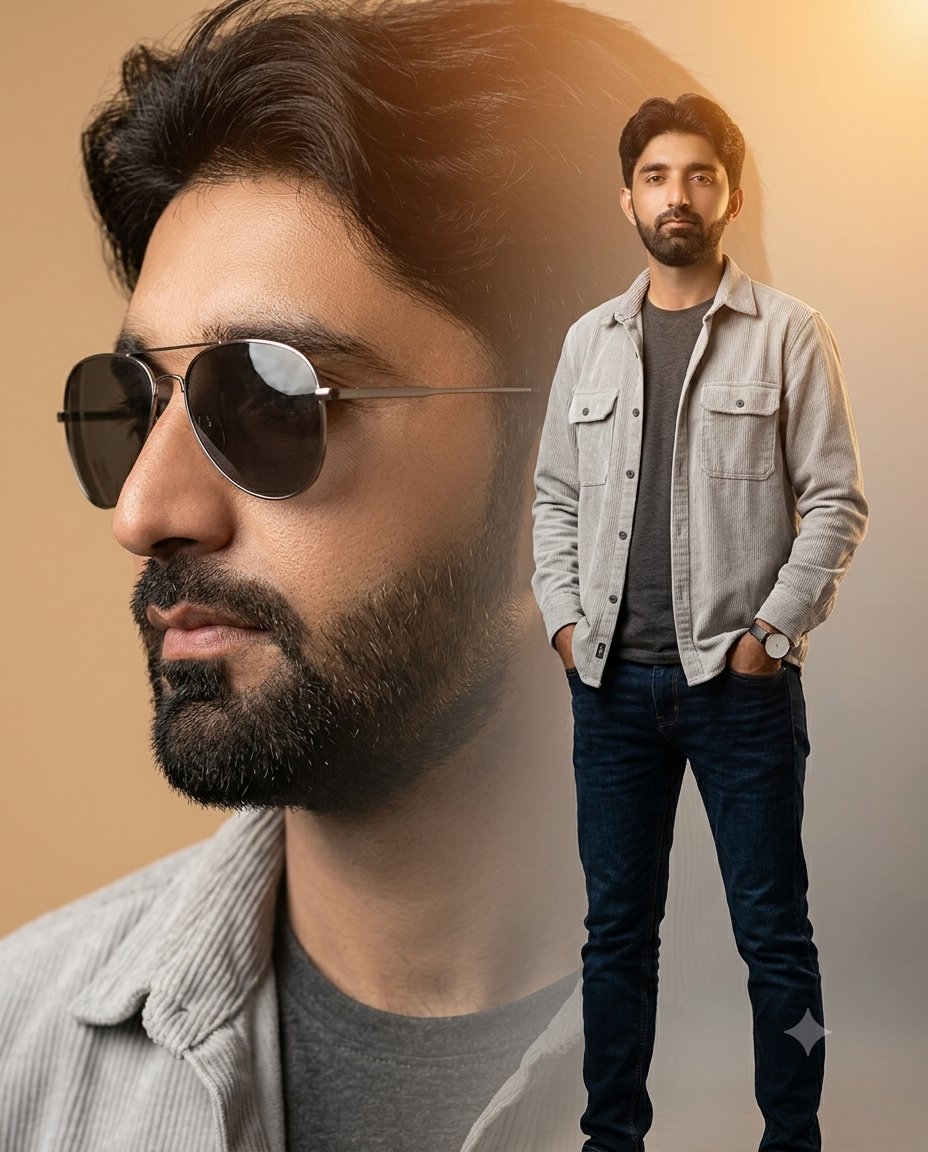
Prompt for an ultra-realistic 4:5 double-exposure fashion editorial using an uploaded face reference with 100% identity preservation, luxury studio styling and 8K detail.
These example images come from the original source. DROPIDEA has not independently tested these examples; results depend on the model and settings.
Replace the red variables with your information. Copy the full prompt and use it with your preferred agent.
metallic aviator sunglassesThe eyewear worn in the transparent side profile
Third section, left-side description: replace "metallic aviator sunglasses"
Example valuemetallic round sunglasses
light gray corduroy overshirtThe outer shirt in the full-body outfit
Right-side description: replace "light gray corduroy overshirt"
Example valueblack leather jacket
dark indigo slim-fit jeansColor and fit of the jeans
Right-side description: replace "dark indigo slim-fit jeans"
Example valuestraight navy trousers
minimalist wristwatchThe accompanying wristwatch
Right-side description: replace "minimalist wristwatch"
Example valuegold pocket watch
Warm beige and soft gray luxury studio backgroundStudio background colors
Third section after the outfit: replace "Warm beige and soft gray luxury studio background"
Example valuecool dark blue background
A prompt for creating a premium vertical four-panel streetwear campaign collage from an uploaded facial identity re...
A photorealistic image-generation prompt for a vertical summer portrait of a fictional adult Japanese woman in a st...
A prompt for a photorealistic fantasy fashion portrait featuring a woman with elven details, black and orange cloth...
An ultra-photorealistic fashion editorial prompt featuring a low-angle outdoor portrait in a suburban setting with...