Result 1OpenAI
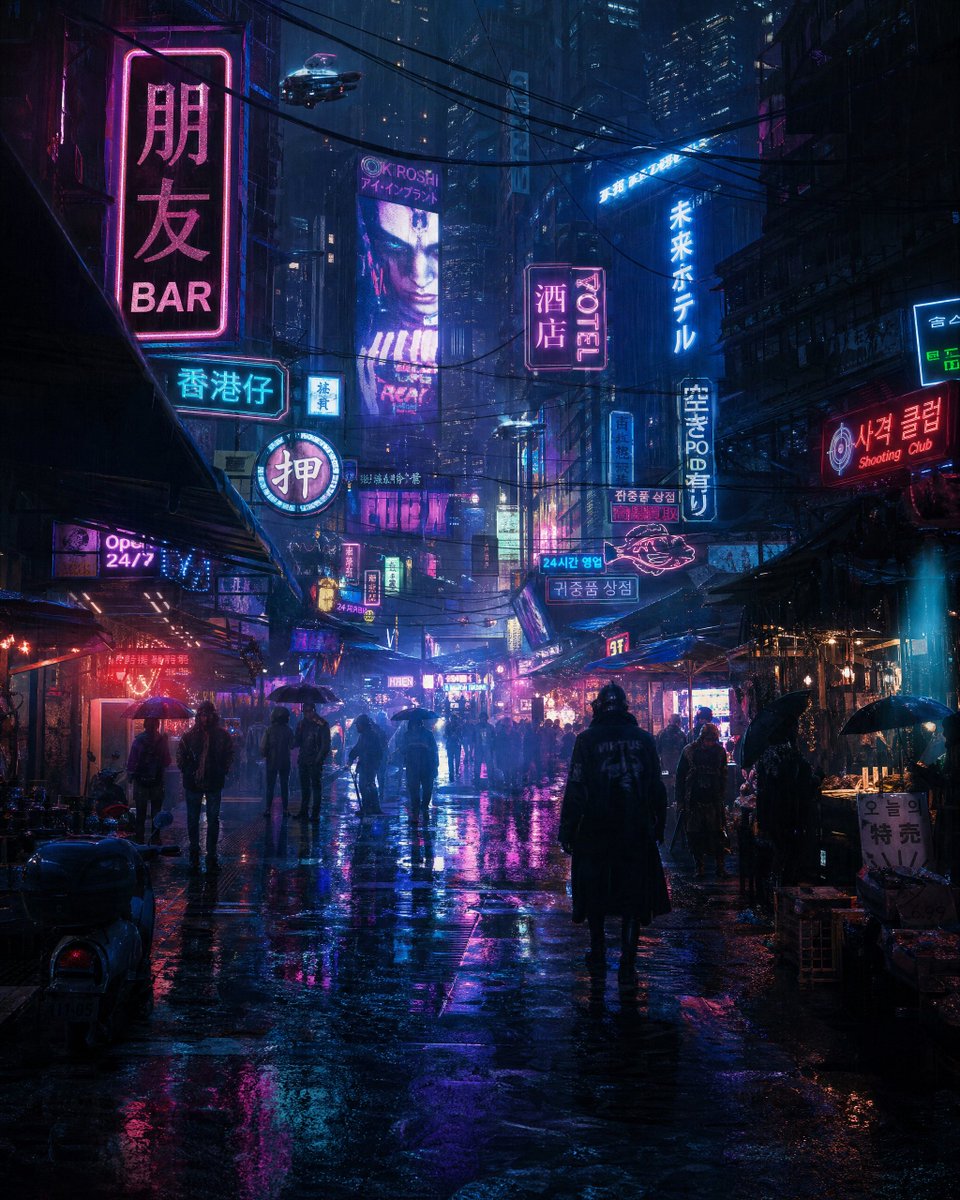
An ultra-detailed cinematic image prompt of a rainy futuristic Asian megacity at night with neon signs, a lone figure with a transparent umbrella, Blade Runner-inspired aesthetics, and a negatives list to avoid artifacts.
These example images come from the original source. DROPIDEA has not independently tested these examples; results depend on the model and settings.
Replace the red variables with your information. Copy the full prompt and use it with your preferred agent.
A lone figure seen from behind walks through the center of the street holding a transparent umbrella, wearing a long black coat with an intricate Japanese oni mask illustration on the backDescription of the central walking figure
Second section of the template: the sentence beginning with 'A lone figure seen from behind'
Example valueA woman in a long red coat
blue, magenta, cyan, and purpleNeon colors reflected on the wet asphalt
First section: end of the sentence 'reflecting vibrant ... neon lights'
Example valueorange and blue
teal and magenta color gradingFinal color grading of the image
End of the third section: the 'color grading' phrase
Example valueorange and teal
A photographic prompt crafted to generate hyper-realistic, unposed smartphone snapshots taken by a friend at a nigh...
Prompt generating an ultra-realistic photo of a young man wearing white Shalwar Kameez by a lake at sunset, specify...
An advanced cinematic AI video prompt crafting a 15-second seamless loop psychedelic Japanese horror music video fe...
Prompt to generate a photorealistic character reference sheet for a young medieval village woman featuring multi-an...