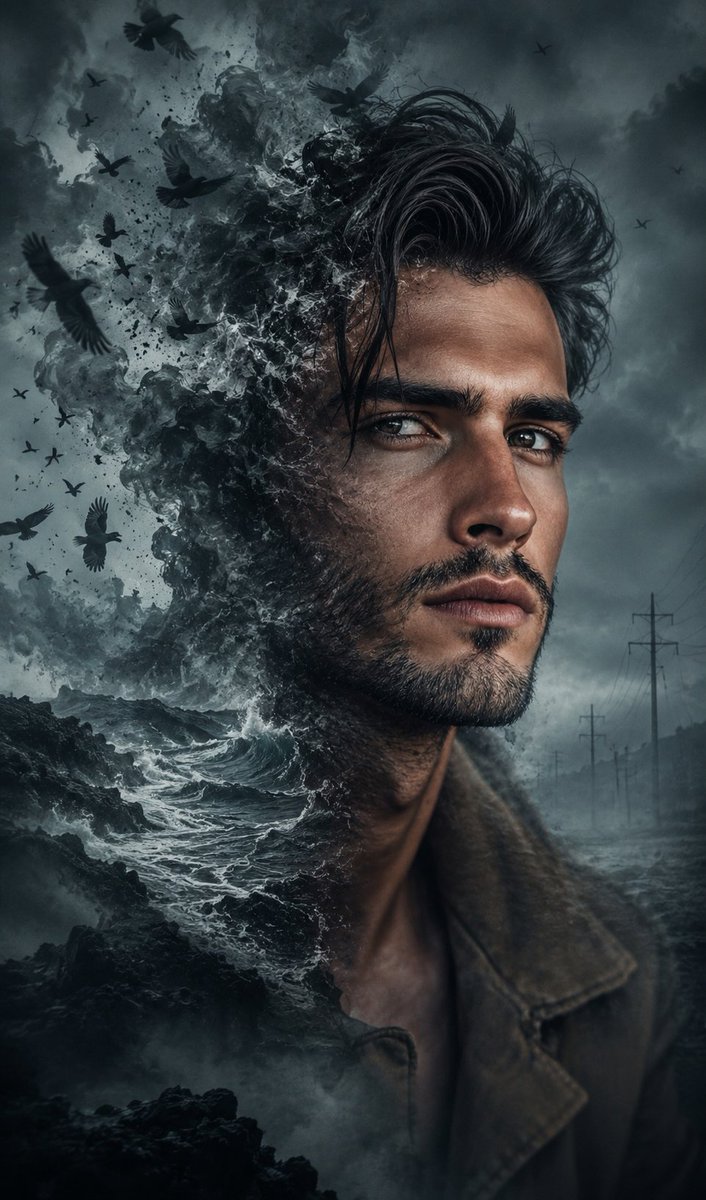
Result 1OpenAI
A prompt that transforms a reference portrait photo into a surreal double-exposure artwork where the face dissolves into a stormy sea, smoke, and crows, while preserving identity and the gray-blue cinematic palette.
These example images come from the original source. DROPIDEA has not independently tested these examples; results depend on the model and settings.
Replace the red variables with your information. Copy the full prompt and use it with your preferred agent.
a young man with wild, windswept curly hairDescription of the person in the reference image (hair, expression, gaze).
Second sentence of the descriptive paragraph in the template.
Example valueA young man with wild curly hair gazing straight into the camera with a melancholic expression
a violent stormy seascape, seamlessly transforming into swirling black smoke, mist, and hundreds of flying crowsThe surreal elements the face dissolves into.
The sentence beginning "The left side of his face dissolves..." in the template.
Example valueA stormy sea, black smoke, and crows
Moody gray-blue and desaturated teal color gradingThe color palette and cinematic color grading.
The color-grading sentence near the end of the template.
Example valueMoody gray-blue and desaturated teal
A photographic prompt crafted to generate hyper-realistic, unposed smartphone snapshots taken by a friend at a nigh...
Prompt generating an ultra-realistic photo of a young man wearing white Shalwar Kameez by a lake at sunset, specify...
An advanced cinematic AI video prompt crafting a 15-second seamless loop psychedelic Japanese horror music video fe...
Prompt to generate a photorealistic character reference sheet for a young medieval village woman featuring multi-an...