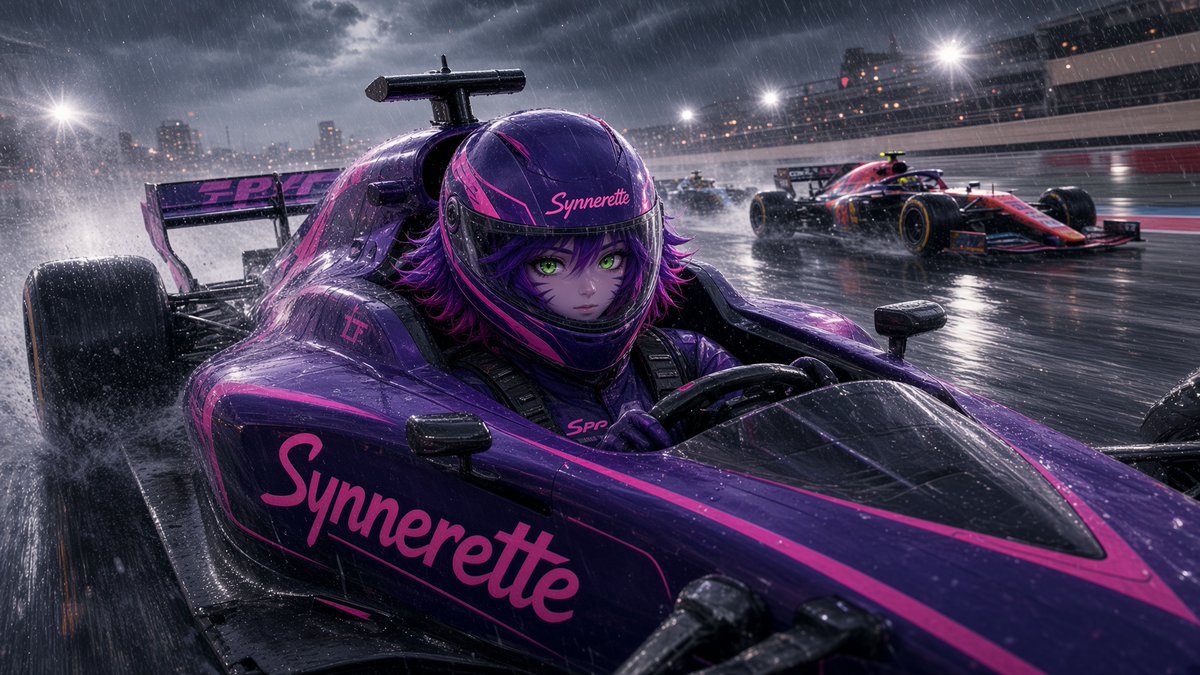
Championship F1!
>>>>DO NOT FORGET PUT YOUR NAME<<<<
———Prompt starts———-
Character name: []
@image(#) - main character reference lock preserve the character as recognizable as seen in @image(#).
preserve @image(#)'s:
face shape, eyes, mouth, hair style, hair color, ears, skin, gender.
Remove weapon/item on hand carried.
<style>
Any location of F1 vehicle will have sticker of character name [] bold and cursive.
Create a unique futuristic hyper speed Formula 1 using character references colors image.
Create a unique Formula 1 race suit and F1 helmet shield is transparent using character references colors image.
Force lock Character Clothing are race track using character reference colors.
-Do not add animal ears on helmet.
-Do not add animal Muzzle, snouts, ears, hairs, mane on helmets.
-Do not add hair on helmets.
High-contrast film style with dramatic chiaroscuro lighting.
The main character is rendered in photorealistic quality: hyper-realistic skin texture with subtle details, ultra-detailed realistic colors eyes with depth and catchlights, individual hair strands with natural shine and movement, photorealistic clothing with hyper-realistic fabric physics.
Strong pitch blacks, crisp whites, and rich midtone grays. Dramatic high-contrast lighting with harsh shadows, deep blacks, and bright specular highlights.
Shadings and outlines are High-contrast style with dramatic lighting.
Image is rendered in impasto painting hyper realistic skin texture with subtle details, ultra-detailed realistic eyes and iris with depth and catchlights, individual hair strands with natural shine and movement, photorealistic clothing with hyper-realistic fabric physics.
Colorful Strong crisp whites, and rich midtone grays. Dramatic high-contrast lighting with harsh shadows, deep blacks, and bright specular highlights.
Balanced dramatic lighting with recovered rich highlights and detailed bright areas. Slightly lifted blacks for excellent shadow detail while keeping strong contrast.
Razor-sharp details, crisp clean lines, high definition rendering. Clean, polished rendering — no blurry or muddy quality.
</style>
<composition>
aspect ratio: 16:9, 8K, very thin fine lines art.
For depth: multi-layered background with foreground, far background, atmospheric perspective.
camera shows Full view of seated character on F1 vehicle. angle view of race at daylight doing a turn. Using character inside vehicle perspective view is looking 30 degrees to the right. F1 rivals with random colors and numbers will be behind the character race. Flash lights of cameras on benches.
Add stream of water effects and reflective due to rain.
</composition>
<general mood>
Serious. High octane Race track atmosphere.
</general mood>
<scene>
Formula 1 French Grand Prix is the Circuit Paul Ricard race track with stunning atmosphere — urban street, haze of water and wet reflective pavement from heavy rain atmospheric. Dramatic race one point sunlight strong god rays through water drops and rain. Deep shadows, distant city lights, and cinematic atmosphere.
</scene>
<Negative>
Do not add cat ears.
Do not change height of character.
Do not add a mouth on a mask.
Do not add iris on mask.
Do not look viewer.
Do not duplicate same bodies.
Do not put character standing up on vehicle.
</negative>
——- Prompt ends ———-
@quackarot33 @DantaroDanstar @nyxlily_404 @Synnerette
Tags:
#AIart️️️️️️️️️️️️️️️️️️️️️️️️️️️️️️️️️️️️️️️️️️️️️️️️️️️ #ai #art #aiartdaily #aiart #japantech @imagine @grok #POTD #prompt #AIart美女スケールフィギュア #AiArtSociety #AIArtGallery #joysulem #joysulemart
#aiartowork #aiartworkgirls #AI美少女