Result 1OpenAI
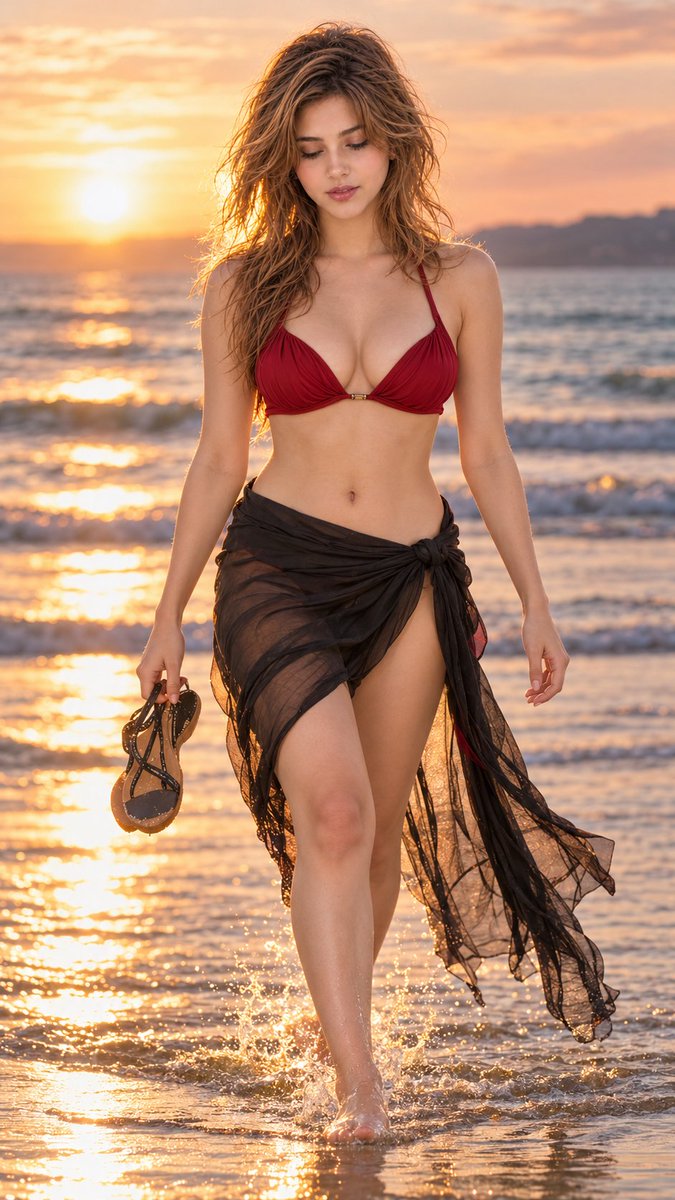
A professional cinematic prompt designed to preserve facial identity for a golden-hour beach fashion portrait in IMAX Netflix style, featuring realistic motion, water reflections, and warm film grading.
These example images come from the original source. DROPIDEA has not independently tested these examples; results depend on the model and settings.
Replace the red variables with your information. Copy the full prompt and use it with your preferred agent.
elegant deep red beach outfit with a lightweight black flowing wrap skirt secured naturally at one sideDescription, color, and cut of the beach ensemble
Within the outfit details in the first third of the prompt
Example valueelegant deep red beach outfit with a lightweight black flowing wrap skirt secured naturally at one side
long dark-brown hair is loose and naturally tousledHair color, texture, and styling
In the middle section describing subject facial and hair details
Example valuelong dark-brown hair is loose and naturally tousled
warm cinematic colour grading with muted amber, soft bronze, dusty rose and neutral ocean tonesAtmospheric color palette and cinematic grading style
Near the end of the prompt before the negative prompt
Example valuewarm cinematic colour grading with muted amber, soft bronze, dusty rose and neutral ocean tones
A prompt for creating a premium vertical four-panel streetwear campaign collage from an uploaded facial identity re...
A photorealistic image-generation prompt for a vertical summer portrait of a fictional adult Japanese woman in a st...
A prompt for a photorealistic fantasy fashion portrait featuring a woman with elven details, black and orange cloth...
An ultra-photorealistic fashion editorial prompt featuring a low-angle outdoor portrait in a suburban setting with...