Skip to content
ImagesFree

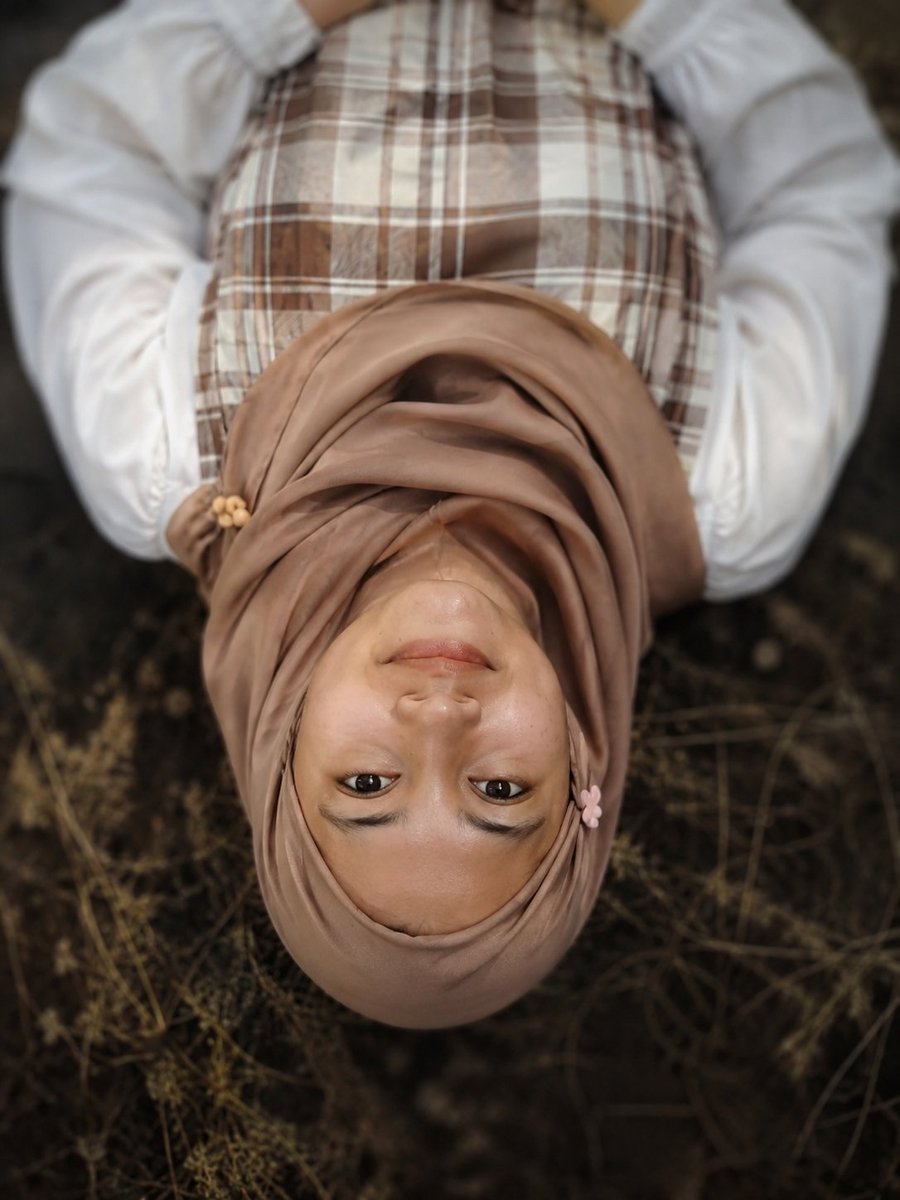
Transform the character in the image into a relaxed lying position on the ground, with the camera placed directly above the face (

Transform the character in the image into a relaxed lying position on the ground, with the camera placed directly above the face (

OpenAI

Source previews

These example images come from the original source. DROPIDEA has not independently tested these examples; results depend on the model and settings.

Ready to personalize

Your prompt

Source text

Replace the red variables with your information. Copy the full prompt and use it with your preferred agent.

TXT MD English version
Transform the character in the image into a relaxed lying position on the ground, with the camera placed directly above the face (top-down angle), head upside down facing the viewer, soft cinematic lighting, dreamy blur effect with shallow depth of field, calm facial expression, eyes looking directly into the camera, outfit matching the input photo, aesthetic portrait photography, ultra-realistic, soft bokeh background, symmetrical composition, highly detailed, emotional atmosphere. Ensure the face, facial contours, face shape, and distinctive facial features remain consistent. 3:4 ratio. Ultra realistic. #GPTImage2 #Prompt
Preview results

Your prompt

Transform the character in the image into a relaxed lying position on the ground, with the camera placed directly above the face (top-down angle), head upside down facing the viewer, soft cinematic lighting, dreamy blur effect with shallow depth of field, calm facial expression, eyes looking directly into the camera, outfit matching the input photo, aesthetic portrait photography, ultra-realistic, soft bokeh background, symmetrical composition, highly detailed, emotional atmosphere. Ensure the face, facial contours, face shape, and distinctive facial features remain consistent. 3:4 ratio. Ultra realistic. #GPTImage2 #Prompt

Related prompts