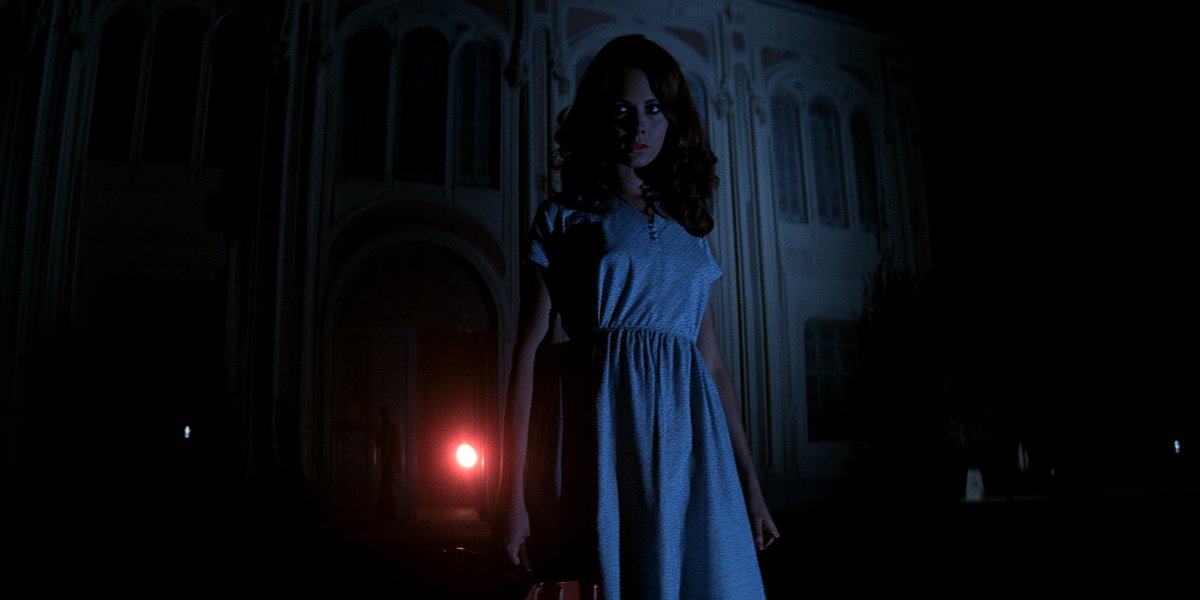
Midjourney Character Sheet Method From a Reference Image
A practical guide to creating a character sheet in Midjourney by dragging an image from the Create tab into Add to Prompt, adding your style, profile, and moodboard to keep the aesthetic, entering a prompt for a full-body three-angle sheet on a neutral gray background, then fixing the soft vintage film look with a creative upscaler and re-prompting for realistic detail.
Source previews
These example images come from the original source. DROPIDEA has not independently tested these examples; results depend on the model and settings.
Your prompt
Replace the red variables with your information. Copy the full prompt and use it with your preferred agent.
Variable guide
the womanThe description of the target character inside the quoted prompt; replace it with your own subject.
Inside the quoted prompt, in the sentence: create a character sheet of the woman - full form (head to feet).
Example valuethe man instead of the woman
1970s blue dress and heelsThe clothing and accessories description; adjust it to your request while keeping the English sentence structure.
Inside the quoted prompt, at the end of the sentence: she's wearing a 1970s blue dress and heels.
Example valueshe's wearing a red 1980s jumpsuit and boots
What you get
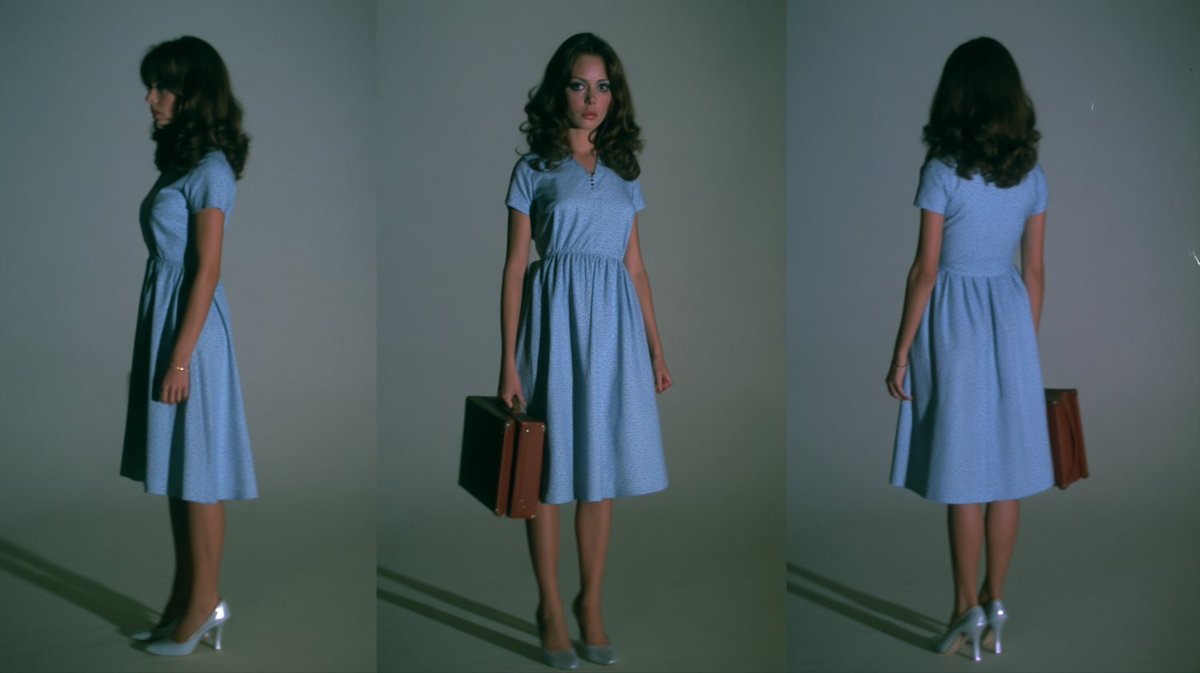
- A full-form head-to-feet character sheet of your subject.
- Three angles of the character: front, profile, and rear.
- A neutral gray background with soft lighting, natural skin tone and texture.
- A high-resolution version with detailed textures after running it through the creative upscaler.
Use cases
- Creating consistent character references for comics, books, and illustrations.
- Designing fashion characters and showcasing specific outfits from multiple angles.
- Developing character reference sheets for games and animation.
- Keeping a uniform character look across multiple marketing and advertising projects.
How to use
- Open the Create tab in Midjourney and drag your original character image into the prompt bar, dropping it into Add to Prompt.
- Add the style, profile, and moodboard used for the original image to the prompt to keep the same aesthetic, or pick a totally new one to change the look.
- Enter the quoted prompt from the template, adjusting the subject and outfit descriptions to fit your needs while keeping the realistic-detail phrases intact.
- Play around with the order and wording of the prompt until you get the best character sheet result.
- Upscale the output through a creative upscaler, then prompt once again for "detailed textures, natural skin tone and skin texture, it looks like a real photo".
- Ask it to maintain face details during upscaling so your character's features stay consistent.
Related prompts
Candid Smartphone Restaurant Moment Photo Prompt
A photographic prompt crafted to generate hyper-realistic, unposed smartphone snapshots taken by a friend at a nigh...
Photorealistic Portrait of Man in White by Lake
Prompt generating an ultra-realistic photo of a young man wearing white Shalwar Kameez by a lake at sunset, specify...
Gothic Yokai Carnival Music Video
An advanced cinematic AI video prompt crafting a 15-second seamless loop psychedelic Japanese horror music video fe...
Photorealistic Medieval Village Woman Character Sheet
Prompt to generate a photorealistic character reference sheet for a young medieval village woman featuring multi-an...
