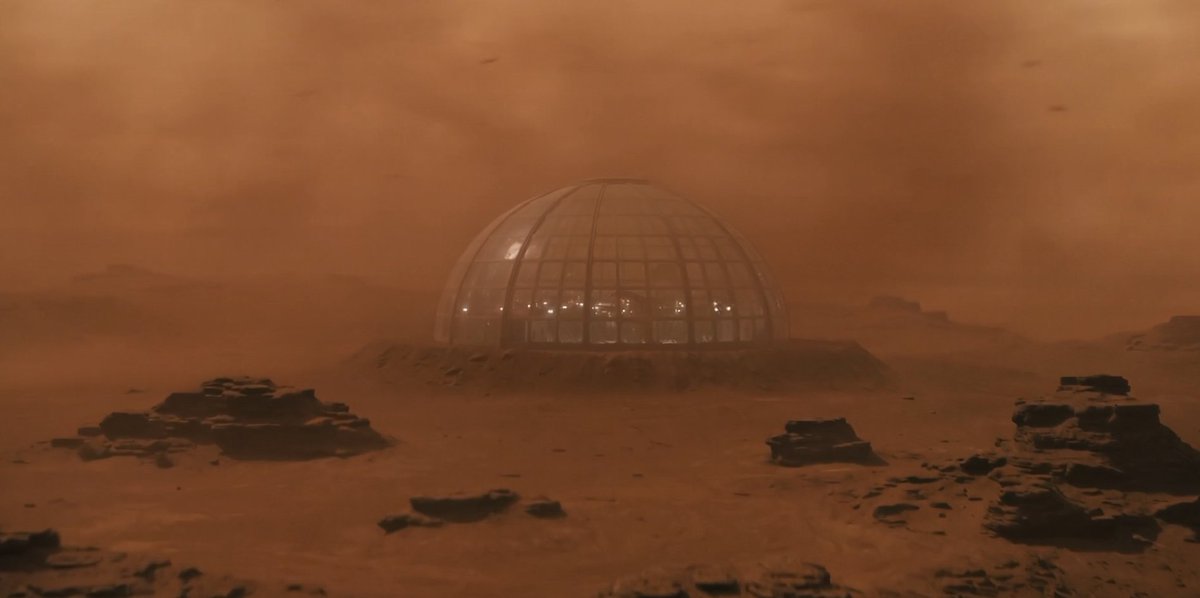
Result 1Image generation
Cinematic scene of a human colony on Mars inside a transparent dome battered by a violent red dust storm. Flickering lights, bending trees, and astronauts running through emergency corridors; at the 2-second mark something enormous moves behind the dust wall, ending with a massive shadow cracking the dome glass. Hard sci-fi realism, cinematic 4K.
These example images come from the original source. DROPIDEA has not independently tested these examples; results depend on the model and settings.
Replace the red variables with your information. Copy the full prompt and use it with your preferred agent.
redChange the color in both spots: 'red dust storm' in the first sentence and 'red dust' in the last line; 'red warning lights' is a separate element.
First sentence 'red dust storm' and final line 'red dust'
Example valuegolden dust storm ... golden dust
red warning lightsColor of the warning lights in the glass tunnels, independent of the dust color.
Second paragraph: 'red warning lights'
Example valueblue warning lights
2Timing digit for the enormous shape's movement; replace the digit only and keep one occurrence.
Start of second paragraph: 'At the 2-second mark'
Example value5
A photographic prompt crafted to generate hyper-realistic, unposed smartphone snapshots taken by a friend at a nigh...
Prompt generating an ultra-realistic photo of a young man wearing white Shalwar Kameez by a lake at sunset, specify...
An advanced cinematic AI video prompt crafting a 15-second seamless loop psychedelic Japanese horror music video fe...
Prompt to generate a photorealistic character reference sheet for a young medieval village woman featuring multi-an...