Restrained Cinematic Animation from a Still Image
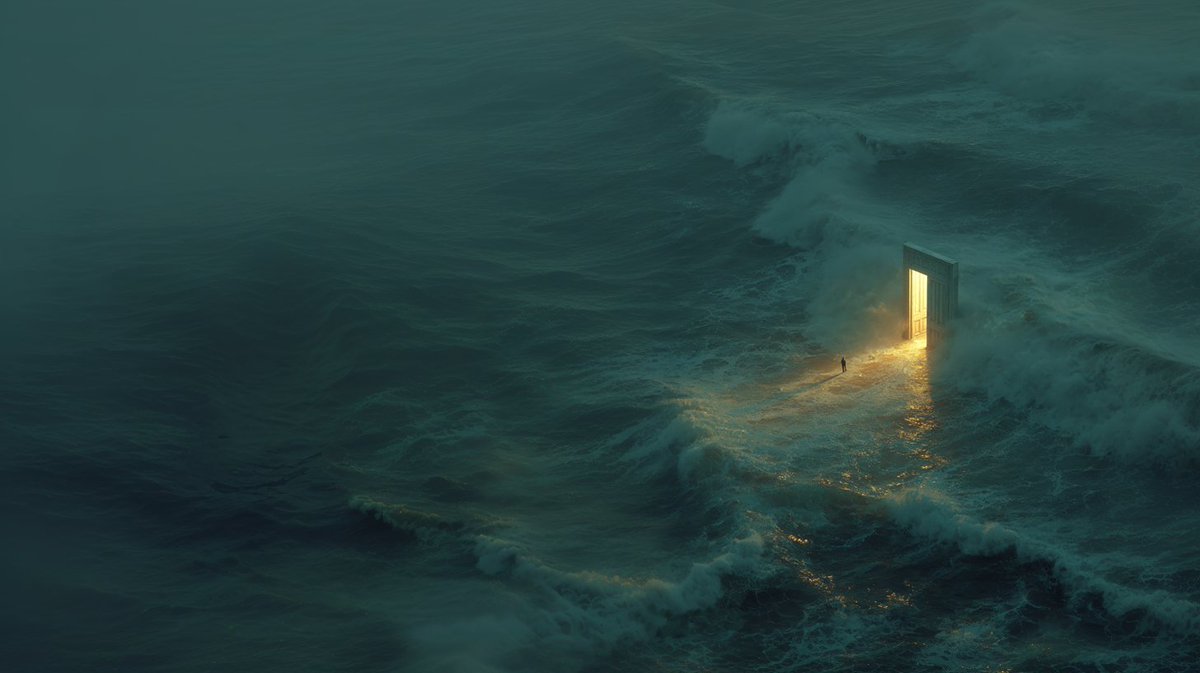
Instructions to turn a still image into a calm 8-second cinematic video at 24 frames per second, with a fully locked camera and only the environment animated (dark teal ocean swells, foam, mist, breathing golden light) while the door, the lone figure, composition, and colors stay perfectly intact for a seamless loop.
Source previews
These example images come from the original source. DROPIDEA has not independently tested these examples; results depend on the model and settings.
Your prompt
Replace the red variables with your information. Copy the full prompt and use it with your preferred agent.
What you get
- A calm 8-second cinematic clip at 24 frames per second.
- A completely locked camera with no zoom, pan, tilt, dolly, rotation, or shake.
- Dark teal ocean swells moving slowly with majestic weight and gentle rolling foam.
- Fine mist drifting around the doorway and a warm golden light breathing subtly with moving reflections on the wet surface.
- A seamless loop whose final moment naturally matches the opening moment.
Use cases
- Living backgrounds for displays, websites, and digital platforms.
- Meditative, hypnotic clips for social media.
- Calm cinematic editing elements for intros and transitions.
- Meditation and relaxation apps and living-picture art.
- Presenting an architectural or artistic concept with a mysterious, restrained mood.
How to use
- Upload the source image containing the glowing doorway and the solitary figure in front of the ocean to your image-to-video tool.
- Paste the English template as-is into the instruction field, keeping technical values such as the 8-second duration and 24 frames per second unchanged.
- Make sure the uploaded image is high resolution and that the door and the figure are clearly visible before generating.
- Run generation and review the output: the door and the figure must not move, only the waves and mist should animate.
- If flicker, violent motion, or horizon shifts appear, regenerate with the same template and the same image.
- Use the resulting clip as a living background or a seamless loop in editing.
Related prompts
Candid Smartphone Restaurant Moment Photo Prompt
A photographic prompt crafted to generate hyper-realistic, unposed smartphone snapshots taken by a friend at a nigh...
Photorealistic Portrait of Man in White by Lake
Prompt generating an ultra-realistic photo of a young man wearing white Shalwar Kameez by a lake at sunset, specify...
Gothic Yokai Carnival Music Video
An advanced cinematic AI video prompt crafting a 15-second seamless loop psychedelic Japanese horror music video fe...
Photorealistic Medieval Village Woman Character Sheet
Prompt to generate a photorealistic character reference sheet for a young medieval village woman featuring multi-an...