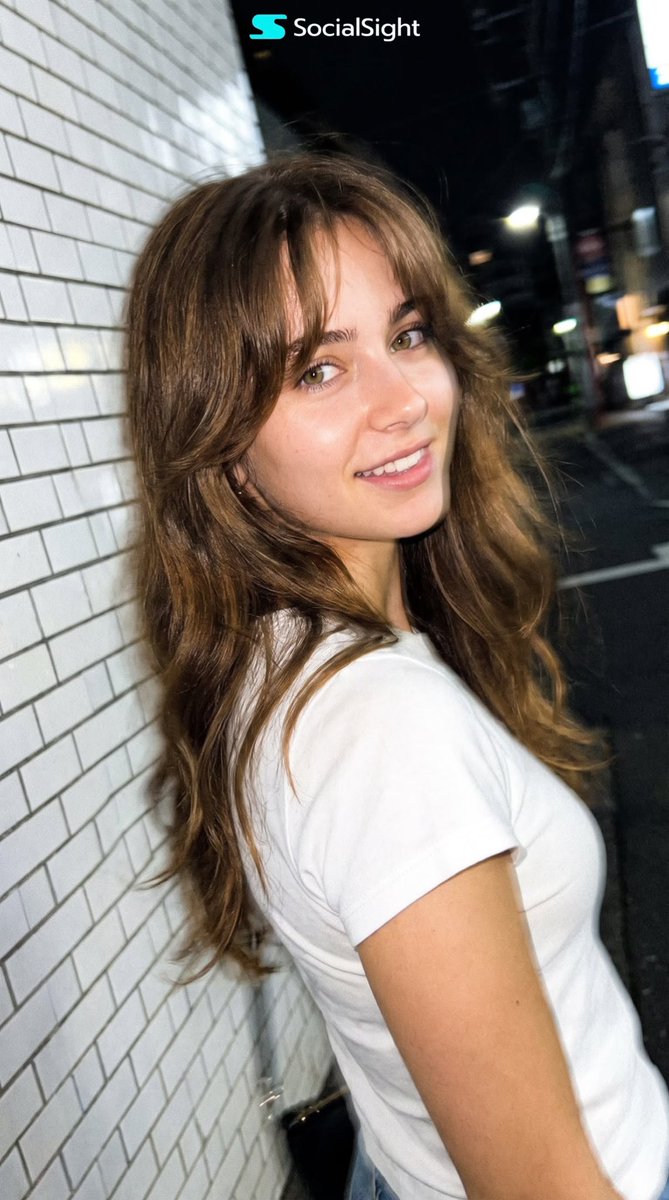
Candid Night Smartphone Shot on Tokyo Sidewalk
Prompt for generating a candid nighttime photo of a young woman walking on a Tokyo sidewalk, with harsh flash lighting and heavy motion blur, keeping an original non-identifiable person inspired by a reference image.
Source previews
These example images come from the original source. DROPIDEA has not independently tested these examples; results depend on the model and settings.
Your prompt
Replace the red variables with your information. Copy the full prompt and use it with your preferred agent.
Variable guide
chestnut-brownThe long layered hairstyle color
In the Appearance section, replace "chestnut-brown" with another hair color
Example valuechestnut-brown
fitted white T-shirtThe color of the fitted short-sleeve T-shirt
In the Appearance section, replace "fitted white T-shirt" with another color while keeping the word T-shirt
Example valuewhite
hazel-greenThe subject's eye color
In the Appearance section, replace "hazel-green" with another eye color
Example valuehazel-green
What you get
- A candid nighttime image that looks like a handheld smartphone shot taken in passing.
- A young woman walking half-profile, turning toward the camera with a warm natural smile.
- Heavy directional motion blur, partial ghosting, and a raw unpolished noisy look.
- A background of white ceramic tile wall streaking into bands of light due to motion.
Use cases
- Authentic-looking candid social media posts.
- Marketing content mimicking realistic nighttime smartphone shots.
- Creative materials needing a casual, fast-paced urban night mood.
- Design projects requiring a raw, non-cinematic photographic look.
How to use
- Upload a reference image of the face or hair to serve purely as visual inspiration while keeping an original, non-identifiable person.
- Copy the full English template and paste it into the positive prompt field of your preferred image generation tool.
- Edit the editable values such as hair color, T-shirt color, or eye color as desired without changing technical settings like motion blur and flash lighting.
- Copy the Negative Prompt section into the tool's negative prompt field.
- Generate the image and review the result, regenerating if needed to achieve the required shake and motion blur.
Related prompts
Candid Smartphone Restaurant Moment Photo Prompt
A photographic prompt crafted to generate hyper-realistic, unposed smartphone snapshots taken by a friend at a nigh...
Photorealistic Portrait of Man in White by Lake
Prompt generating an ultra-realistic photo of a young man wearing white Shalwar Kameez by a lake at sunset, specify...
Gothic Yokai Carnival Music Video
An advanced cinematic AI video prompt crafting a 15-second seamless loop psychedelic Japanese horror music video fe...
Photorealistic Medieval Village Woman Character Sheet
Prompt to generate a photorealistic character reference sheet for a young medieval village woman featuring multi-an...