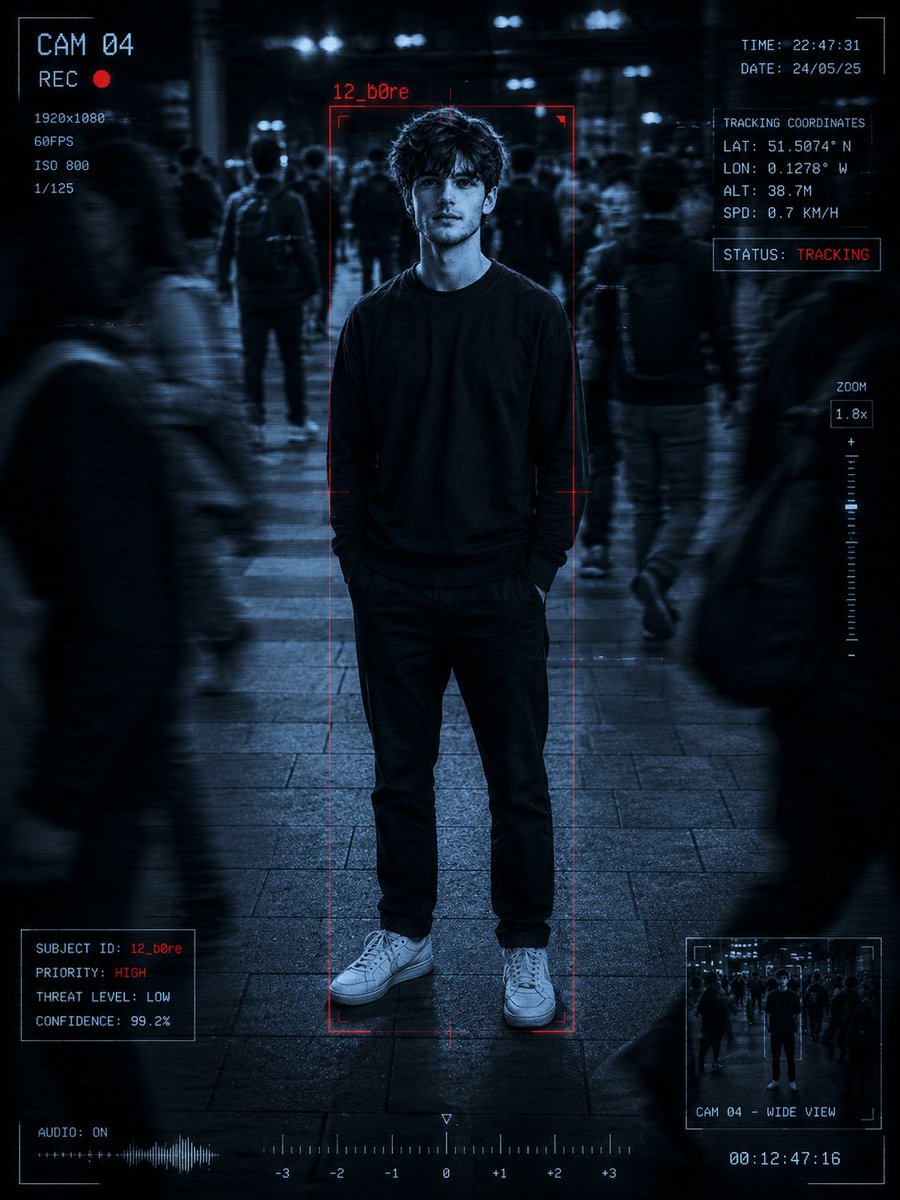
Result 1OpenAI
Turns your uploaded photo into a realistic cinematic spy/CCTV camera frame with a blue monochrome filter, red tracking box, and surveillance overlays, while keeping your face, pose, and outfit recognizable and sharply in focus.
These example images come from the original source. DROPIDEA has not independently tested these examples; results depend on the model and settings.
Replace the red variables with your information. Copy the full prompt and use it with your preferred agent.
12_b0reThe text shown inside the red tracking box around the subject; replace it with any codename or tracking ID while keeping the quotation marks.
In the English template, in the line: Place a red “12_b0re” tracking box around me — replace only the text between the quotation marks.
Example value“12_b0re”
CAM 04The camera number shown in the surveillance overlays; change it to another camera ID while keeping the CAM format.
In the English template, in the list item: • CAM 04 — replace the number or the whole value as text if desired.
Example valueCAM 04
STATUS: TRACKINGThe tracking status text shown in the overlays; it must appear literally in the output and keep its quotation marks.
In the English template, in the list item: • “STATUS: TRACKING” — replace only the status text between the quotation marks if desired.
Example value“STATUS: TRACKING”
A photographic prompt crafted to generate hyper-realistic, unposed smartphone snapshots taken by a friend at a nigh...
Prompt generating an ultra-realistic photo of a young man wearing white Shalwar Kameez by a lake at sunset, specify...
An advanced cinematic AI video prompt crafting a 15-second seamless loop psychedelic Japanese horror music video fe...
Prompt to generate a photorealistic character reference sheet for a young medieval village woman featuring multi-an...