Result 1Image generation
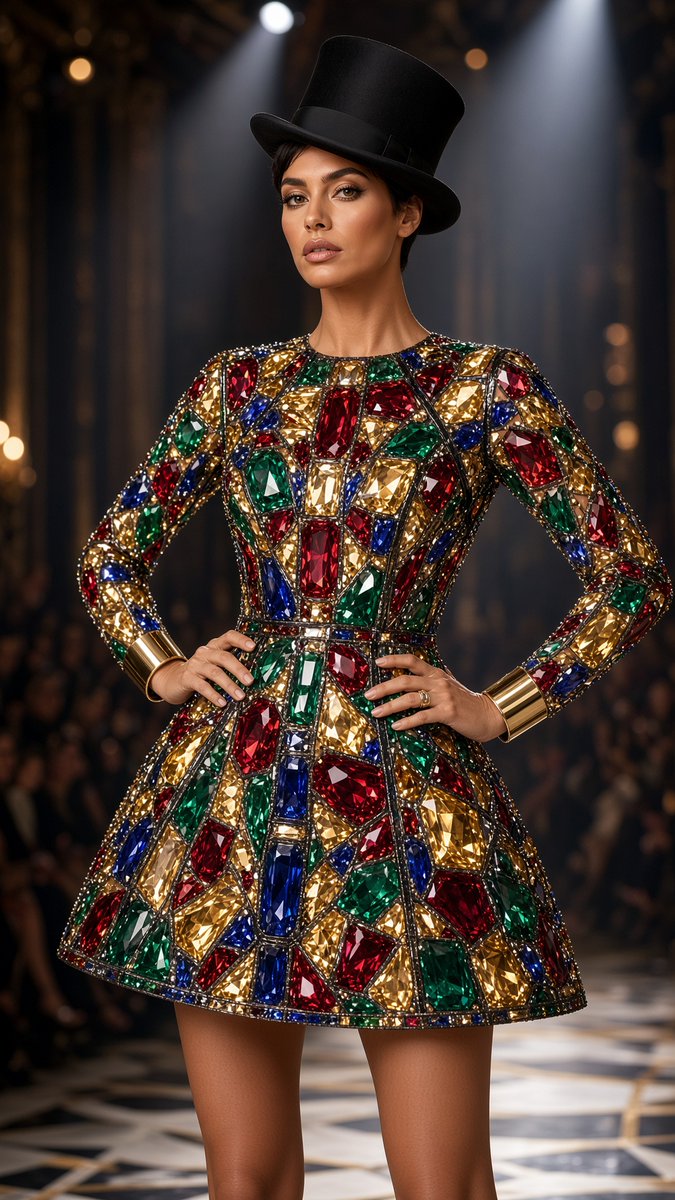
Prompt for an ultra-photorealistic fashion photo of a model on a runway wearing an opaque jeweled stained-glass mini dress, with perfect face identity lock from the uploaded photo.
These example images come from the original source. DROPIDEA has not independently tested these examples; results depend on the model and settings.
Replace the red variables with your information. Copy the full prompt and use it with your preferred agent.
Standing on a runway, facing the cameraDescription of the model's stance toward the camera
After the line "Pose:" in the template
Example valueStanding on a runway, facing the camera
An opaque jeweled stained-glass fashion mini dress with long sleevesDescription of the dress, its details and colors
After the line "Outfit:" in the template
Example valueAn opaque jeweled stained-glass fashion mini dress with long sleeves
A fashion runway with a dark audience and stage lights in the backgroundDescription of the location and background
After the line "Setting:" in the template
Example valueA fashion runway with a dark audience and stage lights in the background
Vertical three-quarter shotShot type and angle
After the line "Camera:" in the template
Example valueVertical three-quarter shot
A prompt for creating a premium vertical four-panel streetwear campaign collage from an uploaded facial identity re...
A photorealistic image-generation prompt for a vertical summer portrait of a fictional adult Japanese woman in a st...
A prompt for a photorealistic fantasy fashion portrait featuring a woman with elven details, black and orange cloth...
An ultra-photorealistic fashion editorial prompt featuring a low-angle outdoor portrait in a suburban setting with...