Skip to content
ImagesFree

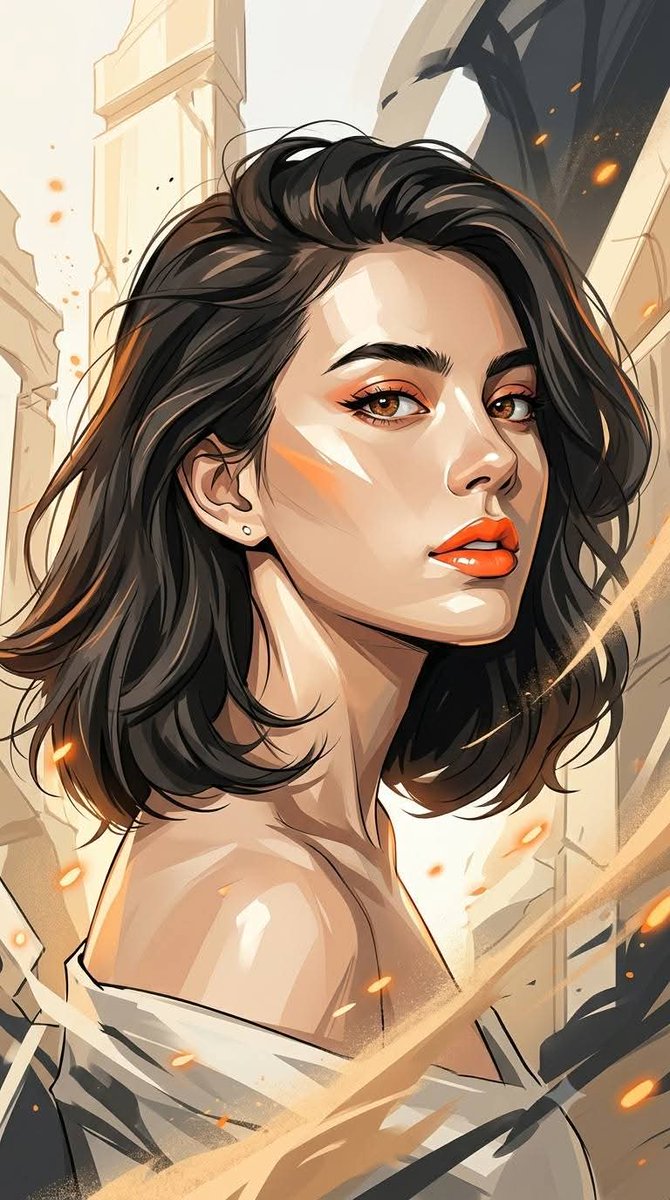
Reference-to-Cinematic Semi-Realistic Digital Illustration

A prompt that transforms objects from reference images with 100% likeness into a dynamic semi-realistic digital illustration blending cinematic concept art, anime-inspired rendering, and high-end game splash art, with high-contrast lighting, a warm ivory-to-charcoal palette with bright orange accents, and a 9:16 aspect ratio without text, logos, or watermarks.

Gemini

Source previews

These example images come from the original source. DROPIDEA has not independently tested these examples; results depend on the model and settings.

Ready to personalize

Your prompt

English

Replace the red variables with your information. Copy the full prompt and use it with your preferred agent.

TXT MD English version
Created with Google Gemini Nano banana 🍌 Prompt ⤵️ Using 100% likeness of (reference) objects, transformed into a dynamic, semi-realistic digital illustration style with a cinematic concept art aesthetic, combining sharp anime-inspired rendering and high-end game splash art. Strong, angular brushstrokes with confident hand-painted strokes, clean yet expressive line accents, and artistic layered shading. High-contrast lighting with bright warm highlights and deep neutral shadows, creating dramatic depth and intensity. The color palette is dominated by warm ivory, soft beige, sand, light gray, charcoal, and bright orange as the main accents, with subtle black details. Smooth gradient transitions mixed with sharp edge highlights, realistic material rendering for metal, fabric, and hard surfaces. Energetic composition, highly detailed textures, bold and smooth silhouettes. No text, no logo, no watermark. AR 9:16.
Preview results

Your prompt

Created with Google Gemini Nano banana 🍌 Prompt ⤵️ Using 100% likeness of (reference) objects, transformed into a dynamic, semi-realistic digital illustration style with a cinematic concept art aesthetic, combining sharp anime-inspired rendering and high-end game splash art. Strong, angular brushstrokes with confident hand-painted strokes, clean yet expressive line accents, and artistic layered shading. High-contrast lighting with bright warm highlights and deep neutral shadows, creating dramatic depth and intensity. The color palette is dominated by warm ivory, soft beige, sand, light gray, charcoal, and bright orange as the main accents, with subtle black details. Smooth gradient transitions mixed with sharp edge highlights, realistic material rendering for metal, fabric, and hard surfaces. Energetic composition, highly detailed textures, bold and smooth silhouettes. No text, no logo, no watermark. AR 9:16.

Variable guide

(reference)

The reference objects or subject taken from the uploaded image

Replace the word inside (reference) in the first line of the template

Example value

a vintage wristwatch

bright orange

The main accent color of the palette

Replace bright orange in the palette sentence without altering the other colors

Example value

bright electric blue

What you get

  • A dynamic semi-realistic digital image derived from your reference with 100% likeness.
  • A cinematic concept art style blending anime-inspired rendering and high-end game splash art.
  • High-contrast lighting with bright warm highlights and deep neutral shadows.
  • A palette of warm ivory, soft beige, sand, light gray, and charcoal with bright orange accents.
  • Rich textures, realistic rendering of metal, fabric, and hard surfaces, in 9:16 with no text, logos, or watermarks.

Use cases

  • Brand and game character identity covers with a cinematic look.
  • Vertical marketing visuals for social media posts at 9:16.
  • Turning product photos into high-energy promotional artwork.
  • Poster and character card designs in splash art style.
  • Illustrations for fashion, architecture, or food with a unified artistic aesthetic.

How to use

  • Upload a clear reference image of the object or subject you want transformed; the prompt relies on it to preserve 100% likeness.
  • Copy the full template and replace the (reference) token with your actual subject if you want to name it explicitly.
  • Optionally change the bright orange accent color while keeping the remaining technical palette values intact.
  • Paste the prompt into an image generation tool that supports reference images (such as Google Gemini) and attach your reference image.
  • Review the output for the AR 9:16 aspect ratio and the absence of text, logos, and watermarks, then regenerate as needed.

Related prompts