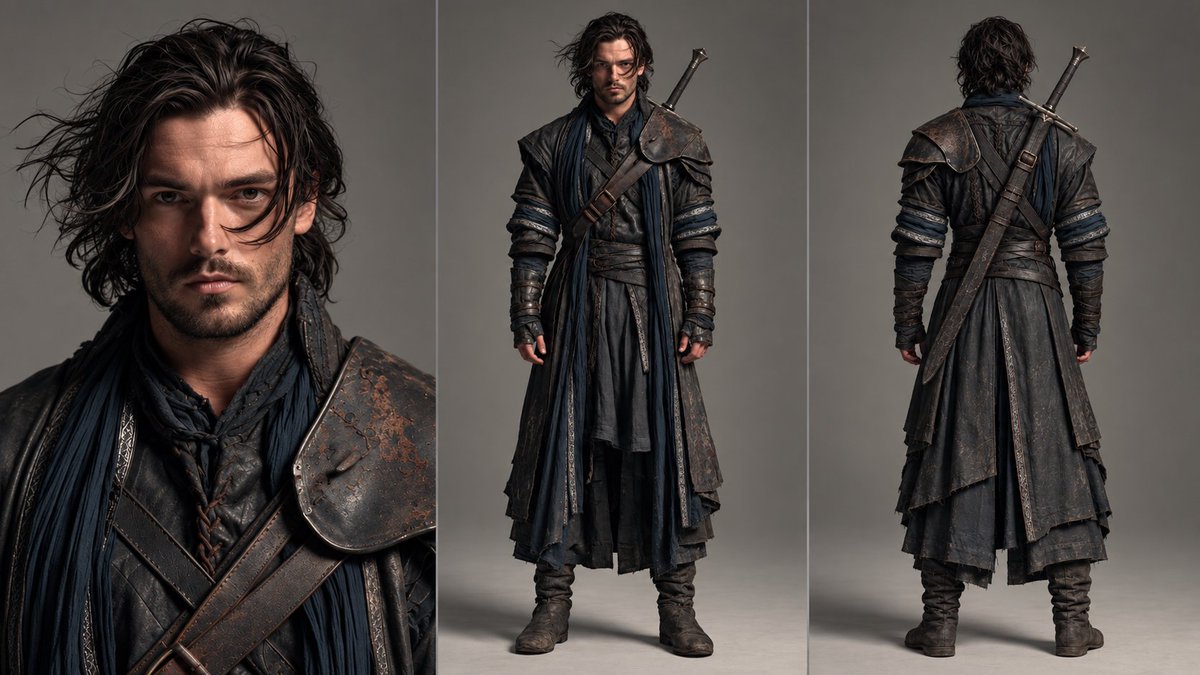
Cinematic Three-View Consistent Character Sheet
A professional character-design reference sheet prompt in 16:9 split into three equal vertical sections (33.33% each): close-up portrait, full-body front view, and full-body back view, preserving maximum consistency with a character from an uploaded reference image.
Source previews
These example images come from the original source. DROPIDEA has not independently tested these examples; results depend on the model and settings.
Your prompt
Replace the red variables with your information. Copy the full prompt and use it with your preferred agent.
Variable guide
neutral expressionThe facial expression in the close-up; default is neutral, suited to reference sheets.
The phrase "neutral expression" in the LEFT SECTION of the English template.
Example valueserious, confident expression
clean neutral studio backgroundThe sheet's overall background; default is a clean neutral studio.
The phrase "clean neutral studio background" in the final line of the English template.
Example valuesimple light gray background
What you get
- A professional cinematic 16:9 character sheet divided into three equal vertical sections.
- A head-and-shoulders close-up on the left, a full-body front view in the center, and a full-body back view on the right.
- Consistent face, hairstyle, body proportions, clothing, colors, materials, and accessories across all three views.
- A clean neutral studio background, balanced lighting, and highly detailed realistic cinematic quality.
Use cases
- Creating character reference sheets for games, comics, and animation.
- Keeping a character's look consistent across multiple projects or scenes requiring multiple views.
- Preparing visual references for a team or for professional cinematic portraiture.
- Analyzing clothing and accessory design from front and back for fashion and costume work.
How to use
- Upload a clear reference image of the character, ideally showing the face and clothing in detail.
- Copy the full template and paste it into an image-generation tool that supports reference images.
- Optionally edit the facial expression in the left section and the background without altering the proportions or sections.
- Keep the 16:9 ratio and the three 33.33% section values unchanged to ensure equal division.
- Generate the image and compare all three views against the reference to verify consistency of features and clothing.
- Retry with minor adjustments if the face, colors, or accessories show differences.
Related prompts
Candid Smartphone Restaurant Moment Photo Prompt
A photographic prompt crafted to generate hyper-realistic, unposed smartphone snapshots taken by a friend at a nigh...
Photorealistic Portrait of Man in White by Lake
Prompt generating an ultra-realistic photo of a young man wearing white Shalwar Kameez by a lake at sunset, specify...
Gothic Yokai Carnival Music Video
An advanced cinematic AI video prompt crafting a 15-second seamless loop psychedelic Japanese horror music video fe...
Photorealistic Medieval Village Woman Character Sheet
Prompt to generate a photorealistic character reference sheet for a young medieval village woman featuring multi-an...
