Prompt Share 🚨
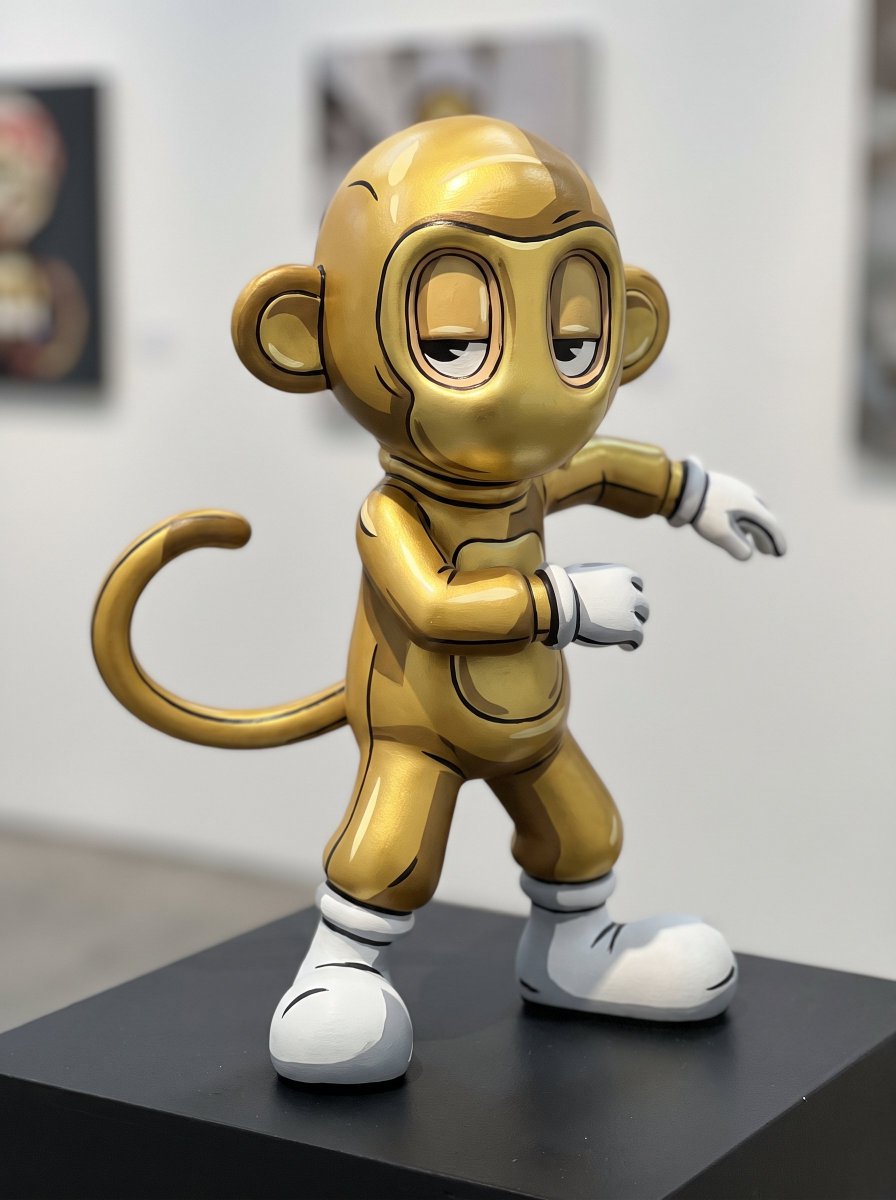
Cell-shaded, hand-painted figurine version of your character. 🎨🗿
@akidcalledbeast #AKCB
Prompt 👇
Create a premium hand-painted cel-shaded figurine of the uploaded reference character, designed to look like a 2D anime or manga drawing brought into the physical world.
Likeness Integrity
Preserve the uploaded character’s exact:
head-to-body proportions
eye shape and spacing
facial structure
silhouette
anatomy
outfit and accessories
original color palette
material and structural identity
Do not humanize, redesign, or add facial features absent from the reference. Preserve the original number and structure of fingers, limbs, ears, horns, or equivalent features exactly.
Figurine Construction
The character is a genuine sculpted 3D collectible figurine, but every visible surface has been meticulously hand-painted to create an extreme cel-shaded anime illusion.
The sculpture must still have real physical depth, edges, curves, and volume.
Manga / Anime Repainting Technique
Apply the paint treatment directly onto the 3D sculpture using traditional cel-shading logic:
large crisp geometric shadow regions
absolutely minimal blending
hard transitions between light and shadow
bold dark ink-like contour lines painted along selected silhouette edges
graphic internal linework around clothing folds, joints, hair, armor, or structural features
stark painted highlights shaped like deliberate anime highlight marks
simplified two-tone or three-tone color blocking
exaggerated painted cast shadows that reinforce the illusion of flat illustration
selective black shadow shapes beneath forms
clean comic-style edge accents
The painted shading should feel deliberately artificial and graphic, not physically realistic.
When viewed from the chosen camera angle, the figurine should momentarily trick the eye into believing it is a flat manga illustration.
Pose
Use a dramatic animation-keyframe pose.
The character is caught mid-turn with one foot or equivalent lower limb advanced, torso twisted slightly, one arm moving across the silhouette and the other opening away from the body.
The pose must create strong overlapping shapes and readable negative spaces, allowing the cel-shaded paint to exaggerate depth.
No neutral standing pose.
Camera
Close 35mm perspective, slightly below the figurine and offset laterally.
Use a subtle three-quarter angle so the sculpture’s physical volume is visible, but not so much that the graphic illusion collapses.
The head sits near an upper rule-of-thirds point.
One limb approaches the foreground and slightly breaks the frame edge.
Focus
Eyes and face are razor sharp.
Upper torso remains within the primary focal plane.
Foreground limb slightly softer.
Pedestal and background progressively dissolve into shallow depth of field.
Lighting
Lighting should support the painted illusion rather than replace it.
Use one strong directional studio key from upper-left, aligned closely with the painted shadow direction.
A restrained rim light separates the silhouette from the background.
Avoid complex multi-directional reflections.
The real shadows and the painted shadows should almost overlap, creating the surreal impression that the drawn shading has become physically correct.
Pedestal & Setting
Place the figurine on a simple dark exhibition plinth inside a minimal collector-gallery environment.
The background is softly blurred and understated so the graphic figurine dominates.
A partially blurred pedestal edge or display-case reflection may intrude into the foreground for depth.
Surface Detail
At close range, reveal evidence of physical craftsmanship:
subtle brush texture
tiny irregularities at painted shadow boundaries
fine matte resin texture
microscopic paint layering
slightly raised ink-like contour paint
tiny manufacturing details
These imperfections should make it clearly hand-painted without reducing its premium quality.
Color Treatment
Preserve the character’s original palette.
Use saturated character colors with deliberately darker painted shadow blocks.
Deep ink-black accents.
Bright but controlled highlight shapes.
Background remains muted and slightly cool.
No glossy plastic look.
Final Visual Goal
The final image should create a visual paradox:
a real 3D collectible that looks almost completely 2D from the camera angle, as though a manga drawing has physically stepped off the page.
The viewer should need a second look to understand that the flat-looking anime character is actually a sculpted figurine.
No soft airbrushed shading.
No realistic gradient lighting across painted surfaces.
No generic 3D render aesthetic.
No anatomy changes.
No redesign.
No added accessories.
No centered symmetry.
No full-frame sharpness.
No text or logos.
ar 1:1