
Result 1OpenAI
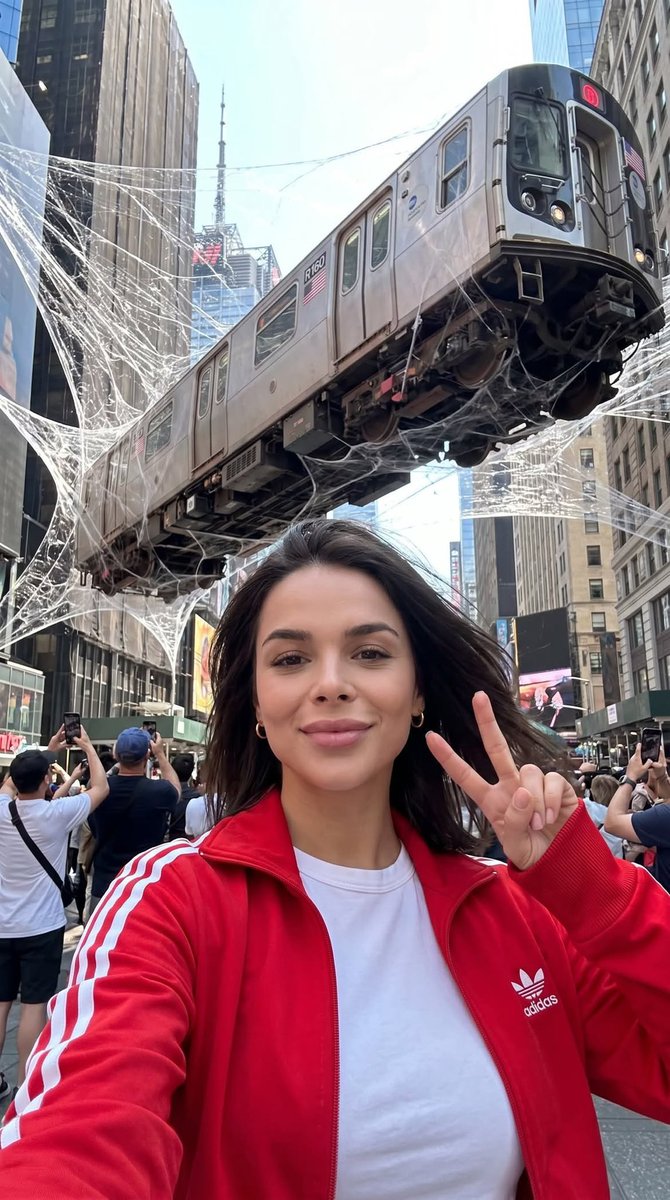
An ultra-photorealistic selfie prompt that transforms an uploaded reference image into an iPhone selfie in Times Square, fully preserving the person's identity and features, with a fantastical scene of a subway train suspended in giant spider webs between skyscrapers.
These example images come from the original source. DROPIDEA has not independently tested these examples; results depend on the model and settings.
Replace the red variables with your information. Copy the full prompt and use it with your preferred agent.
bright red Adidas Firebird track jacket with three white stripes over a plain white T-shirtThe woman's clothing description; replace it to change the outfit.
Second paragraph of the template, the sentence beginning with "She is wearing"
Example valueblack Nike windbreaker over a grey hoodie
Times Square, New YorkWhere the selfie is taken; adjust surrounding landmarks to match.
Second paragraph of the template, plus landmarks in the third paragraph
Example valuethe Eiffel Tower, Paris
making a peace sign with her right handFacial expression, gesture, and posture.
Second paragraph of the template, the peace-sign sentence
Example valuesmiling softly, waving with her left hand
A photographic prompt crafted to generate hyper-realistic, unposed smartphone snapshots taken by a friend at a nigh...
Prompt generating an ultra-realistic photo of a young man wearing white Shalwar Kameez by a lake at sunset, specify...
An advanced cinematic AI video prompt crafting a 15-second seamless loop psychedelic Japanese horror music video fe...
Prompt to generate a photorealistic character reference sheet for a young medieval village woman featuring multi-an...