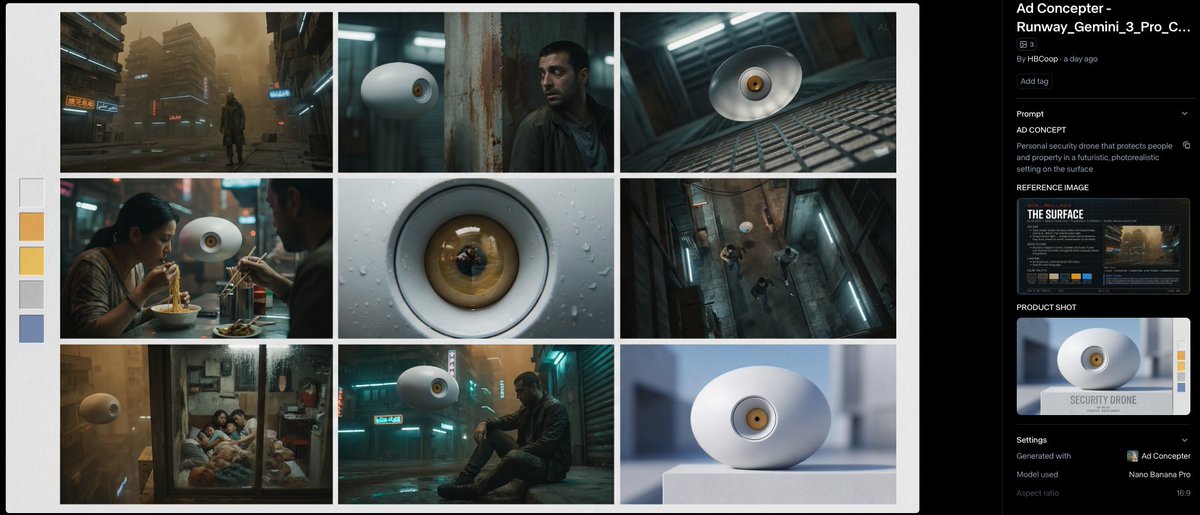
Result 1Image generation
Generates a photorealistic image of a personal security drone protecting people and property in a futuristic surface setting.
These example images come from the original source. DROPIDEA has not independently tested these examples; results depend on the model and settings.
Replace the red variables with your information. Copy the full prompt and use it with your preferred agent.
protects people and propertyThe drone's current purpose is protecting people and property; it can be changed to another similar purpose.
Replace the phrase "protects people and property" inside the template description.
Example valuemonitoring residential buildings
on the surfaceThe specific scene setting is "on the surface" in a futuristic environment; it can be changed to another location.
Replace the phrase "on the surface" at the end of the template description.
Example valueover the city rooftops at night
A photographic prompt crafted to generate hyper-realistic, unposed smartphone snapshots taken by a friend at a nigh...
Prompt generating an ultra-realistic photo of a young man wearing white Shalwar Kameez by a lake at sunset, specify...
An advanced cinematic AI video prompt crafting a 15-second seamless loop psychedelic Japanese horror music video fe...
Prompt to generate a photorealistic character reference sheet for a young medieval village woman featuring multi-an...