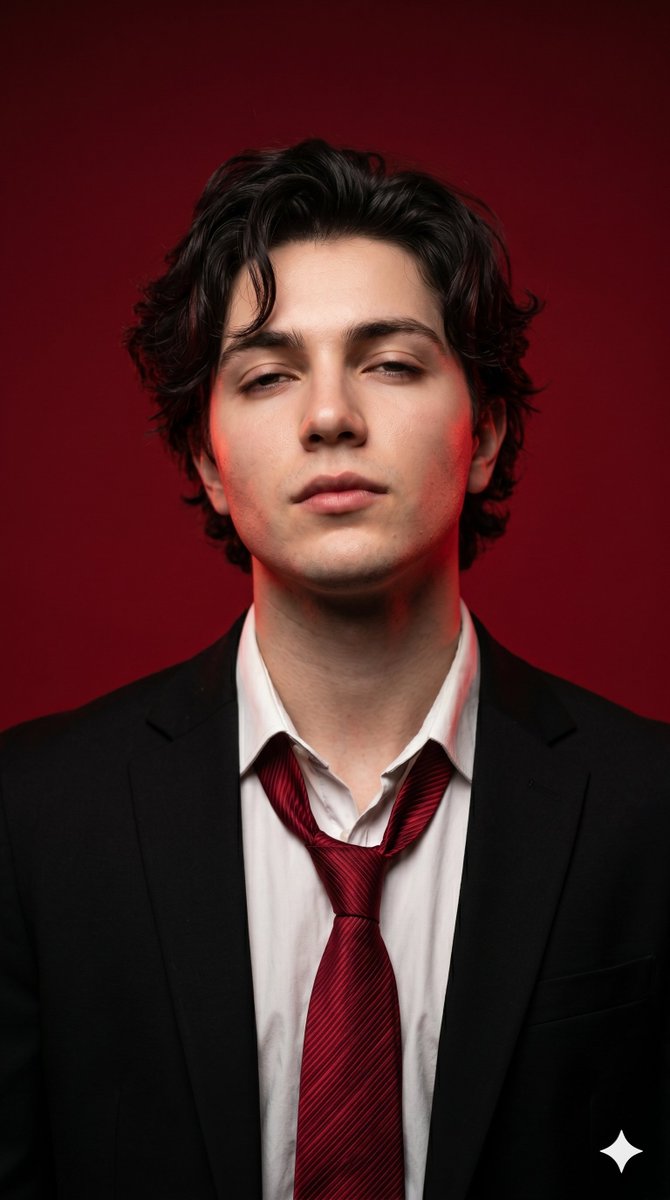
Crimson Authority Portrait: Luxury Cinematic Fashion
A complete JSON template for generating a cinematic luxury fashion portrait of an elite-school rebel with dramatic crimson lighting, deep red backdrop, and neo-noir campaign aesthetics.
Source previews
These example images come from the original source. DROPIDEA has not independently tested these examples; results depend on the model and settings.
Your prompt
Replace the red variables with your information. Copy the full prompt and use it with your preferred agent.
Variable guide
Crimson Authority PortraitCreative title of the work
image_profile.title
Example valueBlue Authority Portrait
deep crimson redNecktie color
wardrobe.tie.color
Example valuedeep royal blue
deep crimson redStudio backdrop color
background.color
Example valuedeep charcoal black
#ff2b2bAccent color in hex format
color_palette.accent_colors[0]
Example value#2bff57
modern Korean curtain hairstyleMain hairstyle
hair.style
Example valueundercut with soft waves
18-24Age range as number-number
subject.age_range
Example value20-26
What you get
- A vertical 9:16 cinematic fashion portrait of a young East Asian man with a dominant confident look
- Multi-light studio setup with dramatic crimson underglow and red rim lighting
- Seamless deep crimson studio backdrop with a monochromatic luxury red palette
- Luxury details: black blazer, open white shirt, loosely tied striped necktie, Korean curtain hairstyle
- Cinematic neo-noir color grading with preserved neutral skin and a luxury campaign finish
Use cases
- Covers and digital editorials for luxury menswear magazines
- Cinematic promotional posters for fragrance and high-end fashion campaigns
- Social media portraits with an academic rebellion aesthetic
- Brand visuals for schoolwear and luxury fashion labels
- Character poster designs for narrative projects or short ads
How to use
- Copy the full JSON file and paste it into an image generation tool that accepts structured prompt templates.
- Edit the editable creative values such as the title, tie color, background color, and hairstyle to match your vision, keeping all keys and structure unchanged.
- Keep the technical settings intact: the 9:16 aspect ratio, 85mm lens, f/2.0-f/2.8 aperture, and the hexadecimal color codes exactly as provided.
- Retain the full negative_prompt list because it blocks common flaws such as smiles, busy backgrounds, and low resolution.
- Paste the image_generation_keywords contents into a separate keywords field if your tool supports one.
- Generate the image and iterate with small lighting or palette adjustments until you reach the desired result.
Related prompts
Four-Panel Streetwear Fashion Campaign
A prompt for creating a premium vertical four-panel streetwear campaign collage from an uploaded facial identity re...
Summer Beach Bar Photorealistic Portrait
A photorealistic image-generation prompt for a vertical summer portrait of a fictional adult Japanese woman in a st...
Fantasy Portrait with Chromatic Glitch
A prompt for a photorealistic fantasy fashion portrait featuring a woman with elven details, black and orange cloth...
Low-Angle Suburban Fashion Portrait
An ultra-photorealistic fashion editorial prompt featuring a low-angle outdoor portrait in a suburban setting with...