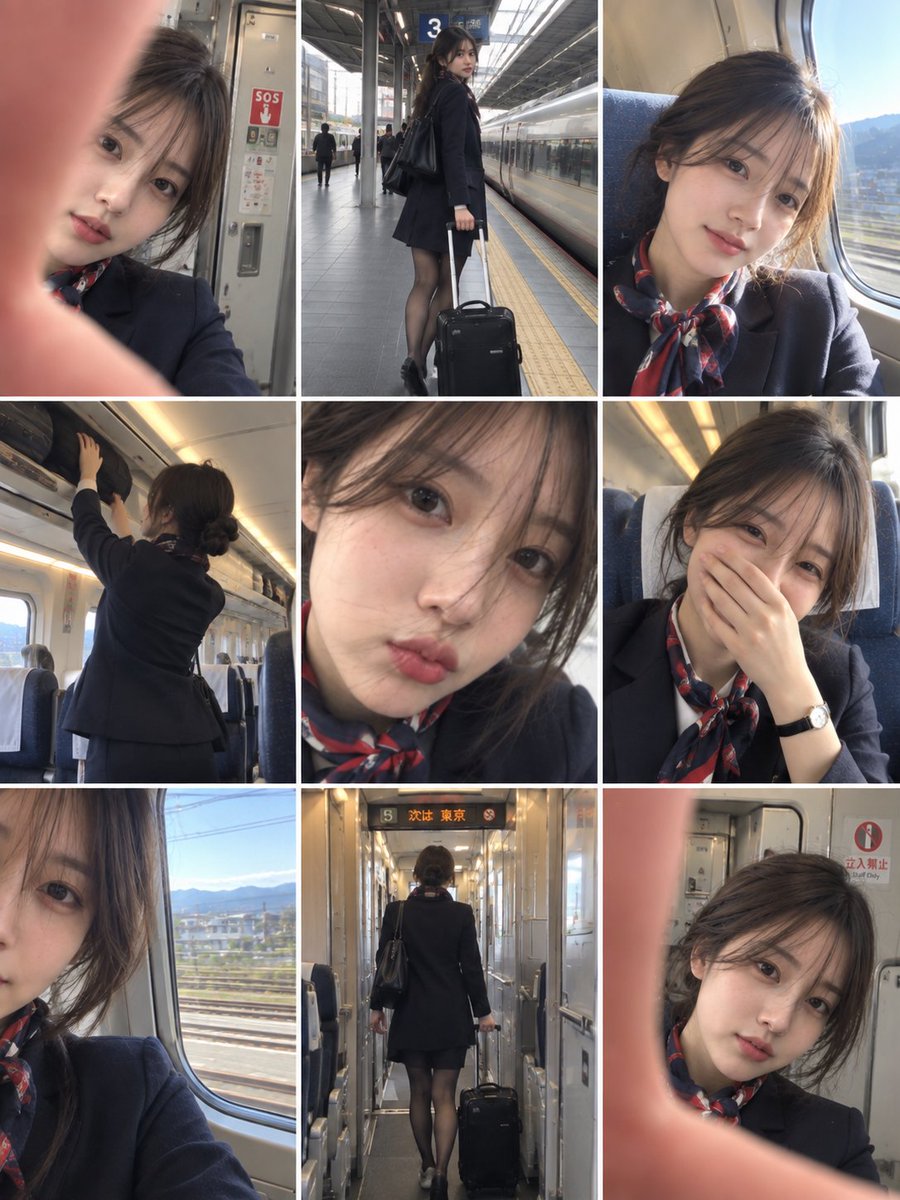
Result 1OpenAI
An AI image prompt (GPT image 2.5 via higgsfield) producing a vertical 3:4 collage of 9 candid realistic smartphone snapshots of a young East Asian train attendant during her workday, keeping character and uniform consistent across all panels with a raw, unpolished phone-photography look.
These example images come from the original source. DROPIDEA has not independently tested these examples; results depend on the model and settings.
Replace the red variables with your information. Copy the full prompt and use it with your preferred agent.
She has dark brown hair neatly tied into a low bun, delicate natural features, subtle makeup, and a youthful appearance.Change the character's features, hairstyle, and overall look to fit another person, and update the 'same woman' phrase and the uniform description so the text stays consistent.
Paragraph 2 of the prompt, the sentence 'She has dark brown hair...' plus 'Keep the same woman' at the start of the paragraph, and the uniform description in paragraph 3.
Example valueA young East Asian man with short black hair and natural features, wearing a navy train-attendant uniform with a red tie.
A photographic prompt crafted to generate hyper-realistic, unposed smartphone snapshots taken by a friend at a nigh...
Prompt generating an ultra-realistic photo of a young man wearing white Shalwar Kameez by a lake at sunset, specify...
An advanced cinematic AI video prompt crafting a 15-second seamless loop psychedelic Japanese horror music video fe...
Prompt to generate a photorealistic character reference sheet for a young medieval village woman featuring multi-an...