
Result 1Image generation
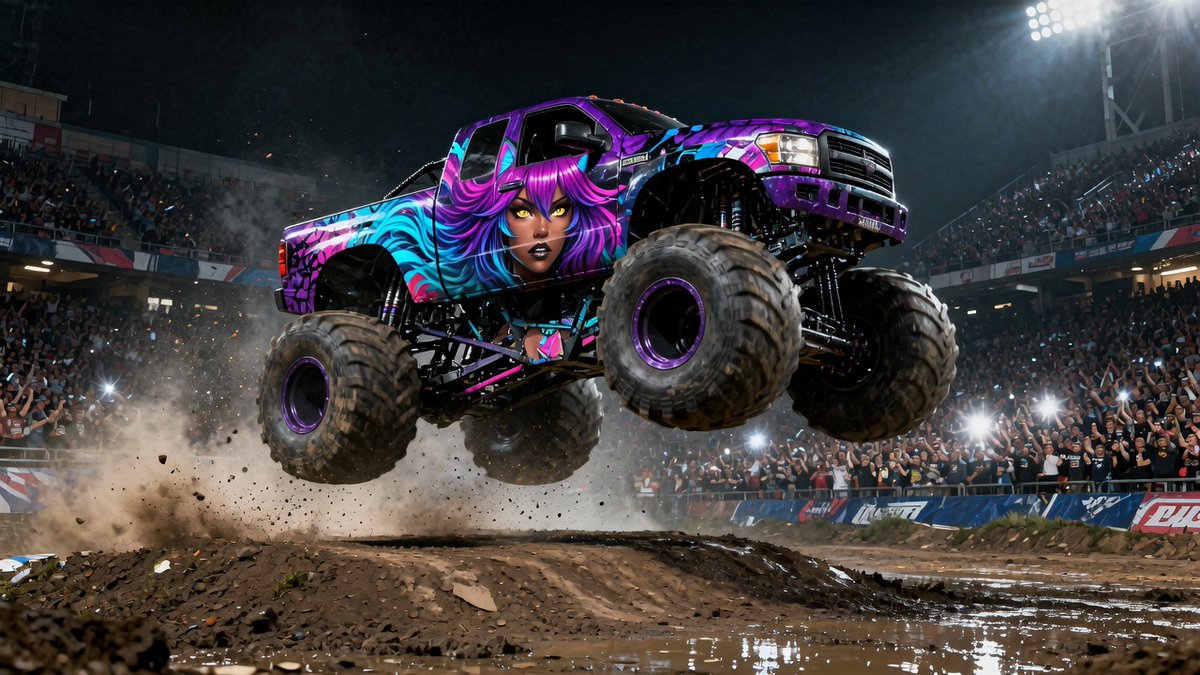
An image-generation prompt that turns an uploaded character reference into a near-photorealistic monster truck jumping in a night mud stadium, locking the character's face shape, eyes, mouth, hair style and color, ears, skin and gender, painting only the face and neck on the truck's door panel, with dramatic ray-traced lighting, vivid colors, 16:9 aspect ratio and 8k quality. The truck design differs each generation.
These example images come from the original source. DROPIDEA has not independently tested these examples; results depend on the model and settings.
Replace the red variables with your information. Copy the full prompt and use it with your preferred agent.
@image(#)Reference image of the main character whose look is locked
Replace @image(#) in the reference-lock line and in the feature-preservation lines with your uploaded image reference
Example value@image(1)
Monster truckThe main vehicle of the scene
Replace "Monster truck" in the title and inside the <style>, <scene> and <Negative> sections at every occurrence
Example valuerace car
@Spydrbro @Wolfie1775 @NeonTharja @SynneretteMentions of the character owners for posting
After the "Characters:" line; replace the four handles with the actual users' mentions
Example value@username
A photographic prompt crafted to generate hyper-realistic, unposed smartphone snapshots taken by a friend at a nigh...
Prompt generating an ultra-realistic photo of a young man wearing white Shalwar Kameez by a lake at sunset, specify...
An advanced cinematic AI video prompt crafting a 15-second seamless loop psychedelic Japanese horror music video fe...
Prompt to generate a photorealistic character reference sheet for a young medieval village woman featuring multi-an...