Skip to content
ImagesFree

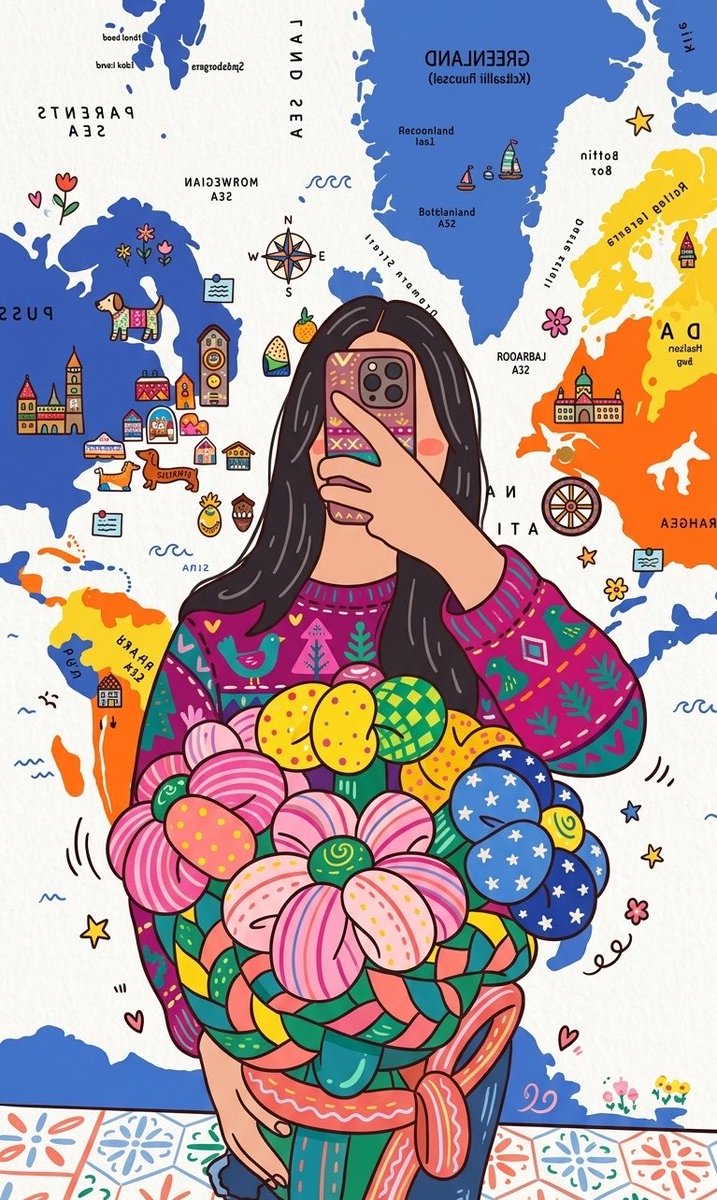
Transform Image Into Decorative Folk Flat Doodle Art

Transforms the entire image into a single decorative folk flat illustration with doodle elements, using a bold playful palette completely different from the original, simplifying details into clean flat handmade-looking shapes as if drawn on white paper, with a cute, childlike, whimsical feel.

OpenAI

Source previews

These example images come from the original source. DROPIDEA has not independently tested these examples; results depend on the model and settings.
Ready to personalize

Your prompt

English

Replace the red variables with your information. Copy the full prompt and use it with your preferred agent.

TXT MD English version
Transform the entire image into a single Decorative Folk Flat Illustration with Doodle elements. Use a bold and playful color palette, completely different from the original image. Simplify all details into clean, flat shapes with a handmade, slightly imperfect feel, as if drawn on a sheet of white paper. The overall style should look cute, childlike, and whimsical
Preview results

Your prompt

Transform the entire image into a single Decorative Folk Flat Illustration with Doodle elements. Use a bold and playful color palette, completely different from the original image. Simplify all details into clean, flat shapes with a handmade, slightly imperfect feel, as if drawn on a sheet of white paper. The overall style should look cute, childlike, and whimsical

What you get

  • A single decorative folk flat illustration with doodle elements.
  • A bold, playful color palette completely different from the original image.
  • Clean flat shapes with a handmade, slightly imperfect feel, as if drawn on white paper.
  • An overall cute, childlike, whimsical look.

Use cases

  • Cute stickers and decals for marketing campaigns.
  • Illustrations for children's stories and picture books.
  • Patterns and packaging for handmade-style products.
  • Playful social media posts.

How to use

  • Upload the image you want to transform into an image tool that supports reference images.
  • Copy and paste the prompt template into the prompt field along with the uploaded image.
  • Optionally adjust the color description, such as "bold and playful", while keeping the rest of the template unchanged.
  • Generate the image and review the result; if details look too complex, regenerate while emphasizing simplified flat shapes.
  • Download the final version and use it in your project.

Related prompts