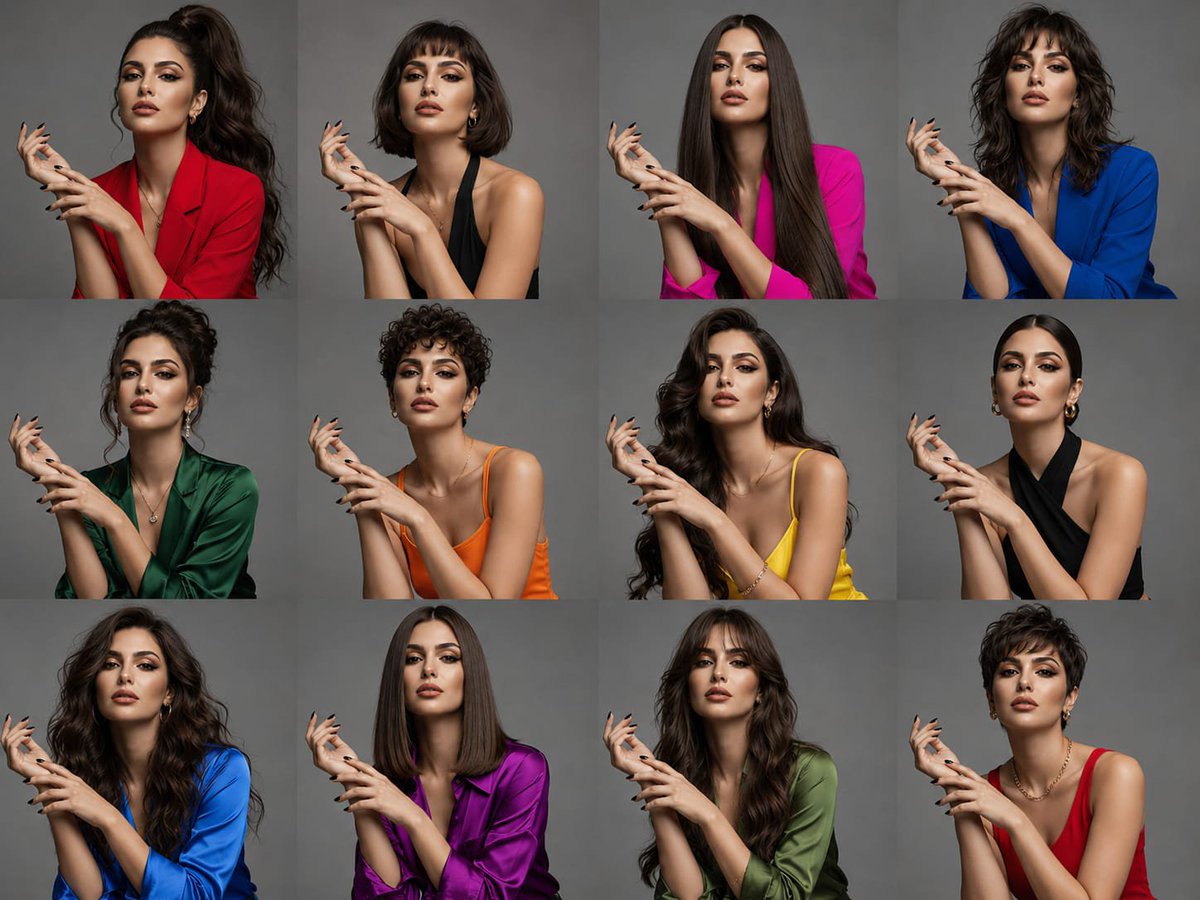
Result 1OpenAI
Create a professional 4×3 studio portrait collage of 12 images featuring the exact same girl from the reference image, changing only the hairstyle in each panel while keeping identity, framing, lighting, and camera settings perfectly consistent.
These example images come from the original source. DROPIDEA has not independently tested these examples; results depend on the model and settings.
Replace the red variables with your information. Copy the full prompt and use it with your preferred agent.
2. French bob — Jaw-length bob with a soft blunt micro-fringe across the forehead.The numbered list of 12 hairstyles; edit any hairstyle description while keeping its number.
The "Hairstyle variations" section, items numbered 1 to 12.
Example valueReplace hairstyle 2, the French bob, with an Italian neck-length bob
Keep exactly the same natural brown hair color as the reference image.The natural brown hair color; changeable while keeping consistency across all panels.
The "Identity and consistency rules" section, hair color sentence.
Example valueReplace "natural brown" with "light ash blonde"
Canon EOS R5, 85mm f/1.4 lensThe technical camera and lens setup; best left unchanged.
The "Photography and rendering" section, "Canon EOS R5, 85mm f/1.4".
Example valueReplace "85mm f/1.4" with "50mm f/1.2"
A photographic prompt crafted to generate hyper-realistic, unposed smartphone snapshots taken by a friend at a nigh...
Prompt generating an ultra-realistic photo of a young man wearing white Shalwar Kameez by a lake at sunset, specify...
An advanced cinematic AI video prompt crafting a 15-second seamless loop psychedelic Japanese horror music video fe...
Prompt to generate a photorealistic character reference sheet for a young medieval village woman featuring multi-an...