Skip to content
ImagesFree

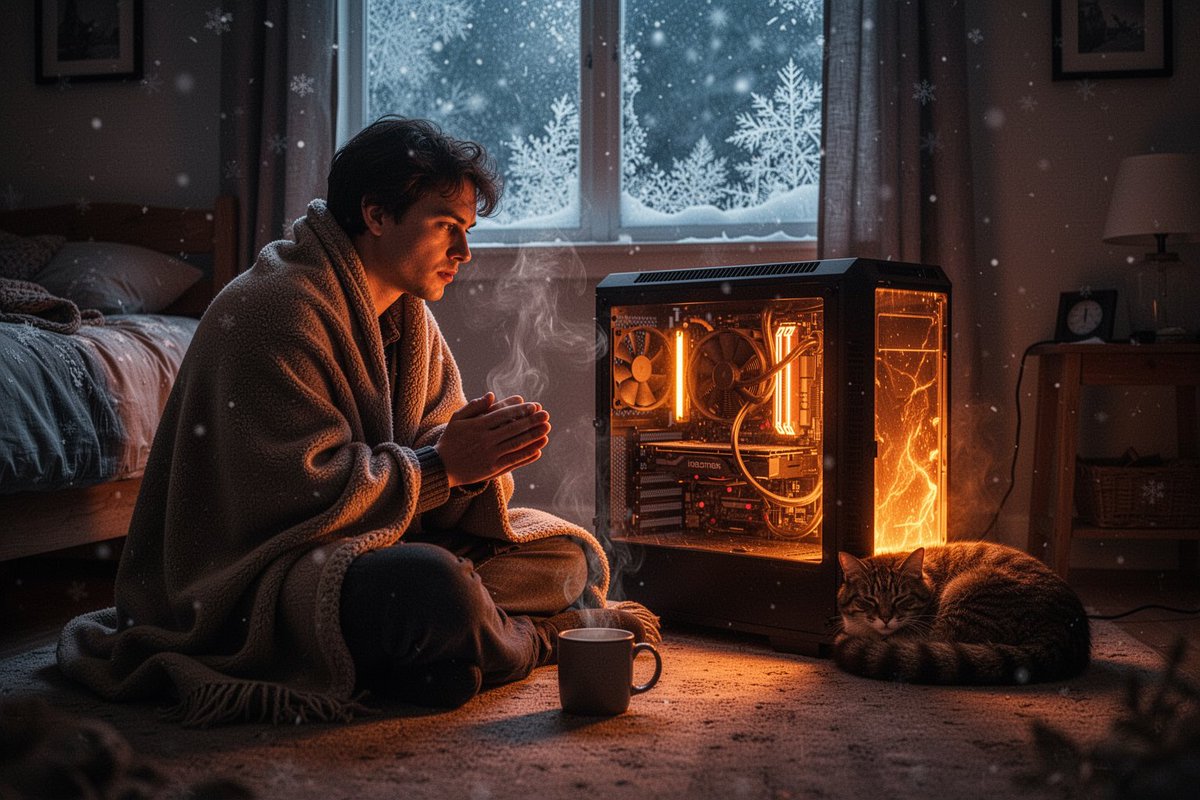
Cozy Winter Bedroom Warming Hands by Glowing PC

A photoreal cinematic scene of a person warming their hands in front of a glowing desktop PC tower like a fireplace in a cozy winter bedroom, with a sleeping cat, frosted window, warm amber glow and film grain.

Image generation

Source previews

These example images come from the original source. DROPIDEA has not independently tested these examples; results depend on the model and settings.

Ready to personalize

Your prompt

English

Replace the red variables with your information. Copy the full prompt and use it with your preferred agent.

TXT MD English version
A cozy winter bedroom at night, a person wrapped in a blanket sitting on the floor warming their hands in front of a glowing desktop PC tower like it's a fireplace, the graphics card exhaust glowing warm orange like hearth embers, heat shimmer rising from the vents, frost on the window behind, a cat curled up asleep against the warm case, soft amber firelight glow filling the room, steam rising from a mug, cozy chiaroscuro, cinematic wide, photoreal, film grain
Preview results

Your prompt

A cozy winter bedroom at night, a person wrapped in a blanket sitting on the floor warming their hands in front of a glowing desktop PC tower like it's a fireplace, the graphics card exhaust glowing warm orange like hearth embers, heat shimmer rising from the vents, frost on the window behind, a cat curled up asleep against the warm case, soft amber firelight glow filling the room, steam rising from a mug, cozy chiaroscuro, cinematic wide, photoreal, film grain

What you get

  • A photoreal, cinematic wide image.
  • Warm amber lighting, cozy chiaroscuro and film grain.
  • A cozy winter mood with steam, frost, and a sleeping cat.

Use cases

  • Social posts about winter coziness and PC gaming.
  • Moodboards or wallpapers for warm ambient scenes.
  • Marketing visuals for gaming gear or cozy lighting.

How to use

  • Copy the full Arabic prompt as an image generation description.
  • Attach or upload a reference image if your system supports style references.
  • Optionally tweak scene details (pet type, glow color) while keeping the rest intact.
  • Set a wide aspect ratio (e.g., 16:9) to achieve the cinematic framing.
  • Generate the image and iterate with adjusted settings if needed.

Related prompts