Skip to content
ImagesFree

Negative Prompt Block for Fried Chicken Food Images

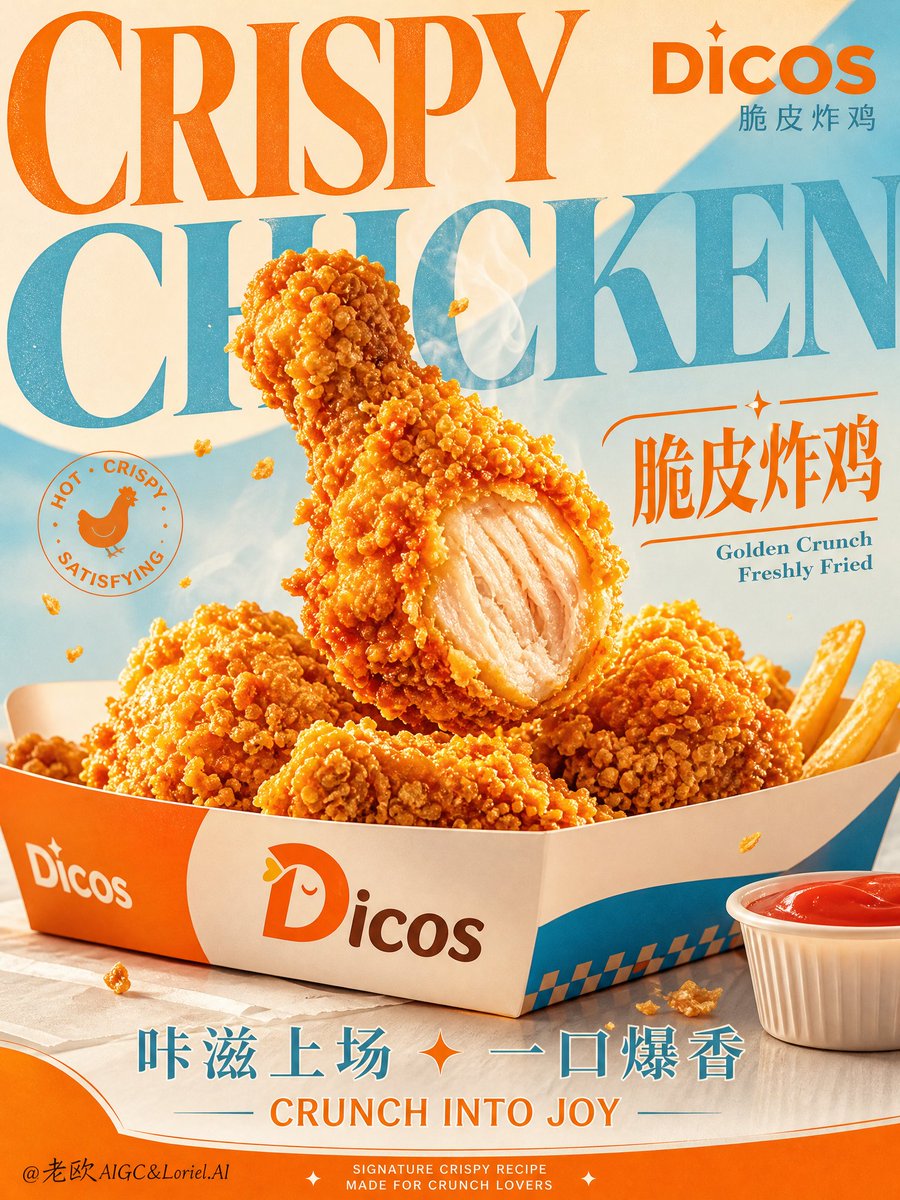
A negative prompt list preventing watermarks, gibberish text, and low-quality artifacts in fried chicken advertisement images, keeping the Dicos name intact.

OpenAI

Source previews

These example images come from the original source. DROPIDEA has not independently tested these examples; results depend on the model and settings.
Ready to personalize

Your prompt

English

Replace the red variables with your information. Copy the full prompt and use it with your preferred agent.

TXT MD English version
watermark, signature, UI, app interface, social media handle, random text artifacts, gibberish text, unreadable logo, misspelled Dicos, low-end fonts, crude bold black font, Comic Sans, Impact, messy typography, cluttered background, cheap takeaway look, greasy mess, low resolution, blurry chicken, weak crisp texture, plastic-looking food, distorted fried chicken, duplicate pieces, burnt coating, cartoon style, noisy image, wrong logo, unreadable packaging
Preview results

Your prompt

watermark, signature, UI, app interface, social media handle, random text artifacts, gibberish text, unreadable logo, misspelled Dicos, low-end fonts, crude bold black font, Comic Sans, Impact, messy typography, cluttered background, cheap takeaway look, greasy mess, low resolution, blurry chicken, weak crisp texture, plastic-looking food, distorted fried chicken, duplicate pieces, burnt coating, cartoon style, noisy image, wrong logo, unreadable packaging

What you get

  • An image free of watermarks, signatures, and app interfaces.
  • Clean typography without random or gibberish text or misspelled Dicos.
  • Realistic crispy food texture without plastic looks, duplicate or burnt pieces.
  • High resolution and sharp detail, photographic rather than cartoon style, without noise or blur.

Use cases

  • Fast-food restaurant advertisements for the Dicos brand.
  • Menu and delivery app imagery.
  • Social media posts showcasing fried chicken meals.
  • Marketing collateral and print materials for food products.

How to use

  • Copy the negative prompt list and paste it into the Negative Prompt field of your image generation tool.
  • Use it together with a positive prompt describing the Dicos fried chicken and desired visual setting.
  • Edit entries by removing those irrelevant to your style, keeping Dicos and any technical tokens intact if used in the positive prompt.
  • Generate the image and review the result; retry with positive prompt adjustments if any listed flaws appear.
  • Upload reference images of the product or logo if your tool supports them to ensure brand accuracy.

Related prompts