Skip to content
ImagesFree

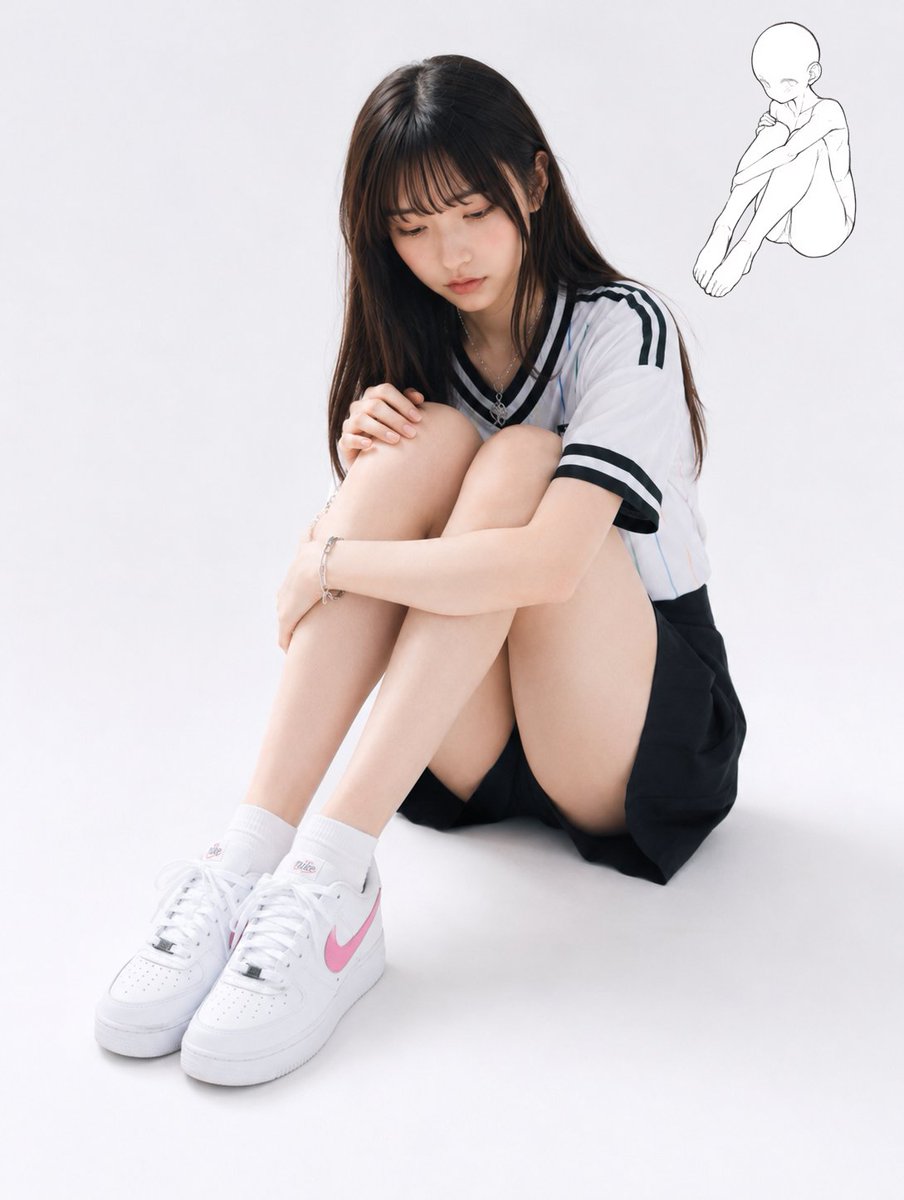
Photorealistic Generation with a Reference Pose

Use the character from Image 2 with the pose from Image 1 to generate a photorealistic image while preserving identity, facial features, clothing, and a minimalist studio background.

OpenAI

Source previews

These example images come from the original source. DROPIDEA has not independently tested these examples; results depend on the model and settings.
Ready to personalize

Your prompt

English

Replace the red variables with your information. Copy the full prompt and use it with your preferred agent.

TXT MD English version
Using the character from Image 2 as the subject, and the pose from Image 1 as the reference, generate a new, photorealistic image. The subject must perfectly replicate the reference pose. Crucially, maintain the subject's identity, facial features, and clothing from her original photo. The background should be a clean, minimalist studio setting with soft lighting.
Preview results

Your prompt

Using the character from Image 2 as the subject, and the pose from Image 1 as the reference, generate a new, photorealistic image. The subject must perfectly replicate the reference pose. Crucially, maintain the subject's identity, facial features, and clothing from her original photo. The background should be a clean, minimalist studio setting with soft lighting.

Variable guide

Image 2

The image number containing the desired character (subject).

"Using the character from Image 2" — replace the number 2.

Example value

3

Image 1

The image number containing the reference pose.

"and the pose from Image 1" — replace the number 1.

Example value

4

a clean, minimalist studio setting with soft lighting

Editable background and lighting description.

Last line of the template: "The background should be ..."

Example value

an urban sunset backdrop with golden lighting

What you get

  • A photorealistic image of the Image 2 character performing the Image 1 pose
  • Full preservation of the character's identity, facial features, and original clothing
  • A clean, minimalist studio background with soft lighting

Use cases

  • Recreating fashion shots with specific poses
  • Professional portrait photography with a studio backdrop
  • Testing different poses for the same character without changing identity
  • Brand marketing materials for apparel

How to use

  • Upload two images: one containing the character (subject) and one containing the reference pose.
  • Ensure Image 2 points to the character photo and Image 1 to the pose photo, adjusting the numbers if needed.
  • Paste the template as-is into an image generation tool that supports multiple reference images.
  • Optionally edit the background description while keeping the pose and identity constraints intact.
  • Generate the image, verify the pose, facial features, and clothing match, then retry as needed.

Related prompts