Result 1OpenAI
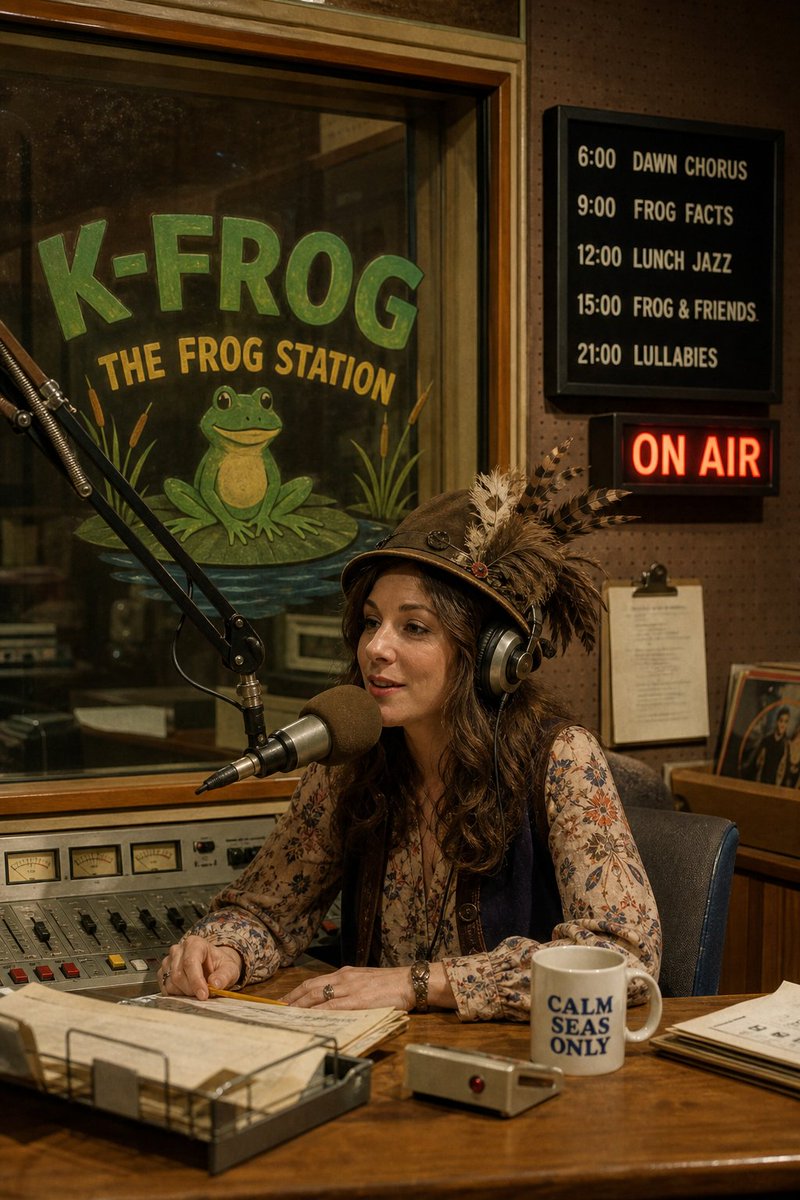
A photorealistic 1970s radio studio with a painted station sign, a schedule board, a host in a feathered hat, a glowing ON AIR lamp, a 2:3 aspect ratio, and a comparison of GPT Image 2 and Muse Image results.
These example images come from the original source. DROPIDEA has not independently tested these examples; results depend on the model and settings.

Replace the red variables with your information. Copy the full prompt and use it with your preferred agent.
K-FROG — THE FROG STATIONThe radio station name painted on the sign; English text that must appear verbatim in the output image.
The quoted text after 'A painted sign on the window reads' in the English template.
Example valueK-OWL — THE NIGHT OWL STATION
6:00 DAWN CHORUS / 9:00 FROG FACTS / 12:00 LUNCH JAZZ / 15:00 FROG & FRIENDS / 21:00 LULLABIESThe program schedule shown on the board; contains five HH:00 times and English program names that must appear as-is.
The fully quoted string after 'a schedule board beside the booth lists' in the English template.
Example value7:00 MORNING NEWS / 10:00 TALK TIME / 13:00 SOUL LUNCH / 16:00 KIDS HOUR / 22:00 NIGHT JAZZ
A woman host with a feathered hat and headphones sits at a big microphoneDescription of the host: outfit, accessories, and position at the microphone; an editable creative value.
The descriptive sentence starting 'A woman host with a feathered hat' and ending 'a big microphone'.
Example valueA host in a pinstripe suit and sunglasses sits at a big microphone
CALM SEAS ONLYThe text on the mug; English text that must appear verbatim in the result.
The quoted text after 'a mug reading' in the English template.
Example valueGOOD VIBES RADIO
2:3The output image aspect ratio; a technical setting to keep at 2:3 unless changed intentionally.
The value at '2:3 aspect ratio' at the end of the descriptive part of the template.
Example value16:9
A photographic prompt crafted to generate hyper-realistic, unposed smartphone snapshots taken by a friend at a nigh...
Prompt generating an ultra-realistic photo of a young man wearing white Shalwar Kameez by a lake at sunset, specify...
An advanced cinematic AI video prompt crafting a 15-second seamless loop psychedelic Japanese horror music video fe...
Prompt to generate a photorealistic character reference sheet for a young medieval village woman featuring multi-an...