
Result 1OpenAI
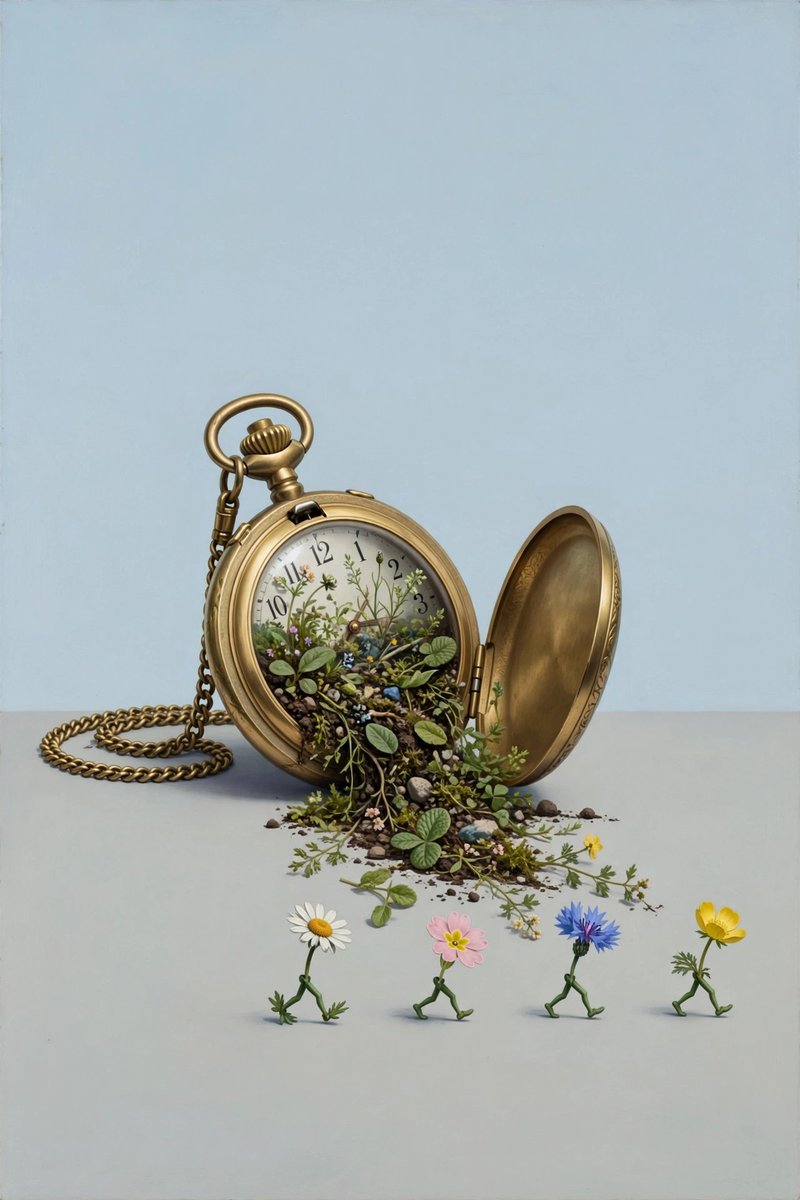
A ready-to-post social media comparison prompt featuring a Magritte-style surreal idea: hyperreal flat rendering, plain pale-blue sky, soft even daylight, and deadpan wit, with slots for two generated 2:3 aspect ratio results and a call to vote. No reference image uploads required.
These example images come from the original source. DROPIDEA has not independently tested these examples; results depend on the model and settings.
Replace the red variables with your information. Copy the full prompt and use it with your preferred agent.
[img. 1]Slot for the GPT Image 2 result in the comparison post
The line "🔵 GPT Image 2: [img. 1]" in the template
Example value[img. 1]
[img. 2]Slot for the Muse Image result in the comparison post
The line "🟣 Muse Image: [img. 2]" in the template
Example value[img. 2]
A pocket watch pouring out a garden, the flowers walking on the floor.The editable surreal scene description both tools will generate
The sentence right after the style description in the template
Example valueA giant key opening a door in a wooden desk, with pens flying like birds
Surrealism in the manner of Magritte: hyperreal flat rendering, a plain pale-blue sky, soft even daylight, deadpan wit, no drama, ordinary things placed with absurd calm.Style, lighting and mood anchor; a technical setting recommended to keep unchanged
The opening sentence of the template, ending with "...ordinary things placed with absurd calm."
Example valueSurrealism in the manner of Dali: golden sunset light, long shadows, dreamy calm, no drama
RT + reply who you pickThe repost and vote prompt for the best result
The line directly before the hashtags: "RT + reply who you pick 👇"
Example valueRT + reply with your pick
A detailed 30-second seamless video generation prompt capturing a handheld raw smartphone loop of three men partyin...
A brief post contains only a downward arrow symbol and an external link.
A detailed English prompt generating a hyper-realistic 9:16 front-camera selfie of a young woman against a festive...
Complete art-direction prompt generating a premium Nike running campaign poster: explosive editorial runner, hero s...