
Result 1OpenAI
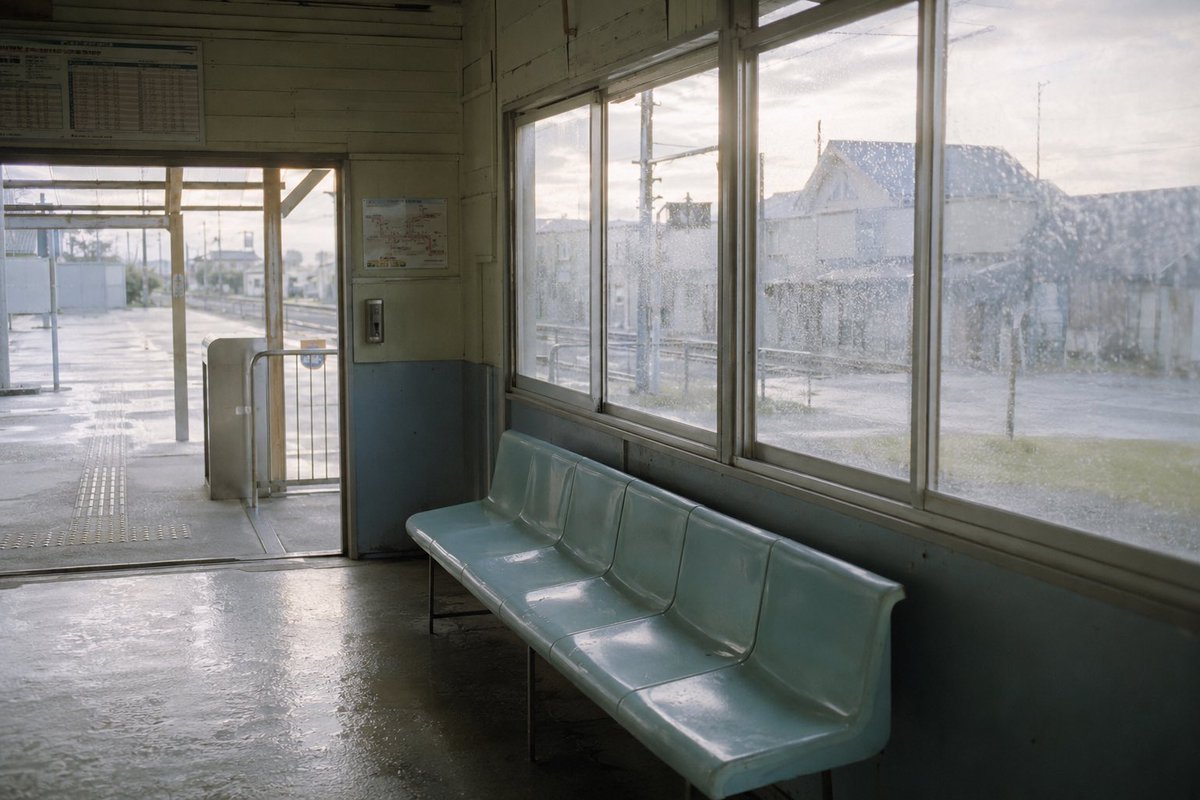
A reference-to-video prompt for a 15-second quiet cinematic sequence with Fujifilm Pro 400H grain: an empty Japanese street at dawn, a rain-streaked station window, and a woman on a train platform, with designed ambient audio and hard cuts between shots.
These example images come from the original source. DROPIDEA has not independently tested these examples; results depend on the model and settings.
Replace the red variables with your information. Copy the full prompt and use it with your preferred agent.
Fujifilm Pro 400HThe simulated film stock defining grain and color look; replace in both occurrences together.
Twice in the template: after "simulating" and after "grain" in the prompt line.
Example valueKodak Portra 400
quiet wistful moodThe overall mood of the sequence.
Between "throughout," and ", soft overcast" in the prompt line.
Example valuewarm nostalgic mood
an empty Japanese shopping street at dawnDescription of the opening shot tied to the first reference image.
After "Open on @Image1," up to "at dawn".
Example valuean empty stone temple alley at dusk
sunlight through a rain-streaked station window on an empty benchDescription of the second shot tied to the second reference image.
After "Hard cut to @Image2," up to "empty bench".
Example valuemoonlight through a fogged café window on an empty table
a woman standing alone on a train platform in a wide shotDescription of the third shot's subject; must match the two co-registered reference images.
After "Hard cut to @Image3," up to "in a wide shot".
Example valuea man sitting alone on a harbor platform in a wide shot
A photographic prompt crafted to generate hyper-realistic, unposed smartphone snapshots taken by a friend at a nigh...
Prompt generating an ultra-realistic photo of a young man wearing white Shalwar Kameez by a lake at sunset, specify...
An advanced cinematic AI video prompt crafting a 15-second seamless loop psychedelic Japanese horror music video fe...
Prompt to generate a photorealistic character reference sheet for a young medieval village woman featuring multi-an...