Skip to content
ImagesFree

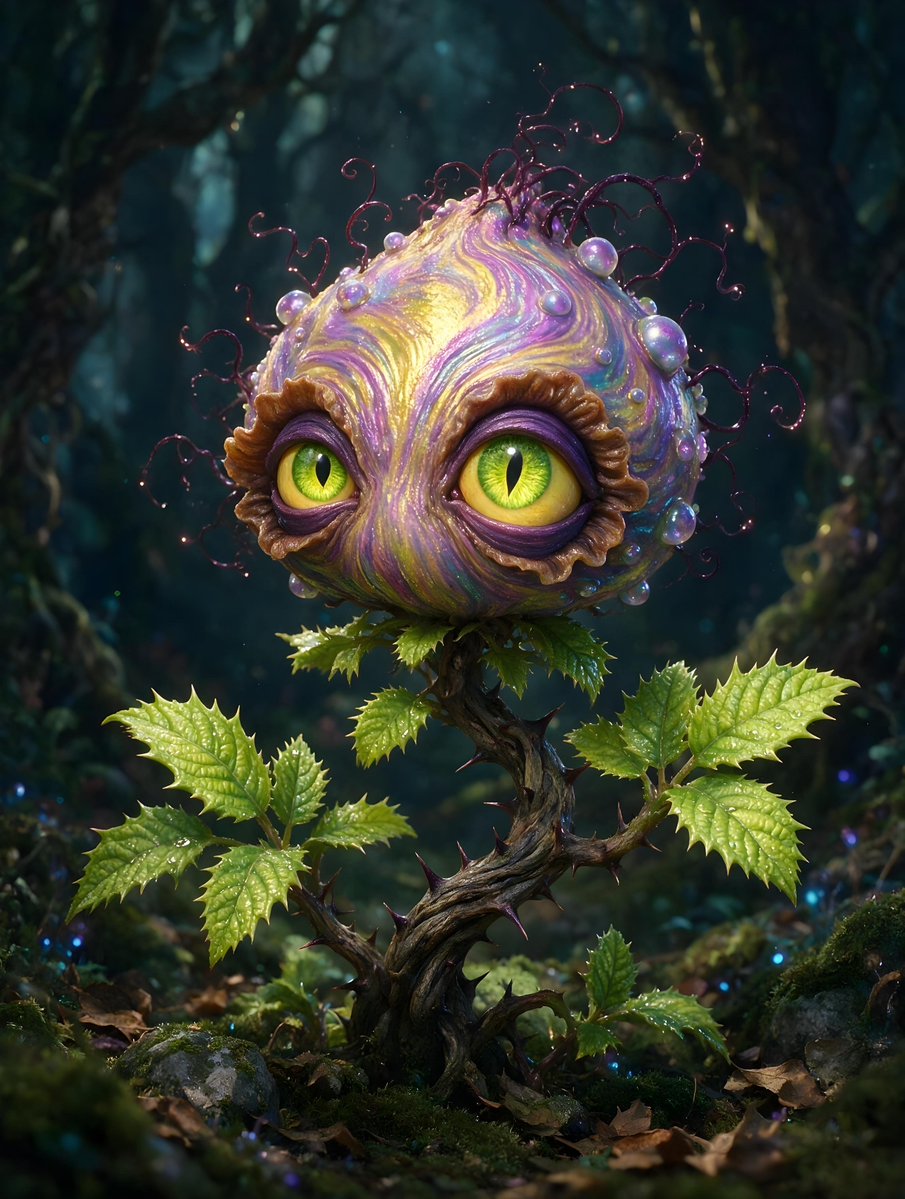
Bizarre Alien-Like Plant With Expressive Colorful Head

A close-up eye-level design description of a strange alien-like plant with a bulbous colorful head, large expressive eyes, wispy tendrils, spherical growths, and a twisted thorny stem with spiky green leaves.

Image generation

Source previews

These example images come from the original source. DROPIDEA has not independently tested these examples; results depend on the model and settings.

Ready to personalize

Your prompt

English

Replace the red variables with your information. Copy the full prompt and use it with your preferred agent.

TXT MD English version
A close-up, eye-level design features a bizarre, alien-like plant with a bulbous, colorful head and large, expressive eyes. The head is adorned with thin, wispy tendrils and small, spherical growths. A twisted, thorny stem emerges from the base of the plant, which has spiky green leaves.
Preview results

Your prompt

A close-up, eye-level design features a bizarre, alien-like plant with a bulbous, colorful head and large, expressive eyes. The head is adorned with thin, wispy tendrils and small, spherical growths. A twisted, thorny stem emerges from the base of the plant, which has spiky green leaves.

What you get

  • A complete, accurate description of a bizarre alien-like plant.
  • Clear details of the bulbous colorful head and large expressive eyes.
  • Mentions of wispy tendrils, spherical growths, the twisted thorny stem, and spiky green leaves.

Use cases

  • Generating fantasy plant artwork for sci-fi projects.
  • Inspiring creature and character designers in games and comics.
  • Using it as a descriptive reference in digital art and concept art projects.
  • Creating poster or sticker artwork with a strange alien vibe.

How to use

  • Copy the English design description and paste it into your preferred image generation tool.
  • Choose a suitable art style such as digital illustration or concept art if you want to adjust the output.
  • Paste the description as-is if you want to keep the original details unchanged.
  • Carefully tweak elements like colors or camera angle while preserving the original composition.
  • Generate the image, review the result, and retry with minor adjustments as needed.

Related prompts