
Result 1OpenAI
Turns an uploaded photo into a 4:3 landscape field-journal page: original photo preserved on the left, aged archival paper with a hand-printed memory sketch and typewriter metadata on the right.
These example images come from the original source. DROPIDEA has not independently tested these examples; results depend on the model and settings.
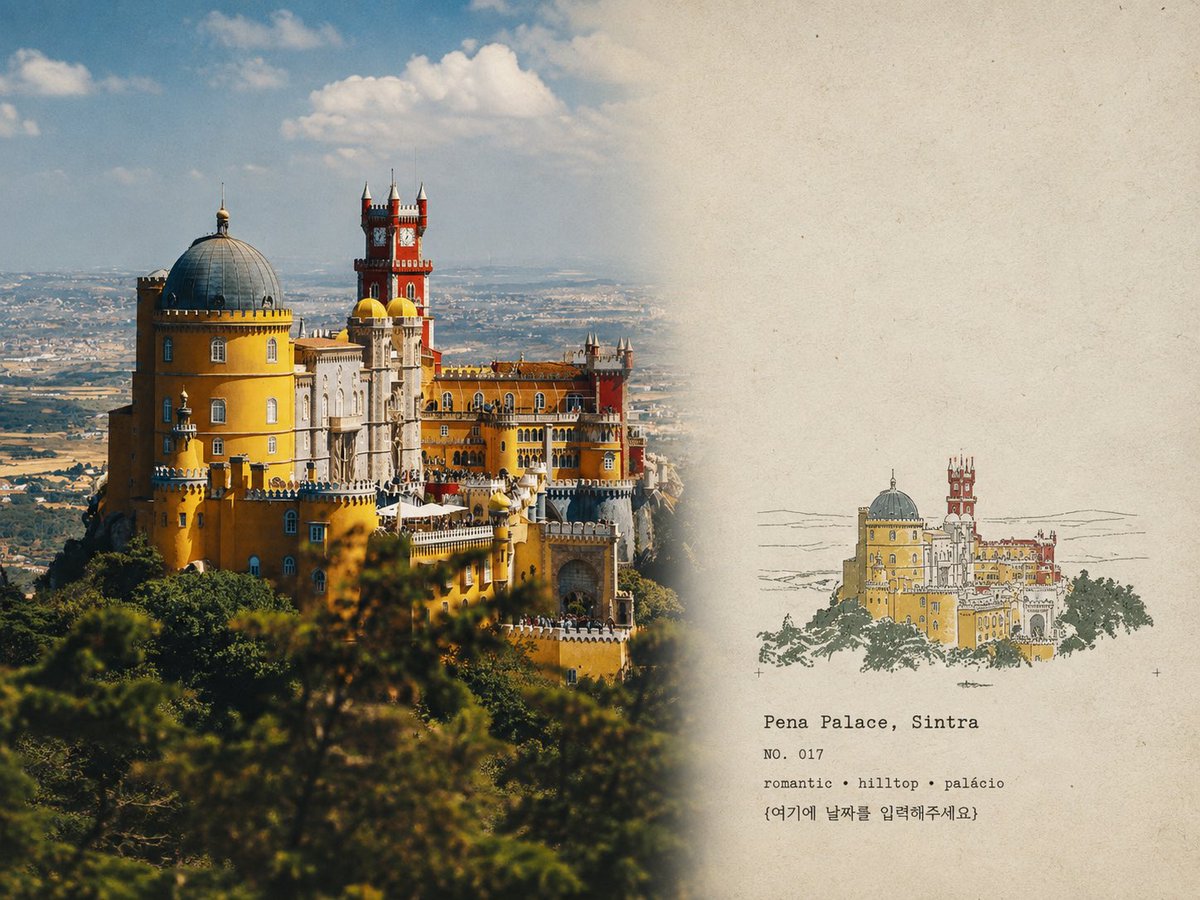
Replace the red variables with your information. Copy the full prompt and use it with your preferred agent.
LOCATION NAMEGeographic location name of the photo.
Replace «LOCATION NAME» on the first typewriter text line.
Example valueStone Valley
[NUMBER]Archival image number.
Replace [NUMBER] in the «NO. [NUMBER]» line.
Example value007
[YEAR]Year the photo was taken.
Replace [YEAR] on its own line.
Example value1996
{여기에 날짜를 입력해주세요}Detailed date under the year.
Replace {여기에 날짜를 입력해주세요} on the last text line.
Example valueMarch 12
KEYWORD · KEYWORD · KEYWORDThree descriptive keywords.
Replace the three-KEYWORD line, keeping the «·» separators.
Example valuemountains · fog · pines
A photographic prompt crafted to generate hyper-realistic, unposed smartphone snapshots taken by a friend at a nigh...
Prompt generating an ultra-realistic photo of a young man wearing white Shalwar Kameez by a lake at sunset, specify...
An advanced cinematic AI video prompt crafting a 15-second seamless loop psychedelic Japanese horror music video fe...
Prompt to generate a photorealistic character reference sheet for a young medieval village woman featuring multi-an...