Result 1Gemini
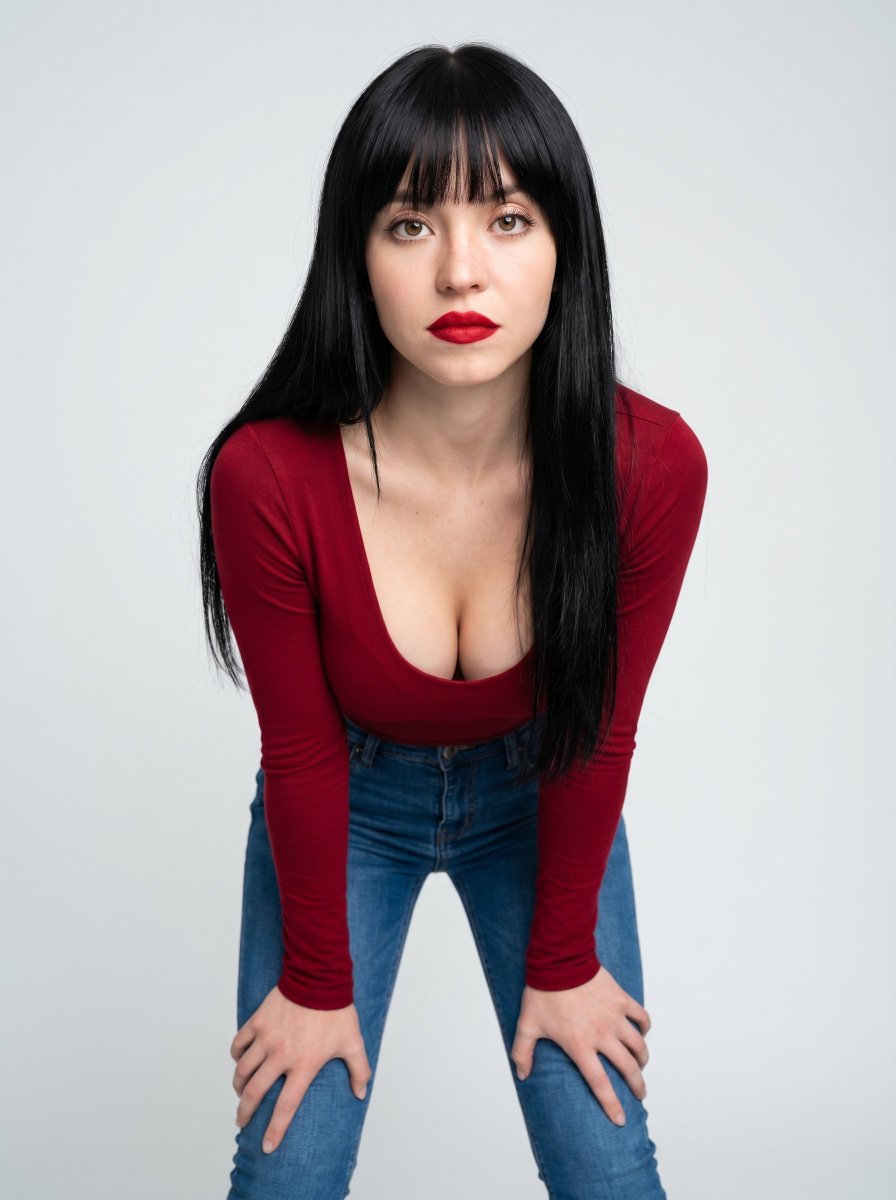
A complete JSON prompt for generating an ultra-realistic fashion studio portrait with soft beauty lighting, a seamless gray backdrop, negative prompt, camera, lighting and color grading settings, ready for tools like Nano Banana pro via Hailuo.
These example images come from the original source. DROPIDEA has not independently tested these examples; results depend on the model and settings.

Replace the red variables with your information. Copy the full prompt and use it with your preferred agent.
Sydney SweeneyThe celebrity name in the header and inside the prompt field; swap it with another name while keeping the rest of the description.
First line of the template and the start of the prompt value in the root JSON object.
Example valueEmma Stone
long straight jet-black hair with full bangsHair color, length and styling description; edit it to change the look.
Inside the prompt value, second descriptive sentence.
Example valuemedium-length curly blonde hair
bold matte red lipstickLipstick color and finish description.
Inside the prompt value, end of the first sentence.
Example valueglossy pink lipstick
form-fitting deep redTop garment description; replace with an equally detailed alternative.
Inside the prompt value, the clothing sentence.
Example valuea loose white silk blouse
Clean light-gray seamless studio backgroundStudio backdrop description; change its color or type.
Inside the prompt value after the clothing sentence; mirrored by lighting.background.
Example valueclean white seamless studio background
A prompt for creating a premium vertical four-panel streetwear campaign collage from an uploaded facial identity re...
A photorealistic image-generation prompt for a vertical summer portrait of a fictional adult Japanese woman in a st...
A prompt for a photorealistic fantasy fashion portrait featuring a woman with elven details, black and orange cloth...
An ultra-photorealistic fashion editorial prompt featuring a low-angle outdoor portrait in a suburban setting with...