
Medixa — Clinic Management Platform
Online booking, patient records, video sessions and payments — with a website for every clinic.
Open the systemAbout the system
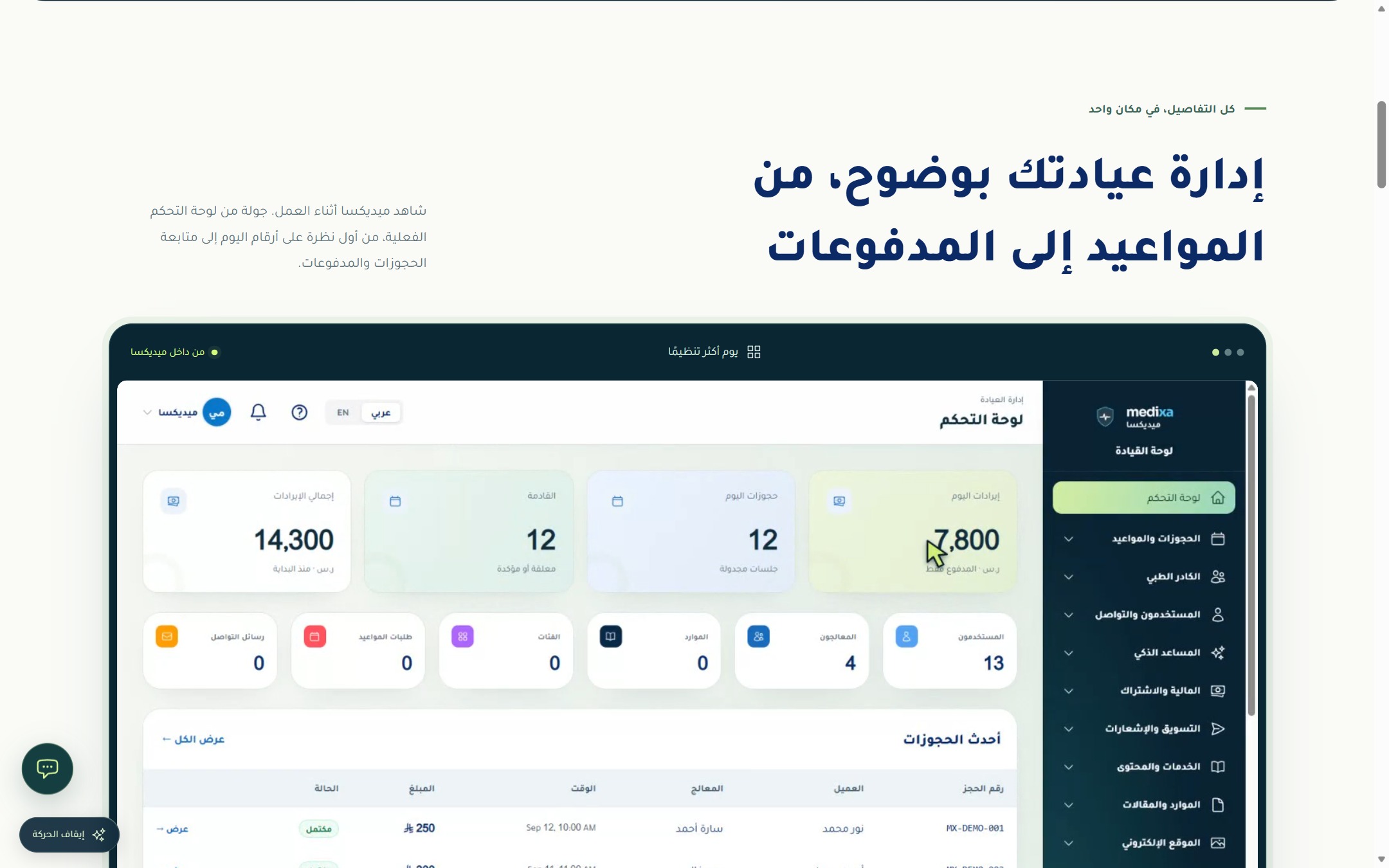
The system is multi-role: a panel for the clinic manager, another for the doctor or therapist, a third for the receptionist, and a fourth for the patient, who follows their appointments, record, invoices and wallet balance.
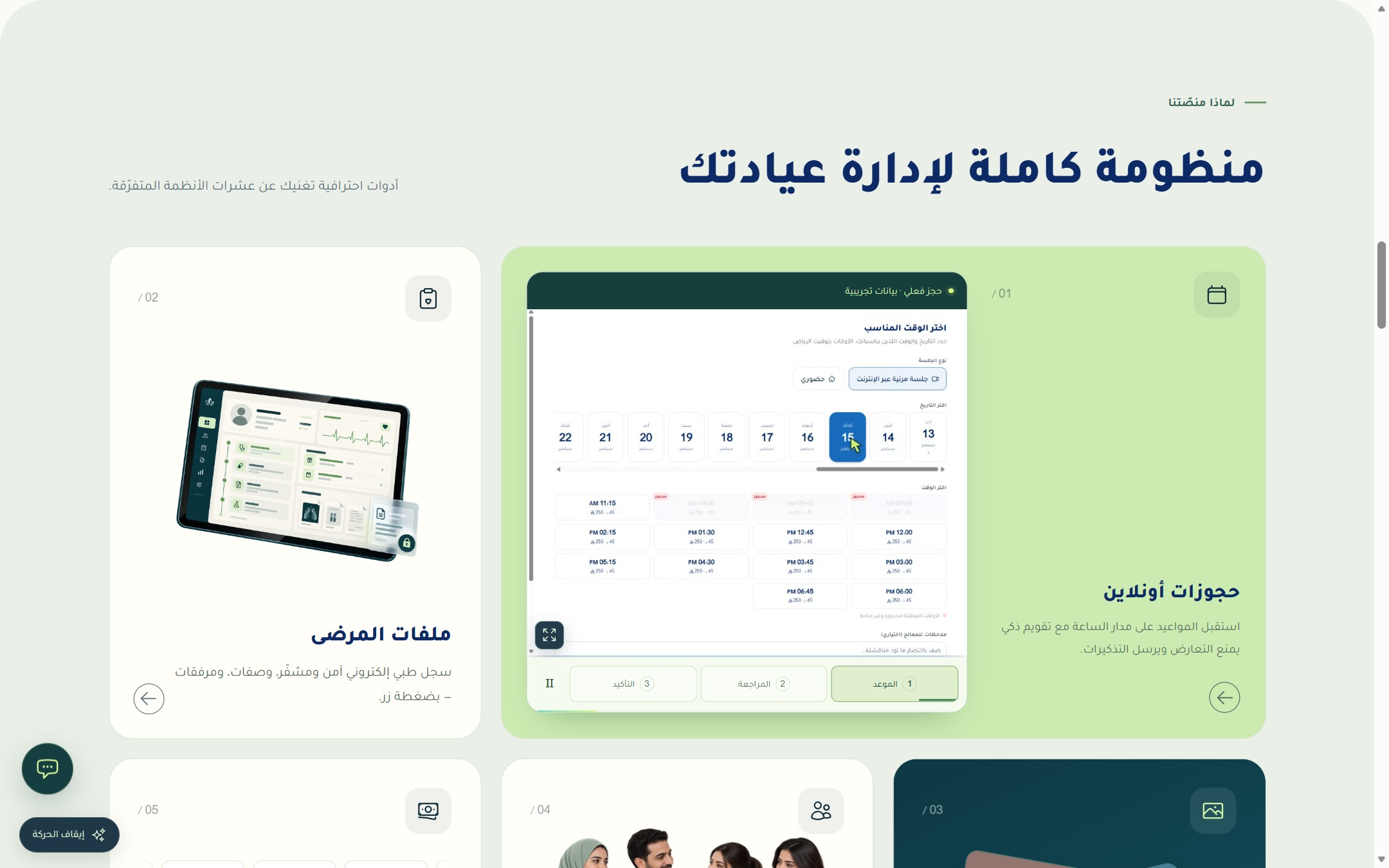
Because an appointment may be in person or remote, video sessions are held inside the platform itself, with automatic reminders that reduce no-shows and appointment sync to the phone calendar.
The clinic also gets a professional website chosen from thirty ready templates, showing its services and team and sending bookings straight into its panel.
Key features
- Online booking and appointments
- Manager, doctor, reception & patient panels
- Patient records and prescriptions
- In-platform video sessions
- Payments, wallets and invoices
- Clinic website from thirty templates
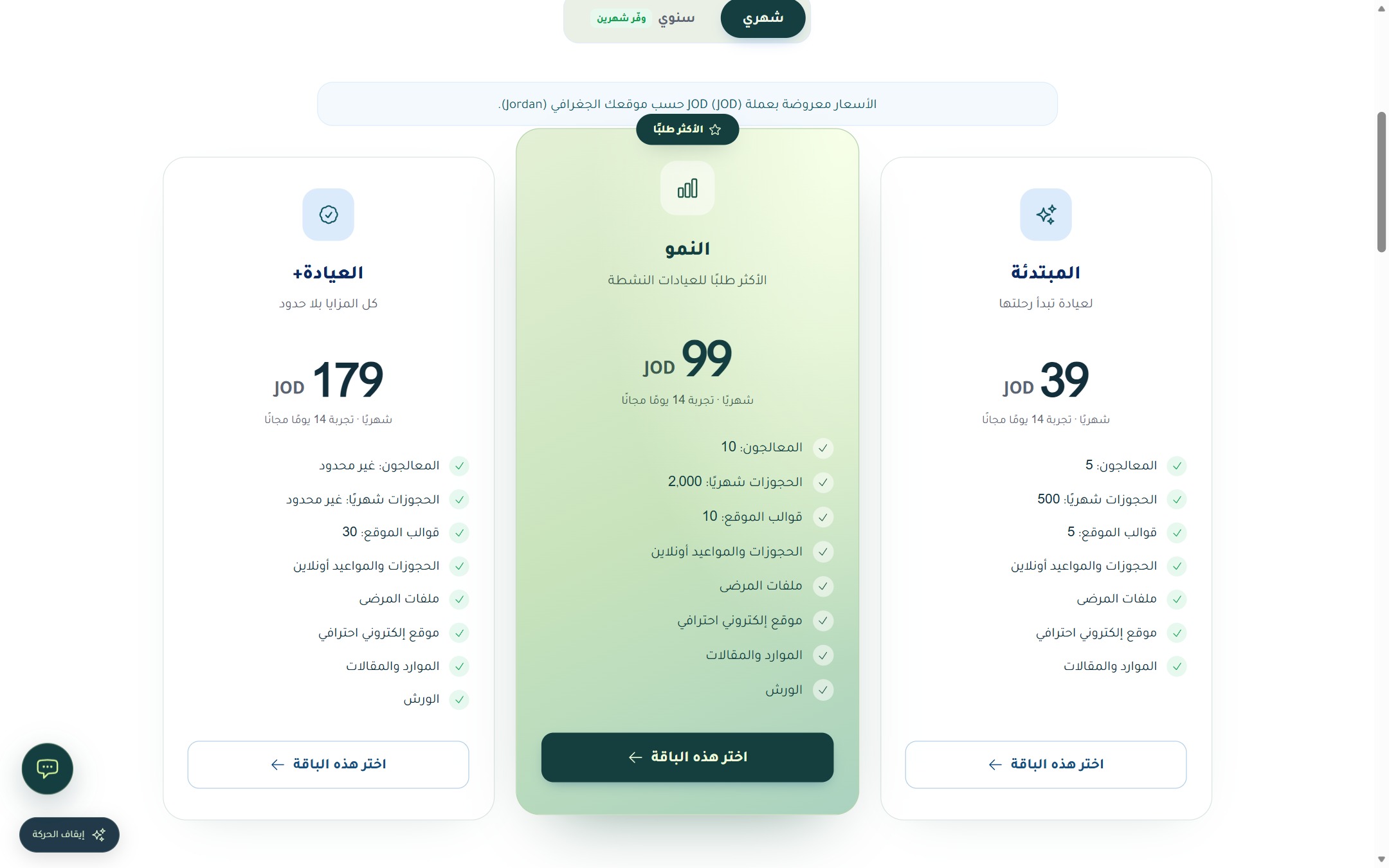
A guided tour of the platform
Real interface shots with a short note on what each screen does.
 Click to enlarge
 Click to enlarge
 Click to enlarge
 Click to enlarge
 Click to enlarge
How registration works
Registering with Medixa is self-service: the clinic registers itself and starts on a free trial, then sets up its website, team and schedules to receive its first online booking the same day.
-
1
Step 1
Register your clinic: create your account and choose a plan in a minute, with a fourteen-day free trial.
-
2
Step 2
Pick your clinic website template from thirty options and set its content: services, team and opening hours.
-
3
Step 3
Add your doctors, therapists and receptionists, and define their availability and session prices.
-
4
Step 4
Share your clinic link, and online bookings arrive straight into your panel.
-
5
Step 5
The patient follows appointments, record and invoices from their account, and gets automatic reminders before the appointment.
-
6
Step 6
For remote appointments the video session is held inside the platform with no extra software.