شاشات LG تثبّت تطبيقاً بلا إذن ويقصفك بإعلانات McAfee
 بقلم الأدمن
توصيل شاشة يعني قبول برنامج لم تطلبه
تخيّل أنك تشتري شاشة جديدة من LG، توصّلها بحاسوبك الذي يعمل بنظام Windows 11، ثم تفاجأ بإعلانات ضخمة تظهر في الزاوية السفلية اليمنى من شاشتك في كل مرة تُشغّل جهازك. هذا بالضبط ما واجهه عدد متزايد من المستخدمين، وما أثبتته اختبارات قناة Gamers Nexus التقنية المتخصصة.
ما الذي يحدث خلف الكواليس؟
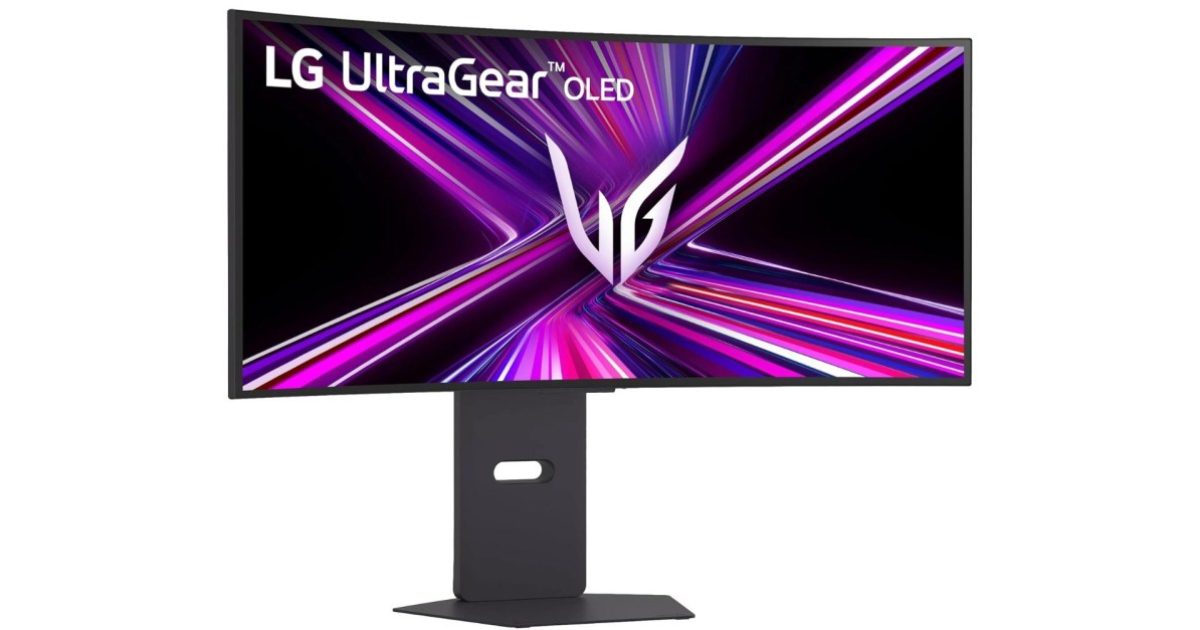
حين تُوصّل شاشة LG UltraGear بجهاز يعمل بنظام Windows 11 للمرة الأولى، يبدأ Windows Update في تحميل تحديثات تعريفات LG وتطبيق يُعرف بـ LG Monitor App Installer بصمت تام، دون أي نافذة تأكيد أو إشعار مسبق للمستخدم. والأغرب أن هذا التطبيق لا يوفّر وظائف تحكّم حقيقية في الشاشة، بل يكتفي بتوجيه المستخدم نحو تطبيقات LG الأخرى، وبرنامج مكافحة الفيروسات McAfee.
وقد رصدت اختبارات Gamers Nexus ظهور هذه الإعلانات المنبثقة في 31 حالة من أصل 32 عملية تشغيل متتالية للجهاز، وهو معدل يصعب تجاهله أو اعتباره مجرد خطأ عرضي.
ميزة مشروعة أُسيء توظيفها
تتيح Microsoft للمطوّرين ربط ما يُسمى بـ Hardware Support App عبر متجر Windows، بحيث يُثبَّت التطبيق تلقائياً استناداً إلى بيانات الجهاز المتعرَّف عليها. غير أن Microsoft نفسها تضمّنت في توثيقها لهذه الميزة تحذيراً صريحاً يقول: «لا تُرسَل أي إشعارات للمستخدم عند تثبيت التطبيق، وقد يجد بعض المستخدمين هذه التجربة مربكة ومحبطة». ورغم وضوح هذا التحذير، يبدو أن LG اختارت المضيّ في هذا المسار دون أي اعتبار لتجربة المستخدم.
وليست LG وحدها في هذا السلوك؛ إذ سبق أن أشار الصحفي التقني توم وارن من The Verge إلى أن Dell تفعل الشيء ذاته عبر تطبيق Alienware Command Center حين توصيل شاشات Alienware، إلا أن إعلانات LG المتكررة تمثّل منحىً أشد إزعاجاً.
مخاوف تتجاوز الإزعاج
المشكلة لا تقتصر على الإعلانات المنبثقة؛ فوفقاً لصفحة التطبيق في متجر Windows، يطلب LG Monitor App Installer صلاحيات واسعة تشمل:
- الوصول الكامل إلى جميع موارد النظام
- الاتصال بالإنترنت
فضلاً عن ذلك، تُشير سياسة الخصوصية الخاصة بـ LG إلى أن التطبيق يجمع تلقائياً بيانات الجهاز، وسجل النشاط على الإنترنت، ومعلومات الموقع الجغرافي — وكل هذا يجري لبرنامج يُثبَّت دون موافقة صريحة من المستخدم.
كيف تحمي نفسك من هذا التطبيق؟
إن كنت لا ترغب في السماح لـ LG بتثبيت تطبيقاتها تلقائياً، ثمة خياران عمليان:
- مستخدمو Windows 11 Pro: يمكن تعطيل التثبيت التلقائي عبر إعدادات Group Policy المخصصة لهذا الغرض.
- مستخدمو Windows 11 Home: توجّه إلى إعدادات النظام المتقدمة، وابحث عن خيار التنزيل التلقائي لتطبيقات الشركات المصنّعة والأيقونات المخصصة، ثم اضبطه على «لا».
درس أكبر من مجرد شاشة
تكشف هذه القضية عن توتر قائم في منظومة Windows بين مرونة النظام في دعم الأجهزة الخارجية من جهة، وحق المستخدم في التحكّم الكامل بما يُثبَّت على جهازه من جهة أخرى. ففتح الباب أمام الشركات المصنّعة لتثبيت تطبيقاتها بلا إذن، ثم السماح لها بجمع البيانات ودفع الإعلانات، هو نمط يستحق من Microsoft مراجعة جدية لسياساتها المتعلقة بـ Hardware Support Apps، قبل أن تتحوّل كل شاشة أو ماوس أو لوحة مفاتيح إلى بوابة لبرامج غير مرغوب فيها.
✦ بقلم فريق دروب أيديا
دروب أيديا - DROPIDEA
نأمل أن تكون هذه المقالة قد أضافت لك قيمة حقيقية. في دروب أيديا نسعى دائمًا لتقديم محتوى عربي عالي الجودة يساعدك على النمو والتطور في المجال الرقمي. تابعنا للمزيد من المقالات والشروحات المفيدة.
الوسوم
الأدمن
DROPIDEA
أحدث المقالات

ثينكينج ماشينز تسعى لجمع مليار دولار بتقييم 40 مليار
كروزو تجمع 3 مليارات دولار بتقييم يبلغ 30 مليار دولار

لماذا تبدو قوائم الطعام المولّدة بالذكاء الاصطناعي مقززة؟
لماذا يُعدّ كشف المحتوى المولّد بالذكاء الاصطناعي أصعب مما نظن؟