افضل مشغل فيديو للايفون 2018 – افضل تطبيقات ايفون لمشاهدة الفيديوهات يجب عليك تجربتها
 بقلم الأدمن
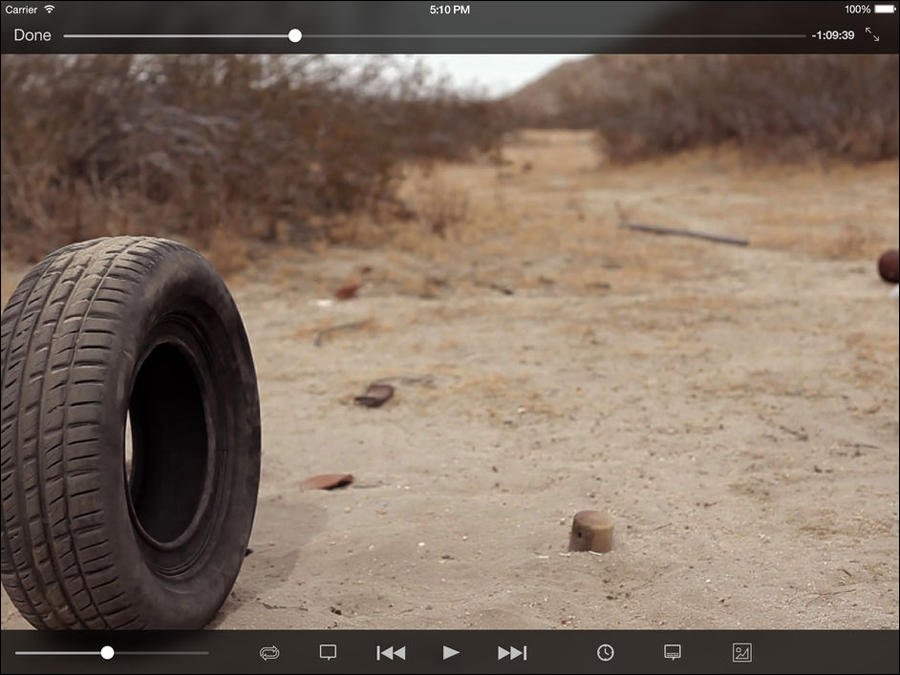
إذا كنت تبحث عن افضل مشغل فيديو للايفون 2018 فقد قمنا في هذه المقالة بتجميع قائمة تضم 5 من أفضل تطبيقات عرض الفيديوهات على أجهزة iOS والتي تقدم تجربة مشاهدة فيديو سلسة وممتعة. تطور محتوى الفيديو على مر السنين، ويعد واحدًا من أهم مصادر الترفيه هذه الأيام. لقد مرت الأيام حيث كانت فيها مقاطع الفيديو لا تتوفر سوى بصيغة MP4 أو 3GP؛ ولكن فى الوقت الحاضر بأت هناك العديد من الصيغ الجديدة التي تدعم مقاطع الفيديو عالية الجودة.
وإذا أردت تشغيل مقاطع الفيديو هذه على هاتفك الذكي، ستحتاج إلى مشغل فيديو يدعم صيغ الفيديوهات المختلفة. إذا كنت من مُستخدمي أجهزة iOS سواء آيفون أو آيباد، فبالتأكيد سوف تُعاني مع تطبيق عرض الفيديو الإفتراضي والذي يفتقر من كثير من المميزات. لحسن الحظ، هناك الكثير من تطبيقات تشغيل الفيديو والغنية بالمزايا والخصائص التى تعزز تجربة مشاهدة الفيديو.
وبما أن متجر التطبيقات يحتوي على مجموعة كبيرة من هذه النوعية من التطبيقات، فإليك قائمتنا المختصرة التالية لتعثر على افضل مشغل فيديو للايفون 2018 . إقرأ ايضًا: افضل برنامج لتعديل الفيديو للايفون – 4 تطبيقات لتعديل فيديوهاتك بشكل احترافي ما هو افضل مشغل فيديو للايفون 2018 ؟ 1- تطبيق VLC for Mobile أي قائمة تتحدث عن تطبيقات تشغيل الفيديو ولا يوجد بها ذكر لتطبيق
VLC for Mobile فهي بالتأكيد قائمة غير كاملة. بالتأكيد الكثير من مُستخدمي الكمبيوتر على دراية ببرنامج VLC فهو مشهور للغاية، ولكن استخدامه لا يقتصر على الكمبيوتر فقط فحسب، بل الأجهزة الذكية حيث انه متوفر لأجهزة Android و iOS. يتيح لك التطبيق تشغيل جميع صيغ ملفات الفيديو دون الحاجة إلى تحويل صيغتها حتى تحمل، كذلك يتميز بواجهة بسيطة جدًا تجعل من السهل السيطرة على حركة الفيديو والتحكم فى مستوى الصوت وطريقة العرض.
علاوة على ذلك، يتيح لك التطبيق تحميل الترجمات المختلفة والمتوافقة مع الافلام التى ستشاهدها من خلاله، مع دعم مزامنة ملفات الفيديو من خدمات متنوعة مثل: Dropbox و Google Drive و Onedrive و iCloud و iTunes. وبشكل عام، ستحظى بتجربة جيدة جدًا مع هذا التطبيق. 2- تطبيق PlayerXtreme Media Player تطبيق PlayerXtreme Media Player يعتبر من أفضل تطبيقات عرض الفيديو لأجهزة آيفون وآيباد، حيث أنه غني بالمميزات التى تجعلك تستمتع أثناء مشاهدة مقاطع الفيديو.
يدعم مشغل PlayerXtreme Media جميع الصيغ التي يمكن من خلالها عرض محتوى الفيديو؛ مما يعني أنه لا داعي للقلق بشأن صيغة الفيديو الذي تقوم بتشغيله على الهاتف. جنبًا إلى جنب، واجهة المُستخدم الخاصة بالتطبيق تجعل من السهل تصفح الفيديوهات المخزنة على جهازك وتشغيلها بسهولة والتحكم فيها بشكل سلس. يمُكنك من خلال التطبيق تحميل ترجمات الافلام بنقرات زر قليلة، التحكم فى حجم العرض، استخراج صورة من الفيديو، يدعم التطبيق ايضًا البث اللاسلكي عبر AirPlay أو Google cast.
وإذا حظيت بتجربة الإصدار المدفوع من التطبيق؛ سوف تتمكن من إضافة كلمة مرور لحماية التطبيق ومنع تصفح الفيديوهات المخزنة على الهاتف. 3- تطبيق KMPlayer تطبيق KMPlayer يعتبر خير وسيلة إذا كنت تتطلع إلى مشاهدة مقاطع فيديو بدقة 4K عبر شاشة هاتفك الايفون او جهاز الآيباد، فهو يسمح لك بمشاهدة مقاطع الفيديو عالية الدقة دون قلق، ولا تحتاج إلى تحويل صيغة الفيديو حتى تستطيع مشاهدته عبر الهاتف، بل أن التطبيق يدعم اي صيغة فيديو مهما كانت، بجانب واجهة الاستخدام السهلة مع المميزات التى تجعل التطبيق أفضل إختيار لمشاهدة مقاطع الفيديو المختلفة. يتيح لك التطبيق التحكم فى الفيديو من خلال الإيماءات بحيث يكون التحكم أسرع وأفضل، بالإضافة إلى إتاحة تشغيل مقاطع الفيديو مباشرًة من خدمات التخزين السحابي، مع توفير إمكانية دمج ملف الترجمة مع الفيديو او تحميل الترجمات عبر الإنترنت إذا أردت ذلك.
التطبيق متاح في أكثر من 230 دولة في جميع أنحاء العالم ويدعم 36 لغة. 4- تطبيق OPlayer HD تطبيق OPlayer HD هو تطبيق آخر مميز ويعزز تجربة مشاهدة مقاطع الفيديو على الايفون او الآيباد مع دعم صيغ متعددة، يحتوي التطبيق على العديد من المميزات التى تجعله تطبيقك المُفضل، عندك استخدامك الأول له قد تبدو لك الواجهة مبعثرة ولكنك ستجد أنه بإمكانك الوصول إلى جميع خيارات التحكم من شاشة واحدة بدلًا من التنقل كثيرًا داخل التطبيق – حيث يمُكنك الانتقال إلى الإعدادات بينما تشاهد الفيديو مباشرةً. من مميزات التطبيق أنه يتيح لك تشغيل مقاطع الفيديو فى الخلفية بخلاف مشغلات الفيديو الاخري الخاصة بأجهزة iOS، كما يحتوي على وضع “اليد الواحدة للتحكم” بحيث يمكنك التحكم فى تشغيل الفيديو بيد واحدة فقط وهذا مفيد جدًا إذا كنت تستخدم التطبيق على آيباد.
يوفر الإصدار المجاني من التطبيق مجموعة لا بأس بها من المميزات. لكن إذا كنت ترغب في استخدام التطبيق بإمكانياته الكاملة؛ فأنت بحاجة إلى شراء الإصدار المدفوع. 5- تطبيق Infuse 5 تطبيق Infuse 5 هو تطبيق جيدًا جدًا لمحبي مشاهدة الأفلام من خلال شاشة الايفون او الايباد، حيث يمُكنك باستخدامه إنشاء مكتبة تشمل جميع الأفلام المخزنة على الهاتف حتى يكون الوصول إليها أكثر سهولة.
ويملك التطبيق القدرة على تشغيل عدد كبير من صيغ الفيديو بدون مشاكل، مع دعم مشاركة البث عبر تقنية AirPlay ودعم إضافة ملفات الترجمة إلى الفيديو وضبط التوقيت إذا كنت بحاجة إلى ذلك. يتمتع التطبيق بواجهة مُستخدم بسيطة وسهلة التحكم مع توفير وضع “Dark Mode” المميز. ولكن ضع فى اعتبارك أن هناك نسختين من التطبيق: النسخة المجانية والتى تمنحك بعض الوظائف الأساسية، والنسخة المدفوعة التي تتيح إمكانية الوصول إلى الميزات الأكثر تقدمًا مثل دعم دقة 4K ودعم إمكانية رفع مستوى الصوت عن النسبة الإفتراضية.
يُمكنك الآن إختيار افضل مشغل فيديو للايفون 2018 من خلال القائمة أعلاه، حيث قمنا بتسليط الضوء على مشغلات فيديو غنية بالمميزات التى لن تجدها فى تطبيق عرض الفيديو الافتراضي لأجهزة iOS. يمُكنك تحديد الافضل وفقًا لمتطلباتك، ويمكن تنزيل جميع التطبيقات الموجودة في القائمة من متجر Apple الرسمي دون أي رسوم.
دروب أيديا - DROPIDEA
نأمل أن تكون هذه المقالة قد أضافت لك قيمة حقيقية. في دروب أيديا نسعى دائمًا لتقديم محتوى عربي عالي الجودة يساعدك على النمو والتطور في المجال الرقمي. تابعنا للمزيد من المقالات والشروحات المفيدة.
الأدمن
DROPIDEA
أحدث المقالات

هل تصيّد ماسك إطلاق أداة «Dots» من OpenAI عبر نطاق dot.com؟

بيك إكس في ترفع سقف استثماراتها البذرية إلى 5 ملايين دولار

عشاء مرتقب بين رئيس أنثروبيك ودونالد ترامب وسط خلافات حول أمان الذكاء الاصطناعي

جوجل تختبر الشراء المباشر من فليبكارت عبر Gemini في الهند



