تحديث Core Web Vitals وإرشادات لتحسين صفحات الموقع لتتوافق معه
 بقلم الأدمن
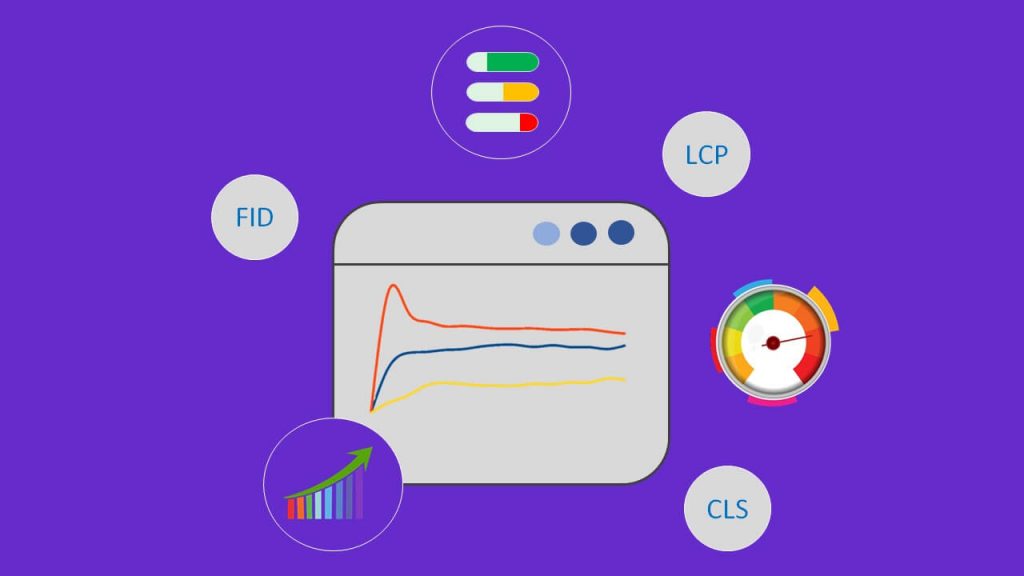
منذ تأسيسها في عام 1998، أولت جوجل أهمية متزايدة لتجربة المستخدم (User Experience)، ما دفعها إلى تحديث خوارزمياتها بشكل مستمر، وقد أعلنت مؤخراً بشكل رسمي عن تضمينها ما أسمته Core Web Vitals (مؤشرات أداء الويب الأساسية) في ترتيب نتائج البحث، وذلك ضمن إطار مبادرة “تحديث تجربة الصفحة” (Page Experience Update) التي تتضمن عوامل تصنيف أخرى، مثل التوافق مع الأجهزة الذكية، وشهادات SSL. شرح تحديث Core Web Vitals وإرشادات لتحسين صفحات الموقع لتتوافق معه تقدم معايير Core Web Vitals فرصة لتحسين تصنيف موقعك، لكن فقط إذا فهمتها بشكل صحيح، وعرفت ما يجب أن تفعله ليصبح موقعك متوافقاً معها.
لهذا نقدم لك هنا شرحاً مفصلاً لهذا التحديث، ونعرفك بأهم الأدوات التي تمكنك من تقييم مدى توافق موقعك معه، ونورد لك أهم الإرشادات التي يجب اتباعها لتحسين توافق الموقع مع عوامله الثلاثة. ما هو تحديث Core Web Vitals؟ مؤشرات أداء الويب الأساسية أو Core Web Vitals هي 3 عوامل محددة مهمة تقيس سرعة صفحة الويب وتفاعلها مع المستخدم، أي أداء الصفحة تبعاً لبيانات الاستخدام الفعلي (Real World Usage Data)، وتعد جزءاً من معايير درجة “تجربة الصفحة” (Page Experience).
تشمل عوامل مؤشرات أداء الويب الأساسية (Core Web Vitals) ثلاثة عوامل، هي: سرعة عرض أكبر جزء من المحتوى على الصفحة (LCP) مهلة الاستجابة لأول إدخال (FID) متغيرات التصميم التراكمية (CLS) صورة توضح ارتباط مؤشرات الويب الأساسية بتجربة الصفحة عوامل تحديث Core Web Vitals يقيس كل عامل من العوامل الثلاثة السابقة -التي تمثل مؤشرات أداء الويب الأساسية (Core Web Vitals)- شيئاً محدداً متعلقاً بتجربة المستخدم، وهي عوامل خاصة بالصفحة، أي لكل صفحة من موقعك قيم مستقلة عن الأخرى.
نوضح هنا ما يقيسه كل واحد من هذه العوامل، وفي الفقرة التالية نوضح كيف يمكن معرفة قيمة القياس للصفحة لكل عامل. عامل سرعة عرض أكبر جزء من المحتوى (LCP) يقيس الـ LCP سرعة تحميل الصفحة، لكنه يختلف عن المقاييس الأخرى التي تقيس السرعة مثل TTFB وFCP اللذين يقيسان سرعة استجابة خادم الويب، والوقت اللازم لعرض أول عنصر من المحتوى على الترتيب، إذ يعتمد هذا العامل على الوقت اللازم لعرض أكبر عنصر مرئي من محتوى الصفحة يُفتَرض أن يوجد ضمن مساحة العرض.
تبعاً للعدد الذي يظهره عامل سرعة عرض أكبر جزء من المحتوى للصفحة، تُعرف حالة الصفحة إما على أنها “جيدة” أو “بحاجة إلى التحسين” أو “بطيئة”، وتوضح الصورة التالية الحدود الفاصلة بين هذه الحالات: حدود حالات سرعة عرض أكبر جزء من المحتوى (LCP) مهلة الاستجابة لأول إدخال (FID) يقيس الـ FID مقدار تفاعلية الصفحة، ويمثل الوقت اللازم لاستجابة المتصفح لأي تفاعل يقوم به المستخدم مع الصفحة أول مرة، سواء أكان هذا التفاعل نقراً على زر أو رابط، أو إدخال بريد إلكتروني في حقل، أو غير ذلك، ويعتبر هذا المقياس مهماً في الصفحات التي يحتاج فيها المستخدم للقيام بإجراء، مثل صفحات تسجيل الدخول أو التسجيل في الموقع.
وفقاً لقيمة عامل مهلة الاستجابة لأول إدخال (FID)، يمكن أن تُقيَّم الصفحة على أنها جيدة أو بحاجة إلى التحسين أو سيئة، وتظهر الصورة التالية القيم التي تجعل الصفحة تنتمي لكل حالة: حدود حالات مهلة الاستجابة لأول إدخال متغيرات التصميم التراكمية (CLS)
يقيس عامل متغيرات التصميم التراكمية (مؤشر Core Web Vitals الثالث) مدى استقرار الصفحة البصري، أي مقدار التغير غير المتوقع في تصميم الصفحة، وكلما كانت العناصر الموجودة في الصفحة تتحرك أكثر، كلما ارتفع الـ CLS الخاص بها، وكلما كان هذا أكثر سوءاً، ويأخذ هذا العامل العدد صفر أو أي عدد موجب، حيث يشير الصفر إلى أن مواضع عناصر الصفحة لا تتغير بشكل غير متوقع (دون تفاعل من المستخدم). تَعتبر جوجل استقرار الصفحة البصري مهماً، إذ تقول إن صعوبة تفاعل المستخدم مع عناصر الصفحة بسبب تغير أماكنها يُعد من خصائص تجربة المستخدم السيئة. كذلك، في حال كانت مواضع عناصر الصفحة المرئية مستقرة أثناء تحميلها لن يتعين على المستخدمين إعادة البحث عن الروابط والصور والحقول التي رأوها أثناء تحميل الصفحة بعد أن ينتهي المتصفح من إكمال عملية التحميل.
وأيضاً سيحول الاستقرار البصري دون نقر المستخدم على عناصر عن طريق الخطأ. يجب التنويه هنا إلى أن الاعتقاد أن عامل متغيرات التصميم التراكمية (CLS) يقيس فقط استقرار الصفحة البصري أثناء تحميلها اعتقاد خاطئ، حيث يقيس هذا العامل استقرار الصفحة طوال عمر الصفحة الكامل.
وكما LCP وFID، يكون عامل متغيرات التصميم التراكمية (CLS) إما جيداً أو بحاجة للتحسين أو سيئاً، والحدود التي تفصل بين هذه الحالات موضحة في الصورة التالية: حدود حالات عامل متغيرات التصميم التراكمية يلخص الجدول التالي مفاهيم عوامل Core Web Vitals الثلاثة، ويوضح أكثر القيم التي يمكن أن تأخذها، ومتى تعتبر القيم جيدة أو سيئة أو بحاجة إلى التحسين: جدول يلخص مفاهيم عوامل Core Web Vitals وحدود حالات كل منها
قياس مؤشرات أداء الويب الأساسية (Core Web Vitals)
حالياً، توجد طرق وأدوات عديدة تقيس عوامل Core Web Vitals لصفحات الويب، بما في ذلك: أدوات مشرفي محركات البحث من جوجل (Google Search Console). مجموعة أدوات PageSpeed Insights.
أداة Google Lighthouse. أدوات Chrome DevTools.
إضافة Web Vitals لجوجل كروم.
لن نشرح هنا كل أدوات قياس عوامل Core Web Vitals المذكورة أعلاه، لكننا سنشرح الأداتين الأولى والثانية، بالإضافة إلى المكون الإضافي لجوجل كروم (Web Vitals) الذي يمكنك تثبيته على متصفحك من هنا . 1- أدوات Google Search Console تقدم لك أدوات Google Search Console الكثير من البيانات حول مواقعك الإلكترونية، وقد أضيف إليها تقرير مؤشرات أداء الويب الأساسية الذي يوفر لك إمكانية الاطلاع على حالات عناوين موقعك حالياً وفي الماضي، وذلك على الهواتف الجوالة والحواسيب، كل منها على حدة.عندما تقوم ب فتح صفحة تقرير
Core Web Vitals الخاصة بموقعك، ستجد بطاقتين توضح الأولى أداء الموقع على الهواتف الجوالة، في حين توضح الثانية أداءه على الحواسيب، وسيكون بإمكانك فتح تقرير عوامل الويب الأساسية على أي منهما عبر النقر على زر “ فتح التقرير ” الموجود أعلى البطاقة. تقرير Core Web Vitals لأحد المواقع في Google Search Console إذا نقرت على زر “ فتح التقرير ” الموجود في البطاقتين، ستعرض لك الأداة بيانات أكثر تفصيلاً عن الصفحات الجيدة والسيئة والتي تحتاج إلى التحسين في موقعك، وذلك بالأخذ بعين الاعتبار عوامل Core Web Vitals الثلاثة، وسيكون بإمكانك تصدير التقرير على شكل جدول بيانات جوجل أو ملف Excel أو ملف CSV من خلال النقر على زر “ تصدير “.
تقرير Core Web Vitals على الهاتف الجوال من Google Search Console نود أن نلفت الانتباه إلى أنه قد لا يتضمن تقرير مؤشرات أداء الويب الأساسية في Google Search Console كل صفحات الويب التي يتضمنها موقعك، إذ إنه يُظهِر فقط عناوين URL التي تمت فهرستها، والتي تتضمن حداً أدنى من البيانات يكفي لحساب أحد العوامل الثلاثة على الأقل.
2- مجموعة أدوات PageSpeed Insights
توفر لك PageSpeed Insights العديد من البيانات عن أي صفحة ويب لديك رابطها، إذ -بخلاف Google Search Console- لن تحتاج إلى أن تكون صفحة الويب جزءاً من موقع تملكه لتعرف حالات عوامل Core Web Vitals الخاصة بها، إنما يكفي فقط أن تقوم بإدخال رابط الصفحة، ثم تضغط على زر “تحليل”. قيم عوامل Core Web Vitals لإحدى صفحات الويب من PageSpeed Insights
يجدر لفت الانتباه إلى أنه يمكنك الحصول على قيم مؤشرات أداء الويب الأساسية للصفحة على الهاتف الجوال وعلى الحاسوب، وذلك من خلال التبديل بين علامتي تبويب عبر النقر على الأيقونتين الموجودتين في أعلى اليمين في الصورة السابقة (الجوال – سطح المكتب). إ3- ضافة Web Vitals لجوجل كروم تعد إضافة Web Vitals لجوجل كروم الحل الأمثل لمعرفة قيم عوامل Core Web Vitals لصفحة تتصفحها، إذ تقيس بعد تثبيتها كلاً من الـ LCP والـ FID والـ CLS لكل الصفحات التي تقوم بزيارتها في حال كانت مفعلة.
لاحظ في الصورة التالية، قامت الإضافة بحساب عاملي LCP و CLS لصفحة نتائج البحث في جوجل بمجرد البحث عن عبارة “ووردبريس بالعربية”، وهي تنتظر أن يتم التفاعل مع أحد عناصر الصفحة لتقوم بحساب عامل FID. قيم مؤشرات أداء الويب الأساسية لصفحة نتائج البحث عن ووردبريس بالعربية من إضافة Web Vitals لا بد من الإشارة إلى أنه لكي تقوم هذه الإضافة بحساب العوامل بشكل صحيح، يجب أن تكون علامة التبويب مفتوحة من وقت بداية تحميل الصفحة، وحتى الانتهاء من تحميلها بالكامل، وإلا فإن الإضافة ستظهر أرقاماً غير حقيقية.
كما أن قيم بعض العوامل تتأثر بسرعة الاتصال بالإنترنت لديك، وربما مواصفات الحاسوب الذي تستخدمه، لذلك فإننا لا ننصحك باستعمال هذه الطريقة لقياس المؤشرات. هل يحسن توافق الصفحة مع Core Web Vitals من مكانها في نتائج البحث؟ طورت جوجل عوامل Core Web Vitals في الأساس لمساعدة ناشري المحتوى على تحسين تجربة المستخدم، لكن هذه العوامل أصبحت مؤخراً عوامل ثانوية في ترتيب نتائج البحث، أي أن الصفحات التي تتوافق مع مؤشرات أداء الويب الأساسية، سيكون لها الأولوية في التصنيف في حال تساوي عوامل الترتيب الأخرى.
بالرغم من ذلك، لم تصبح عوامل Core Web Vitals عاملاً حاسماً في التصنيف، إذ قد بالغت بعض المقالات في أهميتها. يؤ ك د John Mueller من جوجل أن الصلة بالموضوع الذي يتم البحث عنه، والذي يريد المستخدم الوصول إليه، لا تزال هي العامل الأكثر قوة في الترتيب.
لكن هذا لا يعني أنه عليك تجاهل هذه العوامل، فبالرغم من أنها قد لا تكون ذات تأثير كبير على التصنيف (لأنها عامل تصنيف ثانوي)، إلا أن عدم توافق موقعك معها، سيعود عليه بالعديد من السلبيات ذات التأثير القوي، مثل انخفاض الأرباح، وقلة الشعبية، الأمر الذي يؤدي بدوره إلى انخفاض التصنيف أيضاً. بالتالي يؤثر توافق موقعك مع مؤشرات أداء الويب الأساسية إيجابياً على تصنيف صفحاته بطريقتين، واحدة مباشرة ناتجة عن تفضيل محرك البحث للصفحات التي تتوافق مع هذه المؤشرات، والأخرى غير مباشرة توفرها شعبية موقعك بطرق متعددة، مثل زيادة عدد الروابط التي تؤدي إلى صفحات الموقع (Backlinks).
التوافق مع Core Web Vitals
على الرغم من أن جعل صفحات موقعك متوافقة مع مؤشرات أداء الويب الأساسية لن ينقلها من الصفحة العاشرة إلى الصفحة الأولى من نتائج البحث، إلا أنه كما شرحنا في الفقرة السابقة، لا تزال هذه العوامل ذات تأثير على التصنيف، لذلك سنسلط الضوء هنا على أهم الممارسات والطرق التي تفيد في جعل صفحات موقعك متوافقة معها. ممارسات تفيد في تحسين LCP إذا كانت سرعة عرض أكبر عنصر في الصفحة (LCP) لديك منخفضة، فإن القيام بما يلي سيكون مفيداً لزيادتها: قم بإزالة سكربتات الجهات الخارجية غير الضرورية، فقد وجدت دراسة
أن كل واحد من هذه السكربتات يبطئ الصفحة بمقدار 34 ملي ثانية. حسِّن وقت استجابة الخادم إذا كان مرتفعاً، فكلما كانت استجابة الخادم أبطأ كلما استغرق عرض أي عنصر على الصفحة وقتاً أطول، وكلما ارتفع الـ LCP. قم بتصغير ملفات الـ CSS، وتأجيل قراءة المتصفح الملفات غير الضرورية، وحاول وضع أكواد CSS الضرورية بطريقة Inline.
قم بتحسين الصور وضغطها، واستخدم تنسيقات حديثة مثل JPEG 2000 أو JPEG XR أو WebP، ولا تستخدم صوراً ليس لها علاقة بالموضوع. اجلب العناصر الهامة واطلب من المتصفح تحميلها قبل غيرها. استخدم التحميل الكسول (Lazy Loading) الذي يؤدي إلى تحميل المحتوى حسب الطلب.
على سبيل المثال، إذا استخدمت التحميل الكسول سيتم تحميل صور صفحة الويب عندما يصبح مكانها جزءاً من شاشة العرض في المتصفح. ولمزيد من النصائح التي تمكنك من رفع سرعة تحميل صفحات موقعك الووردبريس، وتقليل الزمن الذي يجب أن ينتظره الزوار حتى يحصلوا على مرادهم، راجع الدليل الشامل لزيادة سرعة موقع الووردبريس .
ممارسات تفيد في تحسين FID
عادة ما يكون تنفيذ أكواد جافاسكريبت (JS) الثقيلة هو السبب الرئيسي لطول مهلة الاستجابة لأول إدخال (FID)، إذ يكاد يكون من المستحيل على المستخدم أن يتفاعل مع الصفحة أثناء تحميل المتصفح JS، لذلك فإن تحسين طريقة تحليل وتنفيذ جافاسكريبت وتأجيل تنفيذها وتصغيرها سيؤثر إيجابياً وبشكل مباشر في الـ FID. وتشمل الممارسات الأخرى التي يمكن أن تحسن من مهلة الاستجابة لأول إدخال: إزالة السكربتات (البرامج النصية) غير الضرورية التابعة لجهات خارجية. استخدام ذاكرة التخزين المؤقت الخاصة بالمتصفح، إذ يساعد ذلك المتصفح على تحميل JS بشكل أسرع.
ممارسات تفيد في تحسين CLS تقوم ممارسات تحسين متغيرات التصميم التراكمية بشكل أساسي على جعل العناصر لا تتحرك بشكل غير متوقع (أي دون أن يتفاعل المستخدم مع الصفحة بطريقة تؤدي لتحريك العناصر)، ذلك لأن هذا العامل يقيس مقدار تغير تخطيط الصفحة بين إطارين معروضين. تشمل أبرز الأشياء التي يمكنك فعلها لتخفيض قيمة CLS: استخدام خصائص العرض والارتفاع للوسائط، سواءً أكانت صوراً، أو فيديوهات، أو رسومات بيانية.
حجز مساحة كافية للتضمينات والإعلانات من أجل ألا يتسبب ظهورها بشكل مفاجئ بدفع عناصر أخرى إلى الأسفل أو الأعلى أو الجانب. لا تقم بإدراج محتوى جديد فوق المحتوى الموجود، إلا إذا كان ذلك استجابة لتفاعل المستخدم مع أحد عناصر الصفحة. وإلى هنا، نكون قد انتهينا من شرح تحديث Core Web Vitals (مؤشرات أداء الويب الأساسية)، وعرفناك بأهم الأدوات التي تمكنك من قياس عوامله، وأشرنا إلى دوره في تصنيف صفحات الموقع، وسلطنا الضوء على أهم الإجراءات والممارسات التي ستفيد في تحسين قيم عوامل هذا التحديث.
وننوه في النهاية إلى أن هذه العوامل طُوِّرت في الأساس لمساعدتك على تحسين تجربة المستخدمين، فحتى لو كان تأثيرها غير حاسم في ترتيب نتائج البحث، لا يزال يتوجب عليك تحسين قيمها من أجل تقديم تجربة مُثلى لزوار موقعك الإلكتروني.
دروب أيديا - DROPIDEA
نأمل أن تكون هذه المقالة قد أضافت لك قيمة حقيقية. في دروب أيديا نسعى دائمًا لتقديم محتوى عربي عالي الجودة يساعدك على النمو والتطور في المجال الرقمي. تابعنا للمزيد من المقالات والشروحات المفيدة.
الأدمن
DROPIDEA
أحدث المقالات

هل تصيّد ماسك إطلاق أداة «Dots» من OpenAI عبر نطاق dot.com؟

بيك إكس في ترفع سقف استثماراتها البذرية إلى 5 ملايين دولار

عشاء مرتقب بين رئيس أنثروبيك ودونالد ترامب وسط خلافات حول أمان الذكاء الاصطناعي

جوجل تختبر الشراء المباشر من فليبكارت عبر Gemini في الهند



