شرح واجهة برمجة التطبيقات WordPress REST API
 بقلم الأدمن
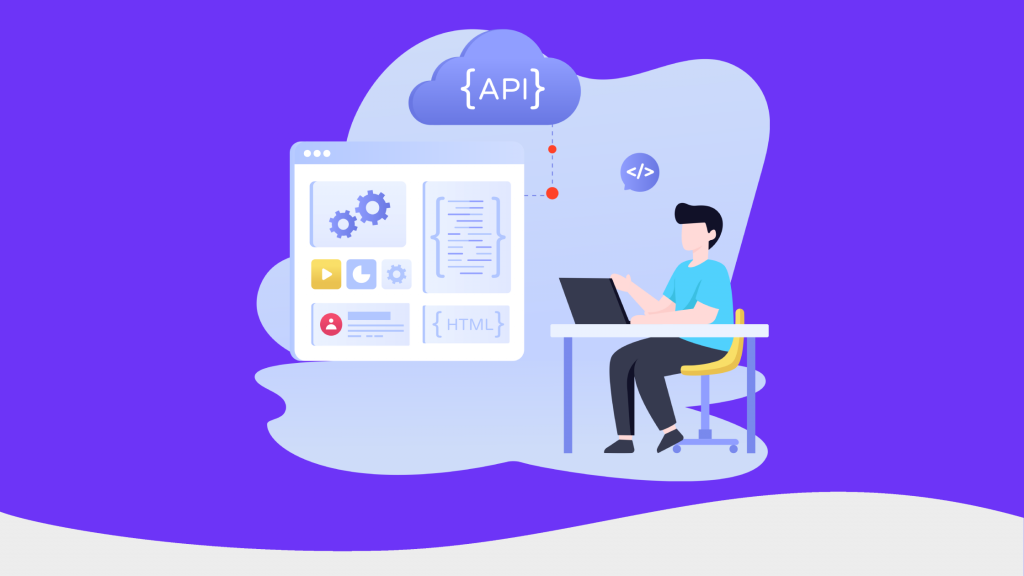
إن واجهة برمجة التطبيقات (WordPress REST API) في ووردبريس هي عبارة عن ميزة مدمجة بشكل إضافة مخصصة في الإصدارات الحديثة من ووردبريس. هذه الميزة تساعد موقع ووردبريس على التفاعل مع أي تطبيق خارجي سواء كان تطبيق ويب أو تطبيق هاتف جوال أو غير ذلك من خلال تسهيل عملية مشاركة بيانات الموقع مع هذه التطبيقات بسهولة. في مقال اليوم سنشرح لكم كافة التفاصيل عن ميزة REST API وأهم المصطلحات الخاصة بها وكيفية الاستفادة منها في موقعك، ونوضح بشكل عملي طريقة استخدامها للحصول على مقالات الموقع وتعديلها بسهولة، مع شرح لكيفية تفعيل وإلغاء تفعيل هذه الميزة في موقعك إذا رغبت بعدم استخدامها.
محتويات المقالة ما معنى API ما هي ميزة WordPress REST API أهمية WordPress REST API استخدام إضافة WordPress REST API مفاهيم أولية جلب البيانات من الموقع باستخدام واجهة برمجة التطبيقات تحديث بيانات الموقع باستعمال واجهة برمجة التطبيقات كيفية حذف بيانات من الموقع باستعمال واجهة برمجة التطبيقات تفعيل WordPress REST API في إصدارات ووردبريس القديمة إلغاء تفعيل WordPress REST API تطبيقات عملية على استخدامات إضافة REST API 1- المحرر المتطور Gutenberg 2- منصة UsTwo 3- موقع US TODAY ما معنى API مصلح API هو اختصار للكلمات التالية ( A pplication P rogramming I nterface) أي واجهة برمجة التطبيقات، وهو بشكل عام يعني إنشاء نقطة اتصال بين تطبيق أو نظام برمجي معين؛ وبينك أنت كمبرمج واجهة خلفية (Backend Developer). حيث يمكن لمبرمج الواجهة الخلفية الاستفادة من خدمات ونتائج هذا التطبيق أو النظام البرمجي في موقع الويب أو تطبيق الجوال دون الحاجة إلى إعادة بنائه من جديد. على سبيل المثال في حال قمت بإضافة خ رائط جوجل إلى موقع ووردبريس الخاص بك فأنت في هذه الحالة تستخدم API التابعة لخرائط جوجل لربط موقع ووردبريس الخاص بك بخرائط جوجل.
كذلك الأمر عندما تتم إضافة زر أعجبني الخاص بالـFacebook لصفحة في موقع ووردبريس الخاص بك فإن ذلك يتم عن طريق ربط واجهة برمجة تطبيقات Facebook بموقعك. فإنك تمكن تلك الصفحة الويب استخدام واجهة برمجة التطبيقات لتلقي البيانات (زر الإعجاب) وإرسال البيانات (طلب الإعجاب).
ما هي ميزة WordPress REST API إن واجهة
تطبيقات REST API هي اختصار لـRepresentational State Transfer وهي أحد أنواع أو معايير واجهة برمجة التطبيقات التي تنتهج أسلوب هيكلة برمجي يحدد كيفية تواصل خدمات الويب مع بعضها البعض من خلال بروتوكول نقل النص التشعبي (HTTP). هناك العديد من أنواع واجهات برمجة التطبيقات (API) ولكن REST تعتبر الأشهر والأحدث وهي تعمل عن طريق معالجة البيانات النصية الخاصة بالتطبيقات الخارجية دون الحاجة للوصول المباشر إلى قاعدة بيانات هذه التطبيقات. تستخدم واجهة برمجة التطبيقات WordPress REST API في ووردبريس لتساعد مطوري ووردبريس على ربط موقع ووردبريس الخاص بهم مع مواقع أو تطبيقات ويب أو تطبيقات جوال أخرى خارجية، كما أنها تساعد المطورين في الوصول إلى قاعدة البيانات الخاصة بالموقع واسترداد البيانات منها وإضافة البيانات إليها.
فمن خلال هذه الميزة ستتمكن من الحصول على المعلومات التي تريدها من قاعدة بيانات موقع ووردبريس بتنسيق JavaScript Object Notation (JSON). وهي لغة مصممة خصيصًا لإرسال البيانات واستلامها وتخزينها. حيث أنها تخزن البيانات بشكل زوج (مفتاح وقيمة) بعدها يمكنك عرض هذه البيانات في أي بيئة برمجية أخرى حتى لو كانت هذه البيئة لا تستعمل لغة PHP التي يعتمد عليها ووردبريس.
على سبيل المثال إذا أردت إنشاء تطبيق جوال لهاتفك لا يعتمد على الويب فيو(WebView) الذي يعرض عادة نسخة مطابقة لكافة بيانات موقعك الإلكتروني ضمن إطار iframe، وكنت تريد سحب بعض البيانات الخاصة بالموقع فقط مثل (المقالات، أوالوسائط، أوالصفحات، أو التصنيفات أو غيرها من البيانات المحددة) في هذه الحالة تحتاج إلى استخدام REST API التي تقوم بتنظيم هذه البيانات وإتاحتها لمطور تطبيق الجوال لكي يقوم بإعادة استخدامها بشكل تلقائي في التطبيق. أهمية WordPress REST API إن REST API مضمنة في إصدارات ووردبريس الحديثة ( 4.7 وما بعده) بشكل ضمني على شكل إضافة REST API مفعلة تلقائيًأ لتمكن المطورين من مشاركة جميع بيانات موقع ووردبريس مع كافة تطبيقات الويب أو تطبيقات الجوال الخارجية، ويسهل عملية برمجة أي تطبيق يعتمد بشكل أساسي على بياناته من موقع ووردبريس، فبدونها ستحتاج إلى برمجة API لموقعك من الصفر وهو أمر مكلف جداً. بالإضافة إلى ذلك فإن الإضافة تساعدك على استقبال البيانات من جهات خارجية أيضاً إلى داخل موقعك وليس إرسالها فقط، ففي مواقع الووكومورس على سبيل المثال تعمل الإضافة على استقبال الطلبات من أي تطبيق خارجي، وحفظها في موقعك بشكل مبسط وأيضاً تقوم بإعادة إرسال بيانات الطلب إلى التطبيق لكي يظهر للعميل.
كذلك تعتبر هذه الميزة مهمة جداً في جميع مواقع الووردبريس ولا غنى عنها في أي موقع حتى إن لم تكن بحاجة إلى إنشاء أي تطبيقات خارجية، حيث تعمل إضافة REST API في الإصدارات الحديثة من ووردبريس بشكل مدمج وهي ضرورية لعمل بعض الميزات مثل محرر المكونات Gutenberg . لقد مكنت هذه الميزة نظام ووردبريس من الارتقاء إلى مجرد منصة لإنشاء مواقع الويب ليصبح إطار عمل تطبيقات متكامل. يمكن المطورين من استخدامه لإنشاء تطبيقات للأجهزة المحمولة وتطبيقات الويب بسهولة كبيرة.
اقرأ أيضًا: شرح تطبيقات الويب التقدمية (PWAs) ومميزاتها وطريقة إنشائها في الفقرات التالية سنشرح لك كيفية الاستفادة من WordPress REST API في جلب بيانات محددة من أي موقع ووردبريس من بالأمثلة العملية. استخدام إضافة WordPress REST API في البداية قبل التطرق لشرح الإضافة يتوجب عليك معرفة بعض المفاهيم الأساسية التي يحتاج أي مطور سيستخدم هذه التقنية لفهم دلالتها: مفاهيم أولية Route (الموجه) : وهو عبارة عن الرابط الذي يمكنك من الولوج للموقع مع اختلاف الشهادات المستخدمة مثل HTTP أو Https. EndPoint (نقطة النهاية) : وهي عبارة عن الاتصال الناشئ فيما بين http والـ Route، للوصول إلى نقطة نهاية ، يجب عليك استخدام مسار يأخذ شكل عنوان URL عادي.كمثال على ذلك المسار التالي http://yourdomain.com/wp-json/ الذي يرجع كل المحتوى والبيانات الوصفية لموقعك بتنسيق JSON .
Request (الطلب) : وهو عبارة عن أمر صادر من WP-Rest_Request، ويتم استخدامه في جلب وتخزين المعلومات للطلب الحالي. Response (الاستجابة) تقوم بتوفير بالبيانات التي تم عمل طلب Request لها، وفي في حالة عدم توافرها يتم إعادة توجيه رسالة خطأ مع إيضاح السبب، حتى تتمكن من إصلاحه. Schema (المخطط) يمكنك من خلاله تحويل كافة المدخلات والخصائص إلى قوائم، يمكن لل Rest API قبولها وإعادة توجيهها لاستخدامها.
Controller Classes (صفوف التحكم) وهي عبارة عن المكان الذي من خلاله تتمكن من إدارة كافة أجزاء إضافة Rest API. جلب البيانات من الموقع باستخدام واجهة برمجة التطبيقات في هذا الجزء سنتطرق لشرح كيفية جلب البيانات من الموقع باستعمال Rest API، في البداية يلزم عليك معرفة أن تعاملك بالكامل سيكون مع دومين الموقع الخاص بك عبر مسار ملف wp json للصفحة التالية http://yourdomain.com/wp-json/ كما يجب أن تعرف أن هناك ثلاثة طلبات JSON أساسية ستستخدمها مع REST API هي ( طلب GET لاسترداد البيانات من واجهة برمجة التطبيقات وطلب POST الذي يمكّنك من إرسال معلومات جديدة إلى ووردبريس وطلب DELETE لحذف البيانات) كي تتمكن من نفيذ هذه الطلبات اتبع الخطوات التالية: 1-كي تتمكن من الوصول إلى واجهة برمجة التطبيقات WP-REST API، ستحتاج أولاً إلى الوصول إلى موقعك عبر سطر الأوامر(Command line) ويمكن تحقيق ذلك في مواقع ووردبريس من خلال تثبيت أداة W P -CLI وهي عبارة عن أداة سطر أوامر مخصصة للمطورين لتمكنهم من إدارة المهام في ووردبريس. لتثبيت WP-CLI تأكد من أن لديك حساب الاستضافة الخاصة بك يدعم وصول SSH حيث لا يمنحك معظم مزودي الاستضافة المشتركة الوصول إلى SSH.
2- بعد تثبيت واجهة سطر الأوامر والاتصال بموقعك من خلالها، عليك يجب في البداية اختبار الاتصال والتأكد من إمكانية جلب البيانات من الصفحة المطلوبة، وذلك من خلال كتابة الأمر التالي: curl -X OPTIONS -i http://yourdomain.com/wp-json/ 4 . ستظهر لك الرسالة التالية والتي تعني نجاح عملية الاتصال: HTTP/1.1 200 OK Date: Wed, 23 Oct 2021 19:51:41 GMT Server: Apache/2.4.29 X-Robots-Tag: noindex Link: ; rel=”https://api.w.org/” X-Content-Type-Options: nosniff Access-Control-Expose-Headers: X-WP-Total, X-WP-TotalPages Access-Control-Allow-Headers: Authorization, Content-Type Allow: GET Transfer-Encoding: chunked Content-Type: application/json; charset=UTF-8 بعد نجاح عملية الاتصال تستطيع جلب أي محتوى من الموقع. قم بكتابة طلب GET التالي في البداية لتحصل على استجابة بشكل JSON توضح لك المسارات المتاحة التي يملكنك جلب البيانات منها ونقاط النهاية المتاحة داخل كل مسار.
curl -X GET -i http://yourdomain.com/wp-json تتميز الإضافة بإتاحتها إمكانية جلب محتوى معين من الصفحات أو المقالات فقط ففي حالة أحببت جلب المحتوى من المقالات المنشورة في موقعك فقط، فاستعمل الطلب التالي: curl -X GET -i http://yourdomain.com/wp-json/wp/v2/posts يمكنك رؤية نتائج مماثلة لما ستحصل عليها نتيجة تنفيذ هذا الطلب إذا انتقلت إلى الرابط التالي في موقع ووردبريس بالعربية https://wpar.net//wp-json/wp/v2/posts حيث ستحصل على معلومات كثيرة حول كافة مقالات الموقع. قد لا تبدو المعلومات مفهومة بالنسبة لك في البداية، لكنها تحتوي الكثير من المعلومات الهامة بتنسيق JSON مثل المعرف والاسم والتاريخ ونصوص المقالات المنشورة في موقعنا. يمكنك بعد ذلك استخدام هذه المعلومات في أحد التطبيقات على سبيل المثال وعرضها بطريقة مفهومة باستخدام التصميم المخصص الخاص بك.
أما في حالة أردت جلب المحتوى من صفحات الموقع فقط، استعمل السطر التالي: curl -X GET -i http://yourdomain.com/wp-json/wp/v2/pages كما يمكنك تغيير البيانات التي سيتم الحصول عليها عن طريق تغيير البارامترات الممررة للرابط في الكود السابق. على سبيل المثال ، إذا أضفت per_page = 5 كما يلي https://yourdomain.com/wp-json/wp/v2/posts?per_page=5 يمكنك الحصول على بيانات 5 مقالات فقط. وهكذا ببساطة كل ما عليك هو تغيير الرابط المرر والحصول على المعلومات التي تريدها من الموقع، المرحلة التالية تكون باستخدام هذه المعلومات من قبل المنصات الأخرى لعرضها بالشكل المناسب (عادة يتم تحليل هذه المعلومات باستخدام لغة البرمجة جافا سكربت ويتم إخراج البيانات بتنسيق سهل القراءة باستخدام HTML) تحديث بيانات الموقع باستعمال واجهة برمجة التطبيقات تتميز REST API بكونها سهلة التعامل للغاية للتعديل على محتوى مقال معين عليك تحديده في البداية،لتحديد محتوى معين للتعديل عليه أو تحديثه، قم في البداية بكتابة السطر التالي: curl -X GET -i http://yourdomain.com/wp-json/wp/v2/posts بعد ذلك قم بإيجاد ID لذلك المقال الذي ترغب في تحديثه، وقم بإضافته مكان ID في السطر التالي: curl -X GET -i http://yourdomain.com/wp-json/wp/v2/posts/ الأن يمكنك مثلاً تغيير عنوان المقال، وذلك باستعمال الطلب POST التالي مع تغيير قيمة الـtitle بالعنوان الجديد بتمريره كوسيط كما يلي: curl -X POST --user username:password http://yourdomain.com/wp-json/wp/v2/posts/PostID -d '{"title":"My New Title"}' هناك الكثير من الوسائط الأخرى التي يمكنك استخدامها لإجراء تغييرات على إحدى المقالات.
على سبيل المثال ، يمكنك تغيير فئة أو تصنيف المقال أو تغيير حالة النشر له أو تغيير محتوياته بالكامل. كيفية حذف بيانات من الموقع باستعمال واجهة برمجة التطبيقات الأن سنعرض أمثلة على كيفية إزالة بيانات من الموقع باستخدام واجهة برمجة تطبيقات REST. على سبيل المثال لحذف مستخدم ما من الموقع.
يمكنك استخدام طلب DELETE التالي لحذف المستخدم الذي يملك ID =10: curl -X DELETE http://example.com/wp-json/wp/v2/users/10 سيؤدي هذا إلى إزالة المستخدم المحدد من الموقع. كما يمكنك فيما بعد استخدام برامترات إضافية لإعادة تعيين مقالات هذا المستخدم إلى مستخدم آخر بناءً على ID المستخدم أو حذف مقالاته بشكل دائم من الموقع.
ملاحظة: في بعض الأحيان عند تنفيذ بعض الأوامر
(مثل أوامر تحديث أو حذف المحتوى) قد يطلب منك أن تتمكن من التسجيل كمدير. وحتى تتمكن من القيام بذلك يلزم عليك استخدام ثثبيت وتفعيل إضافة REST API Basic Auth في موقعك. بعد تفعيل الإضافة افتح واجهة سطر الأوامر CLI، ثم اكتب الأمر التالي حتى تتمكن من عمل Request على REST API بصلاحيات المدير، مع استبدال اسم المستخدم وكلمة المرور بالكلمات الخاصة بحساب الأدمن في الموقع.
curl -X GET --user username:password -i http://yourdomain.com/wp-json/wp/v2/posts?status=draft بعدها قم بجلب أي بيانات تريدها من داخل مسار wp-json كما شرحنا. وفي حالة أحببت الإطلاع على كافة الروابط والبيانات التي يمكنك الوصول إليها في موقعك فننصحك بالتوجه إلى الرابط التالي Reference handbook . وبهذا نكون قد بينا لك بعض الأمثلة العملية لطريقة الحصول على البيانات من خلال REST API كل ما عليك هو تعلم تقنية RESET API وتعلم أساسيات JSON لاكتساب المهارات الأساسية للتعامل مع البيانات التي يتيحها موقعك.
في حال كنت تستخدم إصدار قديم من ووردبريس وكنت ترغب في الاستفادة من هذه التقنية، فيمكنك ببساطة تفعيل الإضافة REST API في موقعك كما يلي تفعيل WordPress REST API في إصدارات ووردبريس القديمة كما ذكرنا في بداية المقال إذا كنت تستخدم إصدارات قديمة من الووردبريس (الإصدار 4.7 أوالإصدارات الأقدم ) فإن إضافة REST API تأتي لن تكون مفعلة مع نظام الووردبريس بشكل افتراضي وسيتوجب عليك في هذه الحالة أن تقوم بتنصيب إضافة REST API بشكل يدوي لكي تستطيع استخدامها والاستفادة من ميزاتها. ملاحظة: يمكنك معرفة إصدار ووردبريس الخاص بموقعك من خلال الانتقال لأسفل صفحة الأدمن الأساسية حيث سترى عبارة شكرًا لك لاستخدامك ووردبريس وبجانبها عبارة النسخة xxx حيث يمثل xxx رقم إصدار ووردبريس المستخدم في موقعك. لتنصيب هذه الإضافة على موقع ووردبريس بإصدار قديم.
قم بتحميل الإضافة من الرابط التالي : إضافة REST API قم برفع الإضافة إلى موقعك من خلال: إضافات>أضف جديد>رفع الإضافة قم بالضغط على زر تفعيل الإضافة وبذلك يتم تفعيل الإضافة بنجاح بعدها لن تحتاج إلى ضبط أى شئٍ فالإضافة تعمل من تلقاء نفسها بهذا تكون ضمنت تفعيل الإضافة على موقعك. مع التنبيه أنه في حالة ما إذا قمت بتثبيت إضافات حماية في موقعك فقد تعطل هذه الإضافات ميزة WP REST API المفعلة في موقعك لذا تأكد من السماح باستخدامها في موقعك. إلغاء تفعيل WordPress REST API أحياناً يتم استغلال إضافة REST API بشكل خاطئ من قبل مطورين مجهولين ليقوموا بإنشاء تطبيق أو موقع ويب يعتمد بشكل أساسي على البيانات المأخوذة من موقعك، أو بأي طريقة أخرى.
لذلك إذا كنت لا تستخدم ميزات REST API في موقعك بشكل مباشر ولا تحتاجها لاحقًا، قد تحتاج إلى إيقافها لاسيما إذا كنت تعمل بإصدارات ووردبريس حديثة تكون الميزة مدمجة بها. لتقوم بذلك يجب عليك تثبيت وتفعيل الإضافة Disable WP REST API في موقعك. كما يمكنك تعطيل هذه الميزة بذلك بشكل يدوي من خلال الملف Function.php بإضافة كود داخله.
من خلال الدخول إلى محرر القوالب ثم اختيار القالب المستخدم وبعد ذلك ستجد الملف functions.php في بداية ملفات القالب ثم بتحريره وإضافة الكود التالي إليه. add_filter( 'json_enabled', '__return_false' ); add_filter( 'json_jsonp_enabled', '__return_false' ); تطبيقات عملية على استخدامات إضافة REST API فيما يلي نذكر لكم بعض الأمثلة على تطبيقات عملية تم إنشاؤها باستخدام إضافة REST API المدمجة في ووردبريس. 1- المحرر المتطور Gutenberg يعد هذا التطبيق أحد أشهر التطبيقات على ميزة RESET API ولكن كيف وهو بالفعل موجود على الموقع الخاص بك؟
الإجابة على هذا السؤال هي أن المحرر المتطور Gutenberg يستخدم إضافة RESET API ضمنيًا للدخول إلى قاعدة البيانات وإنشاء البلوكات. 2- منصة UsTwo UsTwo هي شركة رقمية تم إنشاء الموقع الخاص بها بالاعتماد على إضافة RESET API كتطبيق صفحة واحدة. حيث تم برمجة الواجهة الأساسية بلغة React، أما الواجهة الخلفية Backend فهي مبنية على الووردبريس مع بعض التعديلات لتتناسب مع استخدامات الموقع وتعتمد فكرة عمل الموقع بالكامل على آلية RESET API.
3- موقع US TODAY اعتمد جزء من الموقع الإخباري الشهير USA Today على آلية RESET API لمشاركة المحتوى الخاص بالموقع على منصات أخرى مثل Facebook Instant Articles و ابل نيوز وغيرها من الخدمات الإخبارية التي تساعد في انتشار الأخبار على الشبكة العنكبوتية. الخلاصة في هذا المقال تعرفنا على مفهوم واجهة برمجة التطبيقات API التي تعتبر وظيفة تربط الأنظمة المختلفة ببعضها البعض وشرحنا آلية عمل واجهة التطبيقات RESET API في ووردبريس وأهم مميزاتها. وأوردنا بعض الأمثلة ، العملية التي تمكنك من إدارة محتوى موقعك من خلالها.
ننصحك كمطور ووردبريس بالتعمق أكثر في تقنية RESET API وتعلم تنسيق JSON كي تتمكن من من مشاركة بيانات مواقع الووردبريس مع أي جهة تريدها، وتتقن مهمة بناء تطبيقات خارجية تستند على محتوى مواقع الووردبريس بسهولة.
دروب أيديا - DROPIDEA
نأمل أن تكون هذه المقالة قد أضافت لك قيمة حقيقية. في دروب أيديا نسعى دائمًا لتقديم محتوى عربي عالي الجودة يساعدك على النمو والتطور في المجال الرقمي. تابعنا للمزيد من المقالات والشروحات المفيدة.
الأدمن
DROPIDEA
أحدث المقالات

هل تصيّد ماسك إطلاق أداة «Dots» من OpenAI عبر نطاق dot.com؟

بيك إكس في ترفع سقف استثماراتها البذرية إلى 5 ملايين دولار

عشاء مرتقب بين رئيس أنثروبيك ودونالد ترامب وسط خلافات حول أمان الذكاء الاصطناعي

جوجل تختبر الشراء المباشر من فليبكارت عبر Gemini في الهند



