حل مشكلة: الصفحة غير موجودة – 404 Error
 بقلم الأدمن
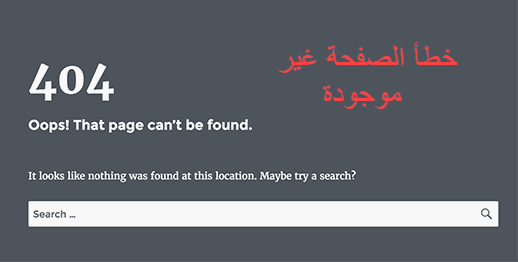
بشكل عام؛ تظهر هذه الرسالة عندما تقوم بالدخول إلى صفحة معينة أو مقالة أو منشور على مدونتك أو موقعك، وهي لا تؤثر على دخولك إلى لوحة تحكم الووردبريس الخاصة بك أو الصفحة الرئيسية. يعني أن هذه الرسالة يمكن أن تظهر على منشور واحد فقط؛ بينما تستطيع تصفح جميع أقسام موقعك بشكل طبيعي. لا يعني ظهور هذه الرسالة أن المنشور الخاص بك أو المقالة قد تم حذفها أو فقدانها (هي موجودة وآمنة)، ولكن عليك استعادتها.
سبب المشكلة: غالباً سبب المشكلة يكون: إعدادات الرابط الدائم (permalink settings) تحتاج إلى إعادة تكوين.
ملف htaccess تالف. خطأ في قواعد إعادة الكتابة (rewrite rules).
الحل #1: تحديث الروابط الدائمة
كيفية تحديث الروابط الدائمة يجب الذهاب إلى الإعدادات » روابط دائمة، وثم الضغط على حفظ التغييرات. بالتالي هذا يؤدي إلى تحديث إعدادات الروابط الدائمة وقواعدِ إعادة الكتابة.
يعمل هذا الحل على إصلاح الخطأ 404 لمشاركات الووردْبريس الخاصة بك، ولكن إذا لم يعمل هذا الحل، ستحتاج إلى تحديث ملف htaccess بشكل يدوي. الحل #2: التحقق من ملف htaccess عليك بتسجيل الدخول إلى الخادم الخاص بك باستخدام FTP أو مدير الملفات؛ حيث يوجد الملف إلى جانب الملفات الأساسية في الموقع مثل (wp-content)، وأحياناً تحتاج إلى إظهار الملفات المخفية لرؤية الملف.
يمكنك إضافة هذا الكود إلى ملف htaccess. BEGIN WordPress #RewriteEngine On RewriteBase / RewriteRule ^index.php$ - [L] RewriteCond %{REQUEST_FILENAME} !-f RewriteCond %{REQUEST_FILENAME} !-d RewriteRule .
/index.php [L] # END WordPress اقرأ أيضًا: مشاكل الووردبريس الأكثر شيوعًا، وطرق حلها
اقرأ أيضًا: شرح شامل لملف htaccess: وظائف الملف، واستخداماته، وعمل أهم التعديلات
دروب أيديا - DROPIDEA
نأمل أن تكون هذه المقالة قد أضافت لك قيمة حقيقية. في دروب أيديا نسعى دائمًا لتقديم محتوى عربي عالي الجودة يساعدك على النمو والتطور في المجال الرقمي. تابعنا للمزيد من المقالات والشروحات المفيدة.
الأدمن
DROPIDEA
أحدث المقالات

هل تصيّد ماسك إطلاق أداة «Dots» من OpenAI عبر نطاق dot.com؟

بيك إكس في ترفع سقف استثماراتها البذرية إلى 5 ملايين دولار

عشاء مرتقب بين رئيس أنثروبيك ودونالد ترامب وسط خلافات حول أمان الذكاء الاصطناعي

جوجل تختبر الشراء المباشر من فليبكارت عبر Gemini في الهند



